
Apple Vision Pro in Switzerland: How to Use It Well in an Unsupported Country

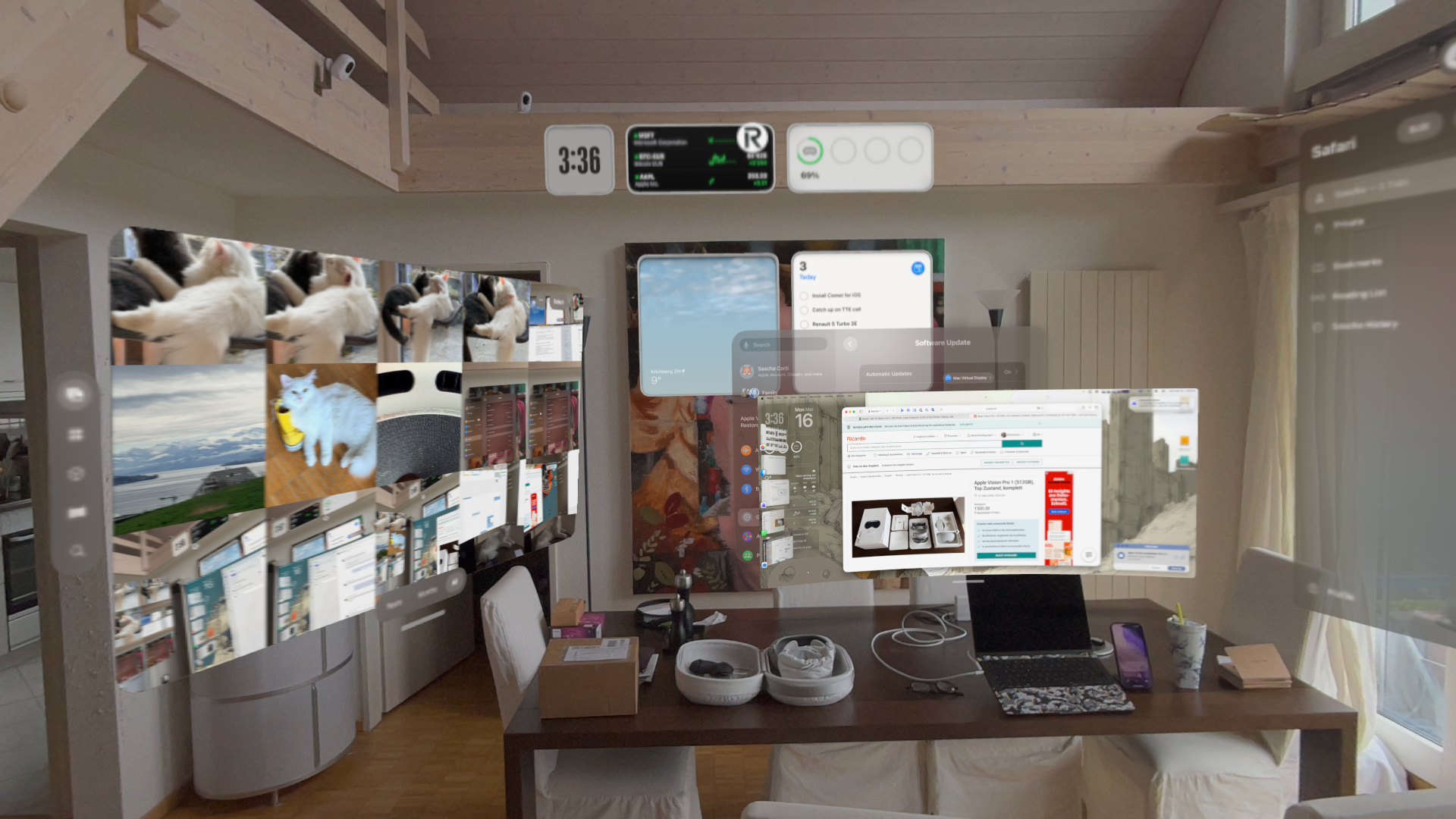
Apple Vision Pro is portable by design, and Apple explicitly positions it as a device you can use at home, at work, and while traveling. But there is a practical difference between traveling with Vision Pro and living in a country where Apple does not officially sell or support it. Switzerland is one of those countries today, so the hardware works, but parts of the software and service experience are gated by region. (Apple)
That distinction matters because the main limitation is not Swiss connectivity, not your Wi-Fi, and not your IP address. The real gate is the Apple Account storefront region used for the App Store and media purchases. Apple states that the App Store on Vision Pro requires an Apple Account whose region is set to a country where Vision Pro is sold, and purchases in Apple Music and the Apple TV app require an Apple Account from one of those supported countries as well.
The Core Problem: Vision Pro Is Not Officially Available in Switzerland
As of March 27, 2026, Apple Vision Pro is officially available in Australia, Canada, China mainland, France, Germany, Hong Kong, Japan, Singapore, South Korea, Taiwan, the UAE, the UK, and the U.S. Switzerland is not on that list. That means there is no Swiss Vision Pro storefront, no official Swiss sales channel, and no Swiss support path for the product. (Apple)
In practice, that leads to an experience that feels “mostly fine” until you hit region-bound services. Core device features, local apps, Safari, iCloud syncing, Bluetooth accessories, and system updates generally work as expected. The friction starts when you want to install native visionOS apps, buy content, or use services that are tied to a supported Vision Pro storefront. (Apple Support)
The Best Setup: Two Apple Accounts, Two Roles
The cleanest way to use Vision Pro in Switzerland is to separate concerns.
Use your Swiss Apple Account as your primary account for iCloud, Photos, Keychain, contacts, messages, backups, and your overall device identity. Then use a second Apple Account from a Vision Pro-supported country for the App Store and region-gated media purchases. Apple’s own guidance around country/region changes makes clear that storefront region is a first-class account property, and changing it can require canceling subscriptions, spending any remaining balance, and dealing with Family Sharing restrictions. That is why a second account is usually the more practical option. (Apple Support)
This is the key architectural insight: do not treat Vision Pro as a normal one-account device if you live in an unsupported market. Treat it as a dual-account, region-aware setup.
What Works Fine with a Swiss Account
A Swiss Apple Account is still perfectly usable for the core Vision Pro experience. You can activate the device, sign into iCloud, use system apps, browse the web, run locally installed software, and generally use the device as a spatial computer without issue. Apple’s platform documentation makes clear that Vision Pro includes the expected set of built-in apps and services, and regional gating is specifically called out around apps, content, and support rather than around the base operating system experience. (Apple Support)
That matches real-world use: the hardware is not “blocked” in Switzerland. The device works. The issue is entitlement and storefront access.
Where the Region Restrictions Show Up
The main restrictions show up in three places.
First, the visionOS App Store. Apple says you need an Apple Account to use the App Store on Vision Pro, and Apple’s purchase guidance for Vision Pro adds the critical caveat that the account must be from a country where the product is sold. (Apple Support)
Second, Apple Music and Apple TV purchases. Apple explicitly states that purchases in those apps require an Apple Account from a supported Vision Pro market. (Apple)
Third, support and accessories. Apple says Vision Pro support is available only in countries where the product is sold, and ZEISS optical inserts are tied to the country in which they are purchased. (Apple)
App Strategy #1: Use Compatible iPad and iPhone Apps First
One of the easiest ways to reduce friction is to lean on compatible iPad and iPhone apps wherever possible.
Apple’s Vision Pro App Store documentation explicitly says that the App Store includes both native visionOS apps and compatible iPhone and iPad apps. That means many apps you already use on iPad can be installed and run on Vision Pro without needing a native visionOS-specific workflow every time. (Apple Support)
In practice, this is the easiest path:
- Install the app on your iPad or buy it through the storefront that already works for you.
- On Vision Pro, look in the compatible apps area.
- Install it there if the developer allows compatibility.
This does not solve everything, because visionOS-native-only apps still require access to the Vision Pro storefront. But for a lot of everyday productivity and media apps, it is the least painful route. (Apple Support)
There is also an Apple Vision Pro companion app on iPhone and iPad that can surface App Store content and push installs to the headset, which is useful if you prefer to browse on a conventional screen first. (Apple Support)
App Strategy #2: Use a Supported-Country Account for the Vision Pro Store
For native visionOS apps, the most reliable approach is to use a second Apple Account from a supported country such as the U.S., UK, or Germany.
Conceptually, the workflow is simple: keep your Swiss Apple Account as your primary iCloud identity, but use the supported-country account for the App Store and media purchases. Apple officially documents changing the Apple Account country or region via Settings → your account → Media & Purchases → View Account → Country/Region, including on Vision Pro itself. (Apple Support)
I would phrase this carefully, though: Apple clearly documents region management for Media & Purchases, but it does not publish a polished “unsupported-country workaround” guide. So the right way to describe this is not as a hidden hack, but as a practical use of Apple’s existing storefront-region model.
Funding the Secondary Account Without a Local Payment Card
A second account is only useful if you can actually pay for apps. The practical answer is to fund it with Apple gift card balance.
Apple supports redeeming gift cards and using Apple Account balance for purchases, including through the App Store. That makes gift cards the cleanest solution for users who do not have a credit card from the storefront country they are using. Some recurring subscriptions may still require an accepted payment method, but for app purchases and many one-time transactions, balance funding works well. (Apple)
So if you live in Switzerland and run a U.S. storefront account for Vision Pro, gift cards are usually the least painful way to keep that account usable.
Apple Music, Apple TV+, and Arcade: The Important Nuance
This is where many explanations get slightly sloppy.
Switzerland does support Apple services in general. But on Vision Pro, Apple’s own guidance is more specific: purchases in Apple Music and the Apple TV app require an Apple Account from a country where Vision Pro is sold. So the issue is not that Switzerland has no Apple media services. The issue is that Vision Pro’s storefront and entitlement model is tied to supported Vision Pro markets. (Apple)
That distinction explains why some things may appear inconsistent across your Apple devices. A service can exist in Switzerland broadly, yet still behave differently on Vision Pro because Vision Pro itself has not officially launched there.
No, a VPN Is Not the Fix
This is an important point to state plainly: a VPN is not the real solution here.
Apple’s own wording makes clear that the relevant restrictions are based on account region and content licensing, not simply on current network location. If the App Store and purchases are tied to the storefront region of the Apple Account, then changing your IP address does not fundamentally solve the problem. (Apple)
So if your setup works in Switzerland without a VPN, that is expected. And if something is blocked, a VPN is unlikely to be the missing ingredient.
The Hidden Operational Risk: Support and Repairs
This is one of the biggest things people underestimate.
Apple states that Apple Support is only available in the countries where Vision Pro is sold. If something goes wrong with the headset, the battery, or an accessory, you should assume that support, repair, or replacement will have to flow through a supported-country Apple channel rather than through standard Swiss retail support. (Apple)
For Swiss users, that means Vision Pro ownership is not just about getting the hardware into the country. It is also about being willing to handle service logistics outside Switzerland.
ZEISS Optical Inserts Are Even More Region-Locked Than the Device
If you need vision correction, the ZEISS optical insert rules matter a lot.
Apple says ZEISS will accept prescriptions only from eye care professionals in the country where the inserts are purchased, and the inserts will only ship to locations within that same country. That makes inserts part of the same regional procurement chain as the headset itself. (Apple)
So if you are in Switzerland and depend on prescription inserts, do not treat them like a normal accessory you can casually sort out later. Plan them as part of the original buy path in a supported market.
Language Support Is Better Than at Launch, But Still Worth Checking
At launch, Vision Pro language support was limited. That has improved, and Apple now exposes region, language, Siri, and dictation settings directly in visionOS. Apple also documents that Siri voices are not available for all languages and that feature availability can vary by language or region. (Apple Support)
For users in Switzerland, that means you should validate three separate things:
- the system language you want to use,
- the Siri language and voice behavior you expect,
- and any dictation or Apple Intelligence features you rely on.
Do not assume those all line up identically just because the base UI works.
Apple Intelligence: Promising, but Still Region-Sensitive
Apple Intelligence has also added a new layer of region behavior on Vision Pro.
Apple says Apple Intelligence on Vision Pro is available with supported language settings, and feature availability varies by region and language. Apple also says that once you have set it up, it continues to work when you travel to other regions. At the same time, Apple’s rollout language and feature notes still make clear that not every feature is available everywhere. (Apple Support)
So for a Swiss-based user, the practical takeaway is simple: Apple Intelligence may work well depending on your language and software configuration, but you should treat it as region-sensitive, not universally guaranteed.
Practical Hygiene for Daily Use
Once the initial setup is done, the day-to-day pattern is straightforward.
Batch your app purchases and updates when you are signed into the supported-region storefront account. Keep your Swiss account as your primary iCloud identity. Prefer compatible iPad apps when they exist. Avoid unnecessary full account changes. And treat support, repairs, and optical inserts as cross-border logistics rather than normal local Apple ownership. (Apple Support)
That is the difference between a setup that feels fragile and one that feels predictable.
Bottom Line
Yes, Apple Vision Pro is usable in Switzerland today. The headset itself works, iCloud works, many apps work, and the overall spatial computing experience is already very good. But if you want the full experience in an unsupported market, you need to understand that the real control plane is not the device region. It is the storefront region of the Apple Account used for apps and purchases. (Apple)
The most robust setup is:
- Swiss Apple Account for iCloud and primary identity
- supported-country Apple Account for the Vision Pro App Store and media purchases
- compatible iPad apps whenever possible
- gift-card funding where needed
- no reliance on VPNs
- realistic expectations around service, repairs, and ZEISS inserts. (Apple Support)
That is not a hack. It is simply the cleanest way to operate Apple Vision Pro from Switzerland before Apple officially brings the product here.