
Bringing PetLibro Smart Feeders to Apple Home: Building a Homebridge Plugin


A deep dive into reverse-engineering a pet feeder API and building a Homebridge plugin to integrate it with Apple's HomeKit ecosystem.
Introduction
If you're a smart home enthusiast with pets, you've probably noticed a gap: many smart pet devices don't support Apple HomeKit. PetLibro, a popular brand of automatic pet feeders, is no exception. Their feeders work great with their own app, but wouldn't it be nice to trigger a feeding from your iPhone's Home app, or even automate it with HomeKit scenes?
That's exactly what the homebridge-petlibro plugin does. In this post, I'll walk you through how I built a Homebridge plugin that bridges PetLibro's cloud API to Apple HomeKit, allowing you to control your pet feeder right from the Home app.
What is Homebridge?
For those unfamiliar, Homebridge is a lightweight Node.js server that emulates the iOS HomeKit API. It acts as a bridge between devices that don't natively support HomeKit and Apple's Home ecosystem.
The Homebridge Architecture
┌─────────────────┐     ┌─────────────────┐     ┌─────────────────┐
│   Apple Home    │────▶│   Homebridge    │────▶│  Device/Cloud   │
│   (iOS/macOS)   │◀────│    Server       │◀────│      API        │
└─────────────────┘     └─────────────────┘     └─────────────────┘
                              │
                        ┌─────┴─────┐
                        │  Plugins  │
                        │ (Node.js) │
                        └───────────┘
Homebridge's power lies in its plugin system. Each plugin can expose one or more "accessories" (devices) to HomeKit, translating HomeKit commands into device-specific API calls.
Key Homebridge Concepts
- HAP (HomeKit Accessory Protocol): The protocol that HomeKit devices use to communicate. Homebridge implements this protocol.
- Services: HomeKit organizes device functionality into services. A light bulb has a
Lightbulbservice, a thermostat has aThermostatservice, and so on. - Characteristics: Each service has characteristics that define its properties. A
Switchservice has anOncharacteristic (boolean). - Platform vs Accessory Plugins:
- Accessory plugins expose a single device
- Platform plugins can discover and manage multiple devices dynamically
Why Build This Plugin?
PetLibro makes excellent automatic pet feeders, but they're locked into their own ecosystem. I wanted to:
- Trigger feedings from the Home app - One tap from Control Center
- Use Siri - "Hey Siri, feed the cat"
- Automate with HomeKit scenes - Feed pets when arriving home
- Centralize smart home control - All devices in one app
Reverse Engineering the PetLibro API
The first step was understanding how the official PetLibro app communicates with their servers. This involved:
1. API Discovery
By analyzing the PetLibro app's network traffic (and referencing existing Home Assistant integrations), I identified the key API endpoints:
| Endpoint | Purpose |
|---|---|
/member/auth/login |
Authentication |
/device/device/list |
Fetch all devices |
/device/device/manualFeeding |
Trigger a feeding |
2. Authentication Flow
PetLibro uses a token-based authentication system:
async authenticate() {
  const payload = {
    appId: 1,
    appSn: 'c35772530d1041699c87fe62348507a8',
    country: 'US',
    email: this.email,
    password: this.hashPassword(this.password),  // MD5 hashed
    timezone: 'America/New_York',
    // ... additional metadata
  };

  const response = await axios.post(
    `${this.baseUrl}/member/auth/login`,
    payload,
    { headers: this.getHeaders() }
  );

  this.accessToken = response.data.data.token;
  this.tokenExpiry = Date.now() + (response.data.data.expires_in * 1000);
}
Key insight: The password must be MD5-hashed before sending. This is a common pattern in mobile app APIs.
3. Required Headers
The API expects specific headers that mimic the official app:
headers: {
  'Content-Type': 'application/json',
  'User-Agent': 'PetLibro/1.3.45',
  'source': 'ANDROID',
  'language': 'EN',
  'timezone': 'America/New_York',
  'version': '1.3.45'
}
Building the Homebridge Plugin
Plugin Structure
A Homebridge platform plugin has three main components:
homebridge-petlibro/
├── index.js          # Main plugin code
├── package.json      # NPM configuration with Homebridge metadata
└── config.schema.json # Optional: Config UI X schema
The Platform Class
The platform class is the entry point. It handles:
- Initialization and configuration
- Device discovery
- Accessory lifecycle management
class PetLibroPlatform {
  constructor(log, config, api) {
    this.log = log;
    this.config = config;
    this.api = api;

    // Shared authentication state
    this.accessToken = null;
    this.tokenExpiry = null;

    // Discover devices after Homebridge finishes launching
    this.api.on('didFinishLaunching', () => {
      this.discoverDevices();
    });
  }
}
Dynamic Device Discovery
One of the plugin's best features is automatic device discovery. Instead of manually configuring each feeder, the plugin queries the PetLibro API for all devices:
async discoverDevices() {
  // Authenticate first
  await this.authenticate();

  // Fetch all devices from the API
  const devices = await this.fetchDevicesFromAPI();

  for (const device of devices) {
    const uuid = this.api.hap.uuid.generate('petlibro-feeder-' + device.deviceSn);

    // Check if we already have this accessory cached
    const existingAccessory = this.accessories.find(a => a.UUID === uuid);

    if (existingAccessory) {
      // Restore from cache
      new PetLibroFeeder(this, existingAccessory, device);
    } else {
      // Create new accessory
      const accessory = new this.api.platformAccessory(device.deviceName, uuid);
      new PetLibroFeeder(this, accessory, device);
      this.api.registerPlatformAccessories("homebridge-petlibro", "PetLibroPlatform", [accessory]);
    }
  }
}
The Accessory Class
Each feeder is represented by a PetLibroFeeder class that:
- Sets up the HomeKit service (a Switch)
- Handles the
Oncharacteristic - Triggers the actual feeding
class PetLibroFeeder {
  constructor(platform, accessory, device) {
    this.platform = platform;
    this.accessory = accessory;
    this.deviceId = device.deviceSn;

    // Create a Switch service
    this.switchService = accessory.getService(Service.Switch)
      || accessory.addService(Service.Switch);

    // Bind the On characteristic to our handlers
    this.switchService.getCharacteristic(Characteristic.On)
      .onGet(this.getOn.bind(this))
      .onSet(this.setOn.bind(this));
  }

  async getOn() {
    // Always return false - this is a momentary switch
    return false;
  }

  async setOn(value) {
    if (value) {
      await this.triggerFeeding();

      // Reset after 1 second (momentary behavior)
      setTimeout(() => {
        this.switchService
          .getCharacteristic(Characteristic.On)
          .updateValue(false);
      }, 1000);
    }
  }
}
The Momentary Switch Pattern
An interesting design decision: the feeder appears as a momentary switch in HomeKit. When you tap it:
- The switch turns "on"
- The feeding command is sent to PetLibro
- After 1 second, the switch automatically turns "off"
This provides satisfying feedback while accurately representing that feeding is an action, not a state.
Triggering the Actual Feeding
The core functionality—actually dispensing food:
async triggerFeeding() {
  await this.platform.ensureAuthenticated();

  const feedData = {
    deviceSn: this.deviceId,
    grainNum: this.config.portions || 1,  // How many portions
    requestId: this.generateRequestId()    // Unique request ID
  };

  await axios.post(
    `${this.platform.baseUrl}/device/device/manualFeeding`,
    feedData,
    { headers: this.getAuthHeaders() }
  );
}
Plugin Registration and NPM Configuration
For Homebridge to discover your plugin, the package.json needs specific metadata:
{
  "name": "homebridge-petlibro",
  "displayName": "PetLibro Smart Feeder",
  "keywords": [
    "homebridge-plugin"  // Required! This is how Homebridge finds plugins
  ],
  "engines": {
    "homebridge": ">=1.3.0"  // Minimum Homebridge version
  },
  "main": "index.js"
}
The plugin registers itself in index.js:
module.exports = function(homebridge) {
  Service = homebridge.hap.Service;
  Characteristic = homebridge.hap.Characteristic;

  homebridge.registerPlatform(
    "homebridge-petlibro",     // Plugin identifier
    "PetLibroPlatform",        // Platform name (used in config.json)
    PetLibroPlatform           // Platform class
  );
};
Handling Real-World Challenges
Token Management
API tokens expire. The plugin handles this gracefully:
async ensureAuthenticated() {
  if (!this.accessToken || Date.now() >= this.tokenExpiry) {
    await this.refreshAuthToken();
  }
}

async refreshAuthToken() {
  if (!this.refreshToken) {
    return this.authenticate();  // Full re-auth
  }

  try {
    // Try token refresh
    const response = await axios.post(`${this.baseUrl}/member/auth/refresh`, {
      refresh_token: this.refreshToken
    });
    this.accessToken = response.data.access_token;
  } catch (error) {
    // Fall back to full re-authentication
    return this.authenticate();
  }
}
Error Handling
IoT integrations must handle failures gracefully:
async setOn(value) {
  if (value) {
    try {
      await this.triggerFeeding();
      this.log(`Feeding completed successfully`);
    } catch (error) {
      this.log.error(`Failed to trigger feeding:`, error.message);
      // Don't throw - just log and reset the switch
    }

    // Always reset the switch, even on error
    setTimeout(() => {
      this.switchService.getCharacteristic(Characteristic.On).updateValue(false);
    }, 1000);
  }
}
Account Limitations
PetLibro only allows one device logged into an account at a time. The plugin documentation recommends:
- Create a second PetLibro account
- Share your feeders to that account
- Use the secondary account for Homebridge
This prevents the plugin from kicking you out of the mobile app.
The Result
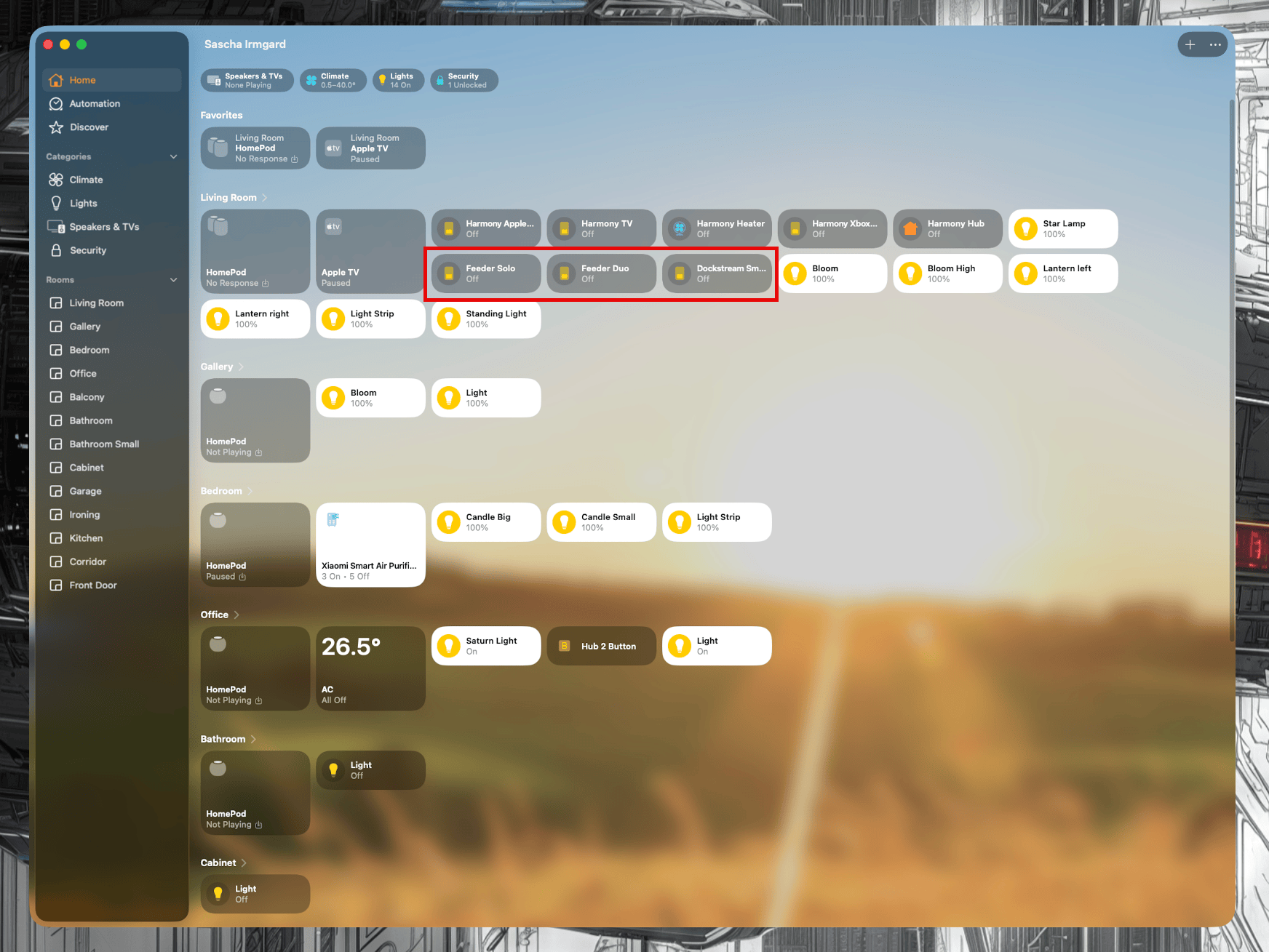
After installing the plugin, each PetLibro feeder appears in the Home app as a switch:
- Tap to feed - One tap dispenses food
- Siri integration - "Hey Siri, turn on Cat Feeder"
- Automations - Include in scenes and automations
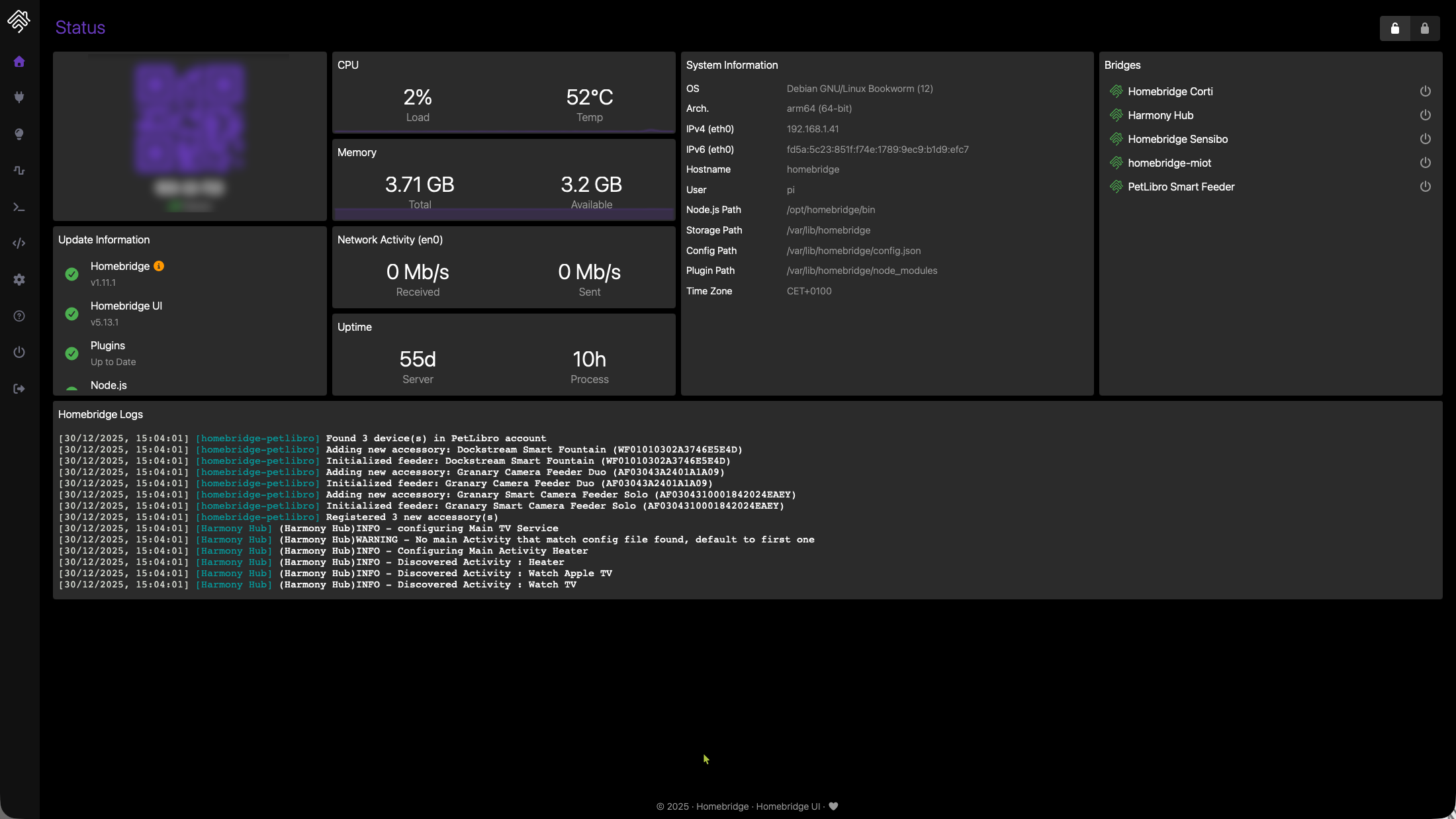
- Multi-device support - All feeders discovered automatically
Supported Devices
The plugin works with all PetLibro feeders using the main PetLibro app:
- Granary Smart Feeder (PLAF103)
- Space Smart Feeder (PLAF107)
- Air Smart Feeder (PLAF108)
- Polar Wet Food Feeder (PLAF109)
- Granary Smart Camera Feeder (PLAF203)
- One RFID Smart Feeder (PLAF301)
Lessons Learned
1. Study Existing Integrations
The Home Assistant PetLibro integration was invaluable for understanding the API structure.
2. Platform > Accessory
For devices that support multiple instances, always use a Platform plugin with dynamic discovery.
3. Graceful Degradation
IoT APIs are unreliable. Handle errors gracefully without crashing Homebridge.
4. Momentary Switches for Actions
When exposing an action (not a state) to HomeKit, the momentary switch pattern provides the best UX.
5. Token Management is Critical
Always handle token refresh and re-authentication automatically.
Getting Started
Install via npm:
npm install -g homebridge-petlibro
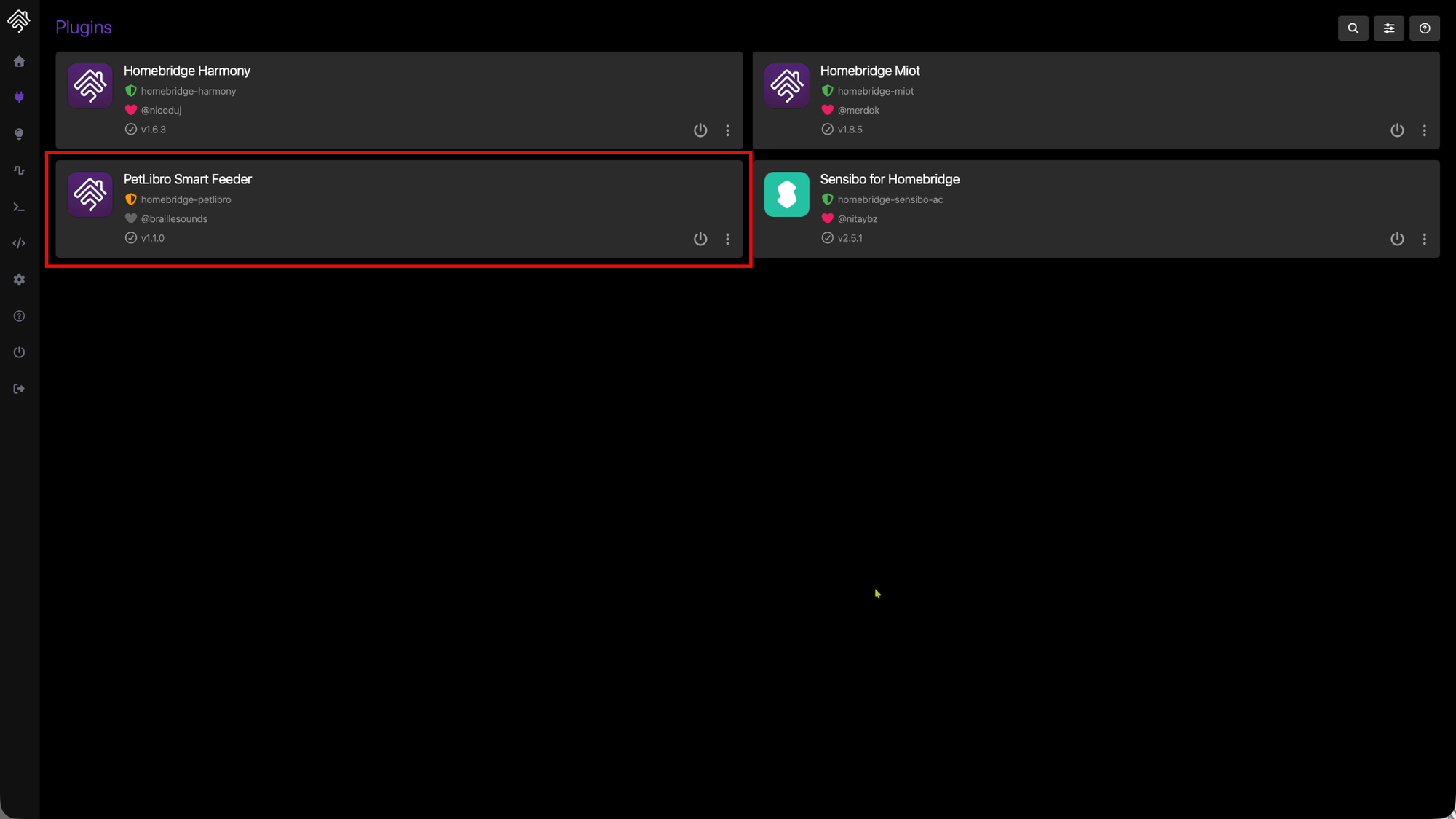
Or search for "PetLibro" in the Homebridge Config UI X plugin store.
Configure in your config.json:
{
  "platforms": [
    {
      "platform": "PetLibroPlatform",
      "email": "your-email@example.com",
      "password": "your-password",
      "portions": 1
    }
  ]
}
Conclusion
Building a Homebridge plugin is a rewarding way to bring unsupported devices into the Apple Home ecosystem. The combination of Node.js simplicity, Homebridge's well-designed plugin API, and the power of HomeKit automations makes it possible to create seamless integrations.
The full source code is available on GitHub where I have been adding new features. Contributions welcome!
Disclaimer: This is an unofficial plugin, not affiliated with PetLibro. Use at your own risk and check PetLibro's Terms of Service before use.