
Building an AI-Powered Birthday Calendar with FastAPI and Vanilla JavaScript

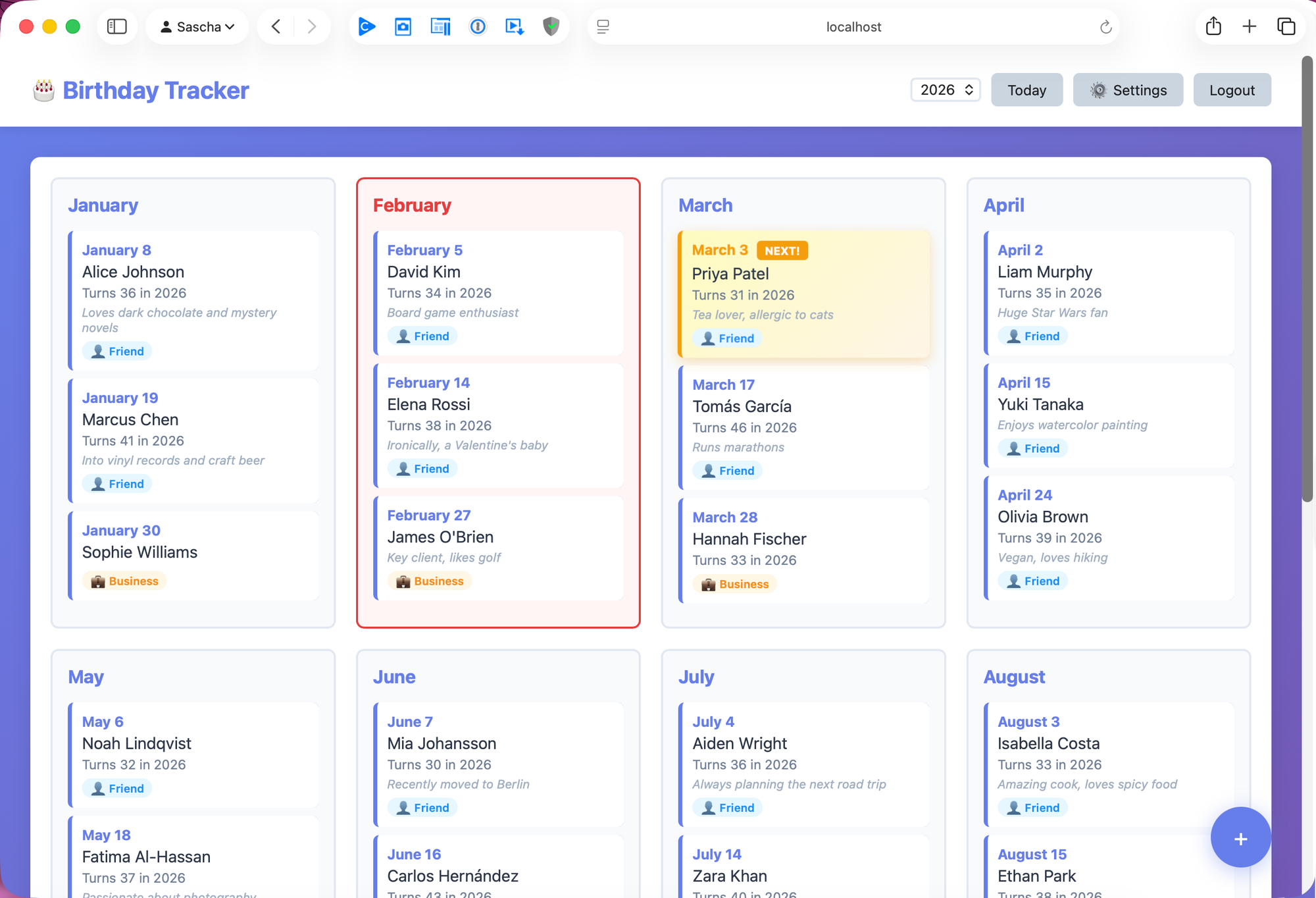
A full-stack self-hosted app with email reminders, AI based gift suggestions, and zero framework overhead on the frontend.
Why Build a Birthday Calendar?
I kept forgetting birthdays. Not the big ones, those are hard to miss, but the colleague whose birthday is next Tuesday, or the friend who always remembers mine but whose date I can never recall. I wanted something simple, self-hosted, and private. No cloud service holding my contacts. No subscription. Just a clean calendar that sends me an email the day before with a reminder and, as a bonus, some AI-generated gift ideas.
The result is AI Birthday Calendar: a full-stack web application built with FastAPI, vanilla JavaScript, and JSON file storage. No database to configure, no frontend framework to bundle, and it runs on a Raspberry Pi.
The Tech Stack
| Layer | Technology | Why |
|---|---|---|
| Backend | FastAPI + Uvicorn | Async, fast, automatic OpenAPI docs |
| Frontend | Vanilla JS + CSS Grid | No build step, no node_modules |
| Storage | JSON files | No database setup, human-readable, easy to back up |
| Auth | JWT + bcrypt | Stateless tokens, industry-standard password hashing |
| Scheduling | APScheduler | In-process cron without system-level configuration |
| SMTP via smtplib | Works with Gmail, Outlook, any SMTP provider | |
| AI | OpenAI GPT-4o | Personalized gift suggestions and birthday messages |
Production dependencies total eight packages. The entire application is a single Python process.
Architecture Overview
┌──────────────────────────────────────────────┐
│                  Browser                     │
│  Vanilla JS SPA  ←→  localStorage (JWT)      │
└──────────────┬───────────────────────────────┘
               │ REST API (Bearer token)
┌──────────────▼───────────────────────────────┐
│              FastAPI                         │
│  ┌─────────┐ ┌──────────┐ ┌──────────────┐   │
│  │  Auth   │ │Birthdays │ │  Settings    │   │
│  │ Routes  │ │  Routes  │ │   Routes     │   │
│  └────┬────┘ └────┬─────┘ └──────┬───────┘   │
│       │           │              │           │
│  ┌────▼───────────▼──────────────▼────────┐  │
│  │         Auth Layer (JWT + bcrypt)      │  │
│  └────────────────┬───────────────────────┘  │
│                   │                          │
│  ┌────────────────▼───────────────────────┐  │
│  │     JSON Storage (thread-safe locks)   │  │
│  └────────────────┬───────────────────────┘  │
│                   │                          │
│  ┌────────────────▼───────────────────────┐  │
│  │     APScheduler (daily cron trigger)   │  │
│  │         │                              │  │
│  │    ┌────▼─────┐    ┌───────────────┐   │  │
│  │    │  SMTP    │    │  OpenAI API   │   │  │
│  │    │  Email   │    │  (optional)   │   │  │
│  │    └──────────┘    └───────────────┘   │  │
│  └────────────────────────────────────────┘  │
└──────────────────────────────────────────────┘
               │
    ┌──────────▼───────────┐
    │   data/              │
    │   ├─ birthdays.json  │
    │   ├─ users.json      │
    │   └─ settings.json   │
    └──────────────────────┘
JSON Instead of a Database
The most unconventional choice in this project is using plain JSON files for persistence instead of SQLite or PostgreSQL. Here's the storage layer:
class JSONStorage:
    def __init__(self, file_path: Path):
        self.file_path = file_path
        self.lock = Lock()
        self._ensure_file()

    def _read(self) -> dict:
        with self.lock:
            with open(self.file_path, "r") as f:
                return json.load(f)

    def _write(self, data: dict):
        with self.lock:
            with open(self.file_path, "w") as f:
                json.dump(data, f, indent=2)
A threading.Lock prevents concurrent writes from corrupting the file. Three specialized subclasses — UserStorage, BirthdayStorage, and SettingsStorage — each handle their own CRUD operations and are instantiated as module-level singletons.
Why this approach works:
- Zero setup: No database server, no migrations, no connection strings
- Transparent: You can open
birthdays.jsonin any text editor and see your data - Backup is a file copy:
cp data/ backup/— done - Good enough: A birthday calendar has dozens to hundreds of records, not millions
The tradeoff is obvious: this won't scale to concurrent users or large datasets. For a personal tool, that's perfectly fine.
Authentication: bcrypt + JWT
Authentication uses two well-established building blocks. Passwords are hashed with bcrypt, which is memory-hard and resistant to GPU-based brute force attacks. Each hash includes a random salt, so identical passwords produce different hashes:
from passlib.context import CryptContext

pwd_context = CryptContext(schemes=["bcrypt"], deprecated="auto")

def verify_password(plain_password, hashed_password):
    return pwd_context.verify(plain_password, hashed_password)

def get_password_hash(password):
    return pwd_context.hash(password)
After successful login, the server issues a JWT (JSON Web Token) signed with HS256. The token contains the username and an expiration timestamp. The frontend stores it in localStorage and sends it as a Bearer token with every API request:
def create_access_token(data: dict, expires_delta: timedelta = None):
    to_encode = data.copy()
    expire = datetime.utcnow() + (expires_delta or timedelta(minutes=15))
    to_encode.update({"exp": expire})
    return jwt.encode(to_encode, SECRET_KEY, algorithm=ALGORITHM)
FastAPI's dependency injection makes protecting routes clean:
async def get_current_user(token: str = Depends(oauth2_scheme)):
    payload = jwt.decode(token, SECRET_KEY, algorithms=[ALGORITHM])
    username = payload.get("sub")
    user = user_storage.get_by_username(username)
    if user is None:
        raise credentials_exception
    return user
Any route that needs authentication simply adds current_user: User = Depends(get_current_active_user) to its signature. Admin-only endpoints add an additional check on current_user.is_admin.
The Scheduler: Email Reminders with APScheduler
Instead of relying on system cron, the application runs APScheduler's BackgroundScheduler inside the same process. A CronTrigger fires a check once daily at a configurable time (default 09:00):
def start_scheduler():
    scheduler = BackgroundScheduler()
    settings = settings_storage.get_email_settings()
    hour, minute = parse_reminder_time(settings.reminder_time)
    scheduler.add_job(
        check_and_send_reminders,
        CronTrigger(hour=hour, minute=minute),
        name="Birthday Reminder Check",
    )
    scheduler.start()
When the job fires, it:
- Loads all birthdays from storage
- Filters for birthdays occurring tomorrow
- For each match, optionally calls the OpenAI API for personalized content
- Composes an HTML email with the birthday list
- Sends it via SMTP (with STARTTLS)
The scheduler is re-initialized whenever the admin saves settings — changing the reminder time takes effect immediately without restarting the service.
AI-Generated Gift Suggestions
The OpenAI integration is entirely optional. When enabled, the app sends a targeted prompt for each birthday:
def generate_ai_suggestions(name, age, note, api_key):
    prompt = f"""Generate a short, warm birthday message and 5 gift ideas
    for {name}{f' who is turning {age}' if age else ''}.
    {f'About them: {note}' if note else ''}

    Format:
    MESSAGE: [your message]
    GIFTS:
    1. [gift idea]
    ..."""

    client = OpenAI(api_key=api_key)
    response = client.chat.completions.create(
        model="gpt-4o",
        messages=[{"role": "user", "content": prompt}],
        max_tokens=500,
    )
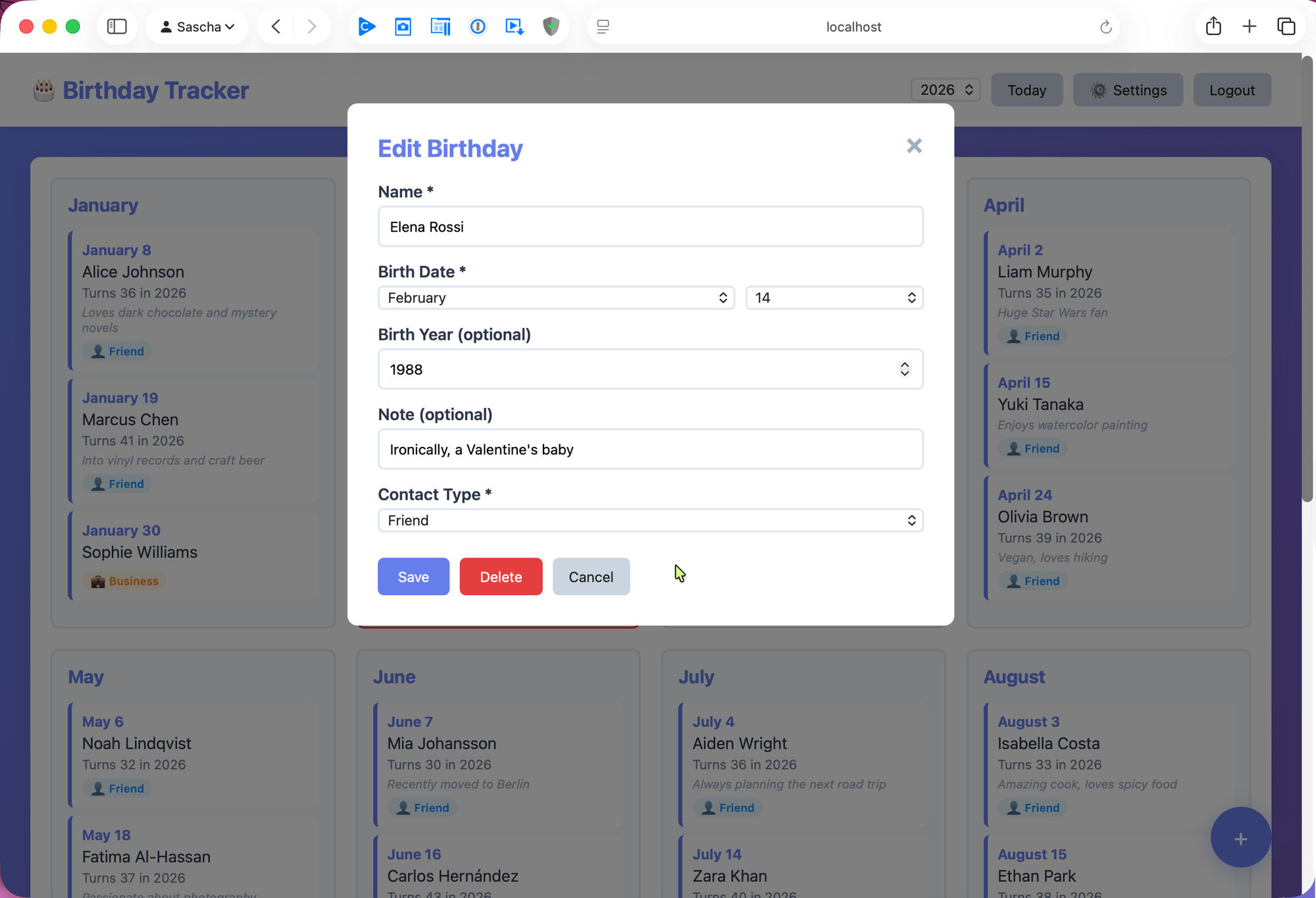
The notes field on each birthday entry is what makes this useful. "Loves dark chocolate and mystery novels" or "Mechanical keyboard enthusiast" gives the model enough context to suggest relevant gifts rather than generic ones.
The integration degrades gracefully. If the API key is missing, expired, or the quota is exceeded, the email still goes out — just without the AI section. The error is logged, and the admin can test the integration from the settings panel before relying on it.
At roughly $0.02–0.04 per birthday with GPT-4o, running this for 50 contacts costs about $1–2 per year.
Vanilla JavaScript: No Framework Required
The frontend is a single-page application built with plain JavaScript, HTML, and CSS. No React, no Vue, no build step. The entire client is three files:
index.html— The page structure with modal templatesapp.js— All application logic (~500 lines)styles.css— Styling with CSS Grid and animations
The calendar renders as a responsive CSS Grid:
.calendar-grid {
    display: grid;
    grid-template-columns: repeat(auto-fit, minmax(280px, 1fr));
    gap: 20px;
}
This automatically adjusts from a single column on mobile to four columns on a wide desktop — no media query needed for the basic layout.
State management is straightforward: a few module-level variables hold the current token, user info, and birthday list. The JWT is persisted in localStorage so sessions survive page reloads. Every API call includes the token as a Bearer header:
async function loadBirthdays() {
    const response = await fetch('/api/birthdays', {
        headers: { 'Authorization': `Bearer ${token}` }
    });
    birthdays = await response.json();
    renderCalendar();
}
The "next birthday" feature highlights the upcoming birthday with a pulse animation and a badge showing the number of days remaining. The calculation handles year boundaries correctly — if today is December 28th, it correctly identifies a January 3rd birthday as being 6 days away.
Is this approach right for every project? No. But for a personal tool with a handful of views and straightforward interactions, vanilla JS keeps the stack simple and eliminates an entire category of build tooling, version conflicts, and framework churn.
Pydantic Models: Validation at the Boundary
FastAPI's integration with Pydantic means request validation is declarative. The birthday model enforces valid months and days at the API boundary:
class BirthdayCreate(BaseModel):
    name: str
    birth_year: Optional[int] = None
    month: int = Field(ge=1, le=12)
    day: int = Field(ge=1, le=31)
    note: Optional[str] = None
    contact_type: str = "Friend"
Separate models handle creation, update, and response. The update model makes every field optional, enabling partial updates — change just the note without re-sending the entire record:
class BirthdayUpdate(BaseModel):
    name: Optional[str] = None
    month: Optional[int] = Field(None, ge=1, le=12)
    day: Optional[int] = Field(None, ge=1, le=31)
    # ...
The route handler merges the partial update with the existing record:
updated = existing.copy(update=birthday.dict(exclude_unset=True))
This keeps the API flexible without sacrificing validation.
Deployment: systemd and a Shell Script
The app ships with a systemd unit file and an install script. The service definition handles auto-restart, environment variable loading, and proper process management:
[Service]
Type=simple
User=YOUR_USER
WorkingDirectory=/opt/birthdays
EnvironmentFile=/opt/birthdays/.env
ExecStart=/opt/birthdays/venv/bin/uvicorn app.main:app --host 0.0.0.0 --port 8081
Restart=always
RestartSec=10
The install script copies the service file, enables it, and starts it — then prints the access URL and a reminder to change the default password. For production use behind a reverse proxy (nginx, Caddy), the app binds to 0.0.0.0:8081 and the proxy handles TLS termination.
The .env file holds all secrets:
BIRTHDAYS_SECRET_KEY=your-secret-key-here
BIRTHDAYS_ADMIN_USERNAME=admin
BIRTHDAYS_ADMIN_PASSWORD=your-secure-password
Testing: 128 Tests with Full Isolation
The test suite covers all layers: models, storage, authentication, scheduling, and HTTP endpoints. The key challenge was test isolation — the storage layer uses module-level singletons, so tests need to swap them out cleanly.
The solution patches every import site. Since Python module imports create separate references, patching app.storage.birthday_storage alone isn't enough. The fixtures patch it everywhere it's used:
@pytest.fixture(autouse=True)
def isolated_data_dir(tmp_path):
    test_birthday_storage = BirthdayStorage(tmp_path / "birthdays.json")

    with (
        patch("app.storage.birthday_storage", test_birthday_storage),
        patch("app.routes.birthdays.birthday_storage", test_birthday_storage),
        patch("app.scheduler.birthday_storage", test_birthday_storage),
        # ... all import sites
    ):
        yield tmp_path
The autouse=True ensures every test runs against fresh temporary files. Pre-generated JWT tokens in fixtures (admin_headers, regular_headers) reduce boilerplate in endpoint tests.
The scheduler tests demonstrate proper mocking of external services. OpenAI responses are mocked with various formats (numbered lists, dashed lists, malformed responses) to verify the parser handles real-world variation:
def test_ai_suggestions_numbered_list(self, mock_openai):
    mock_openai.return_value = Mock(choices=[Mock(message=Mock(
        content="MESSAGE: Happy birthday!\nGIFTS:\n1. Book\n2. Coffee mug"
    ))])
    result = generate_ai_suggestions("Alice", 30, "Loves reading", "key")
    assert "Book" in result["gifts"]
What I'd Do Differently
A few things I'd change in a v2:
- Structured AI output: Instead of parsing free-text with regex, use OpenAI's JSON mode or function calling to get structured responses reliably.
- SQLite: For anything beyond personal use, JSON files hit their limits quickly. SQLite would add minimal complexity while enabling proper queries.
- Pydantic v2 migration: The codebase still uses
.dict()instead of.model_dump()and@app.on_eventinstead of lifespan handlers. These work but generate deprecation warnings. - WebSocket updates: The calendar doesn't refresh when another user adds a birthday. For multi-user setups, push updates would improve the experience.
Running It Yourself
git clone https://github.com/TechPreacher/ai_birthday_calendar.git
cd ai_birthday_calendar
uv sync
cp .env.example .env    # Edit with your settings
uv run uvicorn app.main:app --host 0.0.0.0 --port 8081
Open http://localhost:8081, log in with admin / changeme, and change the password immediately.
The full source is on GitHub. It's MIT licensed.
Built with FastAPI, vanilla JavaScript, and a healthy appreciation for simplicity.