
Corti.com Apps

Small, focused utilities for Mac and iPhone, built by Sascha Corti. Free where possible, open source where it makes sense, and private by design throughout.
Jump to: CatPaws · PictureFramer · ZoomIt4Mac
CatPaws
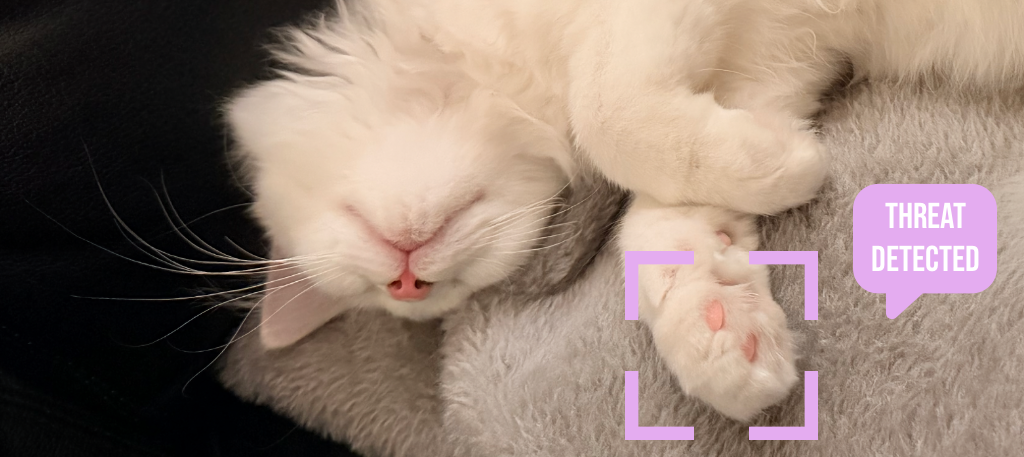
Protect your work from curious cats.
macOS 14+ · Apple silicon & Intel · Free & open source
A menu bar app that detects when a cat walks on your keyboard — the characteristic pattern of multiple adjacent keys pressed simultaneously — and instantly locks all keyboard input before random cat-generated text lands in your documents.
- Smart detection that distinguishes paws from normal typing
- Locks input within milliseconds, with a clear on-screen notification
- Unlocks automatically when the keys are released — or with a mouse click or 5×
Esc - Adjustable detection sensitivity and launch at login
- Statistics on your cat's keyboard visits
- No data collection, no network access — everything stays on your Mac
Requires Input Monitoring and Accessibility permissions to detect keyboard patterns.
Download for Mac · Website · GitHub
PictureFramer
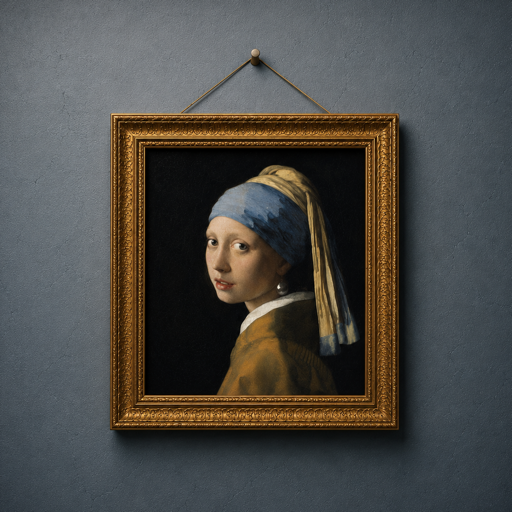
Photograph a painting at an angle. Get it back perfectly straight — frame, wall and all.
iPhone · iOS 17+
Made for museum days: PictureFramer finds the outer edge of the artwork, fixes rotation, horizontal and vertical keystone in a single transform, and keeps an adjustable strip of the real wall around the frame — not synthetic padding.
- Automatic frame detection, with hand-adjustable corners
- True perspective correction in one pass — not just a crop
- Full-resolution output rendered from your original pixels
- Works on unframed canvases too — anything with a clean rectangular edge
- AI reflection removal: mark glare on protective glass and let AI repaint only the masked pixels
- Bring your own OpenAI or Google Gemini API key, stored in the iOS Keychain
Straightening runs entirely on your iPhone — no accounts, no tracking. The optional reflection remover sends only the marked region to the AI provider you pick, with your own key, only when you tap Remove.
ZoomIt4Mac

The Sysinternals ZoomIt experience — native on your Mac.
macOS 14+ · Apple silicon & Intel · Free & open source · MIT
Zoom, draw, record and snip your screen straight from the menu bar — a native macOS re-implementation of the classic presentation tool, always one keystroke away.
- Zoom
⌃1from 1× to 8×, plus Live Zoom⌃4on moving content - Draw
⌃2: pen, lines, arrows, shapes in six colors, highlighterHand blur penX - Type
Tdirectly on screen, resizable on the fly - Break Timer
⌃3for workshop pauses - Snip
⌃6to clipboard, or OCR Snip⌃⌥6for on-device text capture - Screen Recording
⌃5/ region⌃⇧5as compact HEVC with optional audio - Rebindable hotkeys with conflict detection, launch at login, automatic updates
brew install TechPreacher/tap/zoomit4mac
Download .dmg · Website · GitHub
ZoomIt is a Sysinternals tool by Mark Russinovich; ZoomIt and Sysinternals are trademarks of Microsoft Corporation. ZoomIt4Mac is an independent re-implementation for macOS and is not affiliated with or endorsed by Microsoft.
© 2026 Sascha Corti · sascha@corti.com · GitHub