
Building a Tiny Always-On Website Monitor with an ESP32-S3 and AMOLED Display

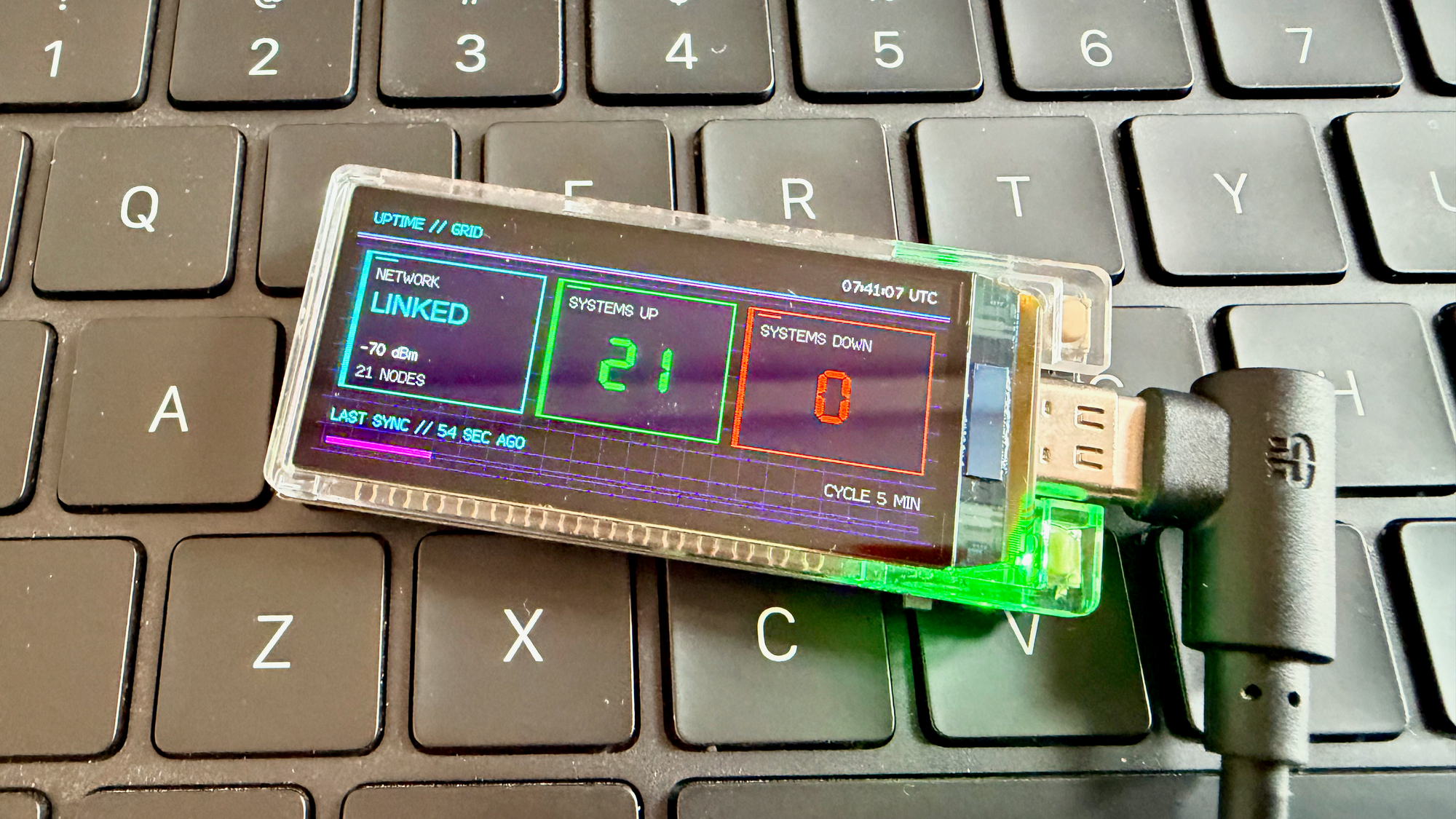
How a LilyGo T-Display-S3 AMOLED became a compact website uptime dashboard, including architecture, testing strategy, implementation lessons, and operational limitations.
A status page small enough to live beside a keyboard
Most website monitoring systems are designed to live in a browser, send notifications, or feed a larger observability platform. Those capabilities matter, but they do not solve one very ordinary problem: I wanted a glanceable display that could live everywhere and continuously answer one question without grasping for my phone or a laptop and opening another window: are my sites up?
The result is Uptime LilyGo, an Arduino-based firmware project for the LilyGo T-Display-S3 AMOLED. GitHub repository: https://github.com/TechPreacher/Uptime-LilyGo
The device joins Wi-Fi, checks a configurable set of HTTP and HTTPS endpoints, and presents aggregate status on its 536 x 240 display. The screen shows network connectivity, signal strength, systems up, systems down, UTC time, scan progress, refresh age, and the configured scan interval.
This is not intended to replace production monitoring. It is a tiny, always-visible companion for a desk, lab, home network, kiosk, or operations bench. Its value comes from physical presence: green and red counts remain in peripheral vision while the main computer is busy, asleep, or showing something else.
Hardware and software choices
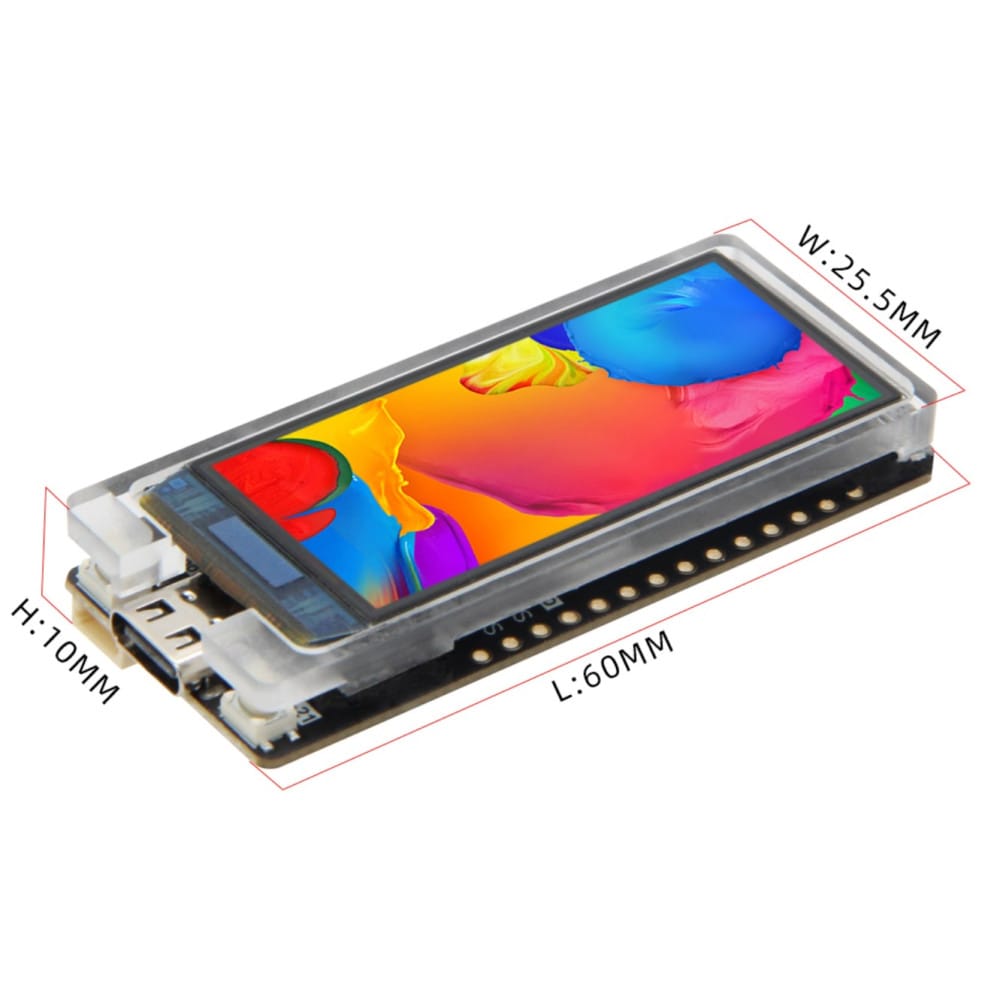
The target board combines an ESP32-S3 running at 240 MHz, 16 MB of flash, 8 MB of OPI PSRAM, Wi-Fi, and a bright 1.91-inch RM67162 AMOLED panel. That is more than enough hardware for periodic HTTP checks and a full-screen framebuffer, while remaining compact enough to run continuously from USB power.
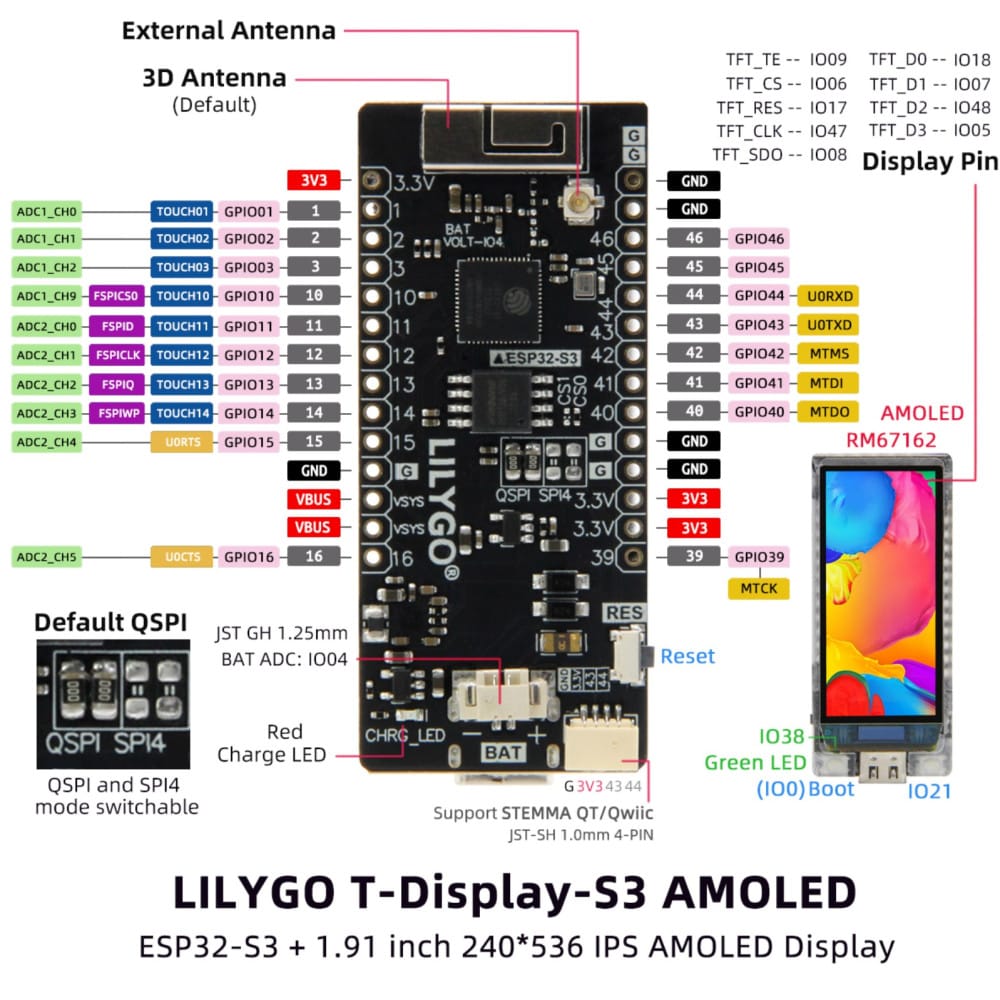
The firmware uses the Arduino framework through PlatformIO. Display support comes from the LilyGo AMOLED library and TFT_eSPI, HTTP requests use the ESP32 Arduino networking stack, settings live in LittleFS, and host-side tests use Unity. Platform and library versions are pinned so that a future dependency update cannot silently change display initialization, transitive build flags, or board behavior.
The custom PlatformIO board definition matters because this board combines an ESP32-S3, 16 MB flash, OPI PSRAM, USB Serial/JTAG, and board-specific flags. Generic ESP32-S3 settings are close enough to compile in some cases but not close enough to trust for flash layout, memory configuration, or display startup.
Runtime design
Startup follows a short pipeline:
- Initialize the AMOLED panel and create a 536 x 240 full-screen sprite.
- Mount LittleFS and parse
/settings.ini. - Apply configured display brightness.
- Connect to Wi-Fi with a bounded timeout.
- Configure UTC time through NTP.
- Check every configured endpoint and render aggregate results.
The main loop then handles three schedules: reconnect Wi-Fi after a failed connection, refresh endpoint state at the configured interval, and redraw the dashboard once per second. HTTP requests remain synchronous, which keeps the implementation understandable and memory use predictable. Each request has an eight-second timeout and redirects are followed.
HTTP status codes from 200 through 399 count as healthy. Everything else, including transport failures represented by negative return values, counts as down. This definition works well for a simple availability display because redirects often represent a functioning service, but it is intentionally less nuanced than synthetic monitoring that validates response bodies, latency budgets, certificate chains, or multi-step transactions.
Configuration without credentials in source
Wi-Fi credentials and monitored URLs do not belong in firmware source or version control. The project stores runtime configuration in a LittleFS file instead:
[wifi]
ssid = your-wifi-name
password = your-wifi-password

[sites]
Public Website = https://example.com
Local Service = http://192.168.1.10:8080/health

[config]
refresh_minutes = 5
display_brightness_percent = 75
Every entry in [sites] becomes one monitored node. The parser requires a non-empty SSID and at least one site, accepts refresh intervals from 1 through 1440 minutes, and accepts brightness values from 0 through 100 percent. Invalid optional values fall back to defaults, while missing required values produce a clear configuration fault on the display.
Separating configuration from firmware makes the project safer to publish and easier to reuse. It also creates an operational detail that is easy to miss: firmware and LittleFS are separate flash images. Changing C++ requires a firmware upload, changing settings.ini requires a filesystem upload, and provisioning a fresh board requires both.
Rendering a stable dashboard on a small screen
The interface uses a single full-screen TFT_eSprite. Every frame is composed off-screen and pushed to the AMOLED in one operation. This avoids partial updates and visible flicker, and PSRAM makes the framebuffer affordable on this board.
The layout is deliberately fixed. Three panels divide the landscape display into network state, systems up, and systems down. A footer shows either refresh age or the endpoint currently being scanned, while a separate cycle label and progress bar show when the next sweep is due. Stable coordinates prevent labels and counters from shifting as values change.
Small displays punish assumptions about text length. Site names can be arbitrarily long, so the scan label is measured in pixels and shortened with an ellipsis before it reaches the cycle label. Character-count truncation would fail because proportional fonts assign different widths to different glyphs. Measuring rendered width solved the actual layout constraint.
The display rotation also produced a useful hardware lesson. amoled.setRotation(0) is correct for this specific LilyGo library and board combination, even though generic RM67162 examples may suggest another value. Board libraries often encode panel orientation, offsets, and driver details that cannot be inferred safely from controller documentation alone.
Scheduling that survives real uptime
Embedded timing code commonly compares millis() values. The safe pattern uses unsigned subtraction:
bool intervalElapsed(uint32_t now, uint32_t previous, uint32_t interval) {
  return now - previous >= interval;
}
Because unsigned arithmetic wraps predictably, this expression continues working when the 32-bit millisecond counter rolls over after roughly 49.7 days. Comparing absolute deadlines with naive greater-than checks can fail at rollover, which is exactly the kind of defect an always-on device eventually discovers.
Retry timing needs equal care around blocking operations. A Wi-Fi attempt can consume the full 20-second connection timeout. Recording the retry timestamp before that blocking attempt would make part or all of the intended 15-second retry delay expire while the function is still blocked. Recording it after the attempt guarantees a real delay before the next retry and prevents near-continuous connection churn.
Pulling testable logic away from hardware
Most firmware behavior is difficult to exercise on a development machine because Arduino types, Wi-Fi state, display drivers, and millis() tie code to the board. The project isolates pure logic in a small UptimeCore library with no hardware dependencies. It owns HTTP status classification, state counting, brightness conversion, and interval calculations.
That separation supports fast native Unity tests for the boundaries that matter: 199 versus 200, 399 versus 400, unknown state handling, up-to-down transitions, percentage-to-byte brightness conversion, exact timer boundaries, and millis() rollover. Native tests do not replace a firmware build or a check on physical hardware, but they shorten feedback loops and protect logic that would otherwise be tested only by watching the display.
The validation sequence is therefore layered: run native tests, compile the complete ESP32-S3 firmware, check editor diagnostics, flash the board, and inspect the physical display for networking or layout changes. Each step catches a different class of defect.
Building and flashing
After creating data/settings.ini from the public sample, the normal PlatformIO flow is:
pio test -e native
pio run
pio run --target upload
pio run --target uploadfs
PlatformIO normally detects the USB port. When it does not, pass the detected device explicitly:
pio run --target upload --upload-port /dev/cu.usbmodem1101
pio run --target uploadfs --upload-port /dev/cu.usbmodem1101
The filesystem upload deserves special attention because stale configuration can look like broken firmware. A board showing SETTINGS.INI MISSING, old endpoints, or old Wi-Fi details may have perfectly valid application code and an outdated LittleFS image.
Pitfalls and tradeoffs
The largest security limitation is HTTPS certificate handling. The current implementation calls WiFiClientSecure::setInsecure(), so an HTTPS response proves that something completed a TLS connection and returned an HTTP result, but it does not prove server identity. This is acceptable for a low-stakes availability indicator on a trusted network, but not for certificate monitoring, sensitive payloads, or security decisions. A production-oriented variant should install a CA certificate or validate a pinned trust anchor.
Synchronous checks create another hard limit. With an eight-second timeout, a list of unreachable sites can block a sweep for approximately eight seconds per endpoint, plus connection overhead. During a scan the footer still shows progress, but the UI and scheduler cannot behave like a fully asynchronous system. This design is reasonable for tens of endpoints at multi-minute intervals, not hundreds of endpoints or sub-second telemetry.
Aggregate counts are intentionally lossy. A red number tells you that one or more services are down, but the dashboard does not retain history, graph latency, identify failure causes, or send alerts. Serial logging, a detail screen, a small web interface, or integration with an external notification service would be natural extensions, but each adds complexity to a device whose strongest feature is immediacy.
AMOLED panels also deserve operational consideration. A static, bright interface running continuously can age unevenly. Moderate brightness, occasional pixel shifting, a scheduled dimming mode, or display sleep during unattended hours can reduce burn-in risk. This project exposes brightness as configuration, which is the minimum useful control for an always-on deployment.
Wi-Fi availability is not internet availability. A strong RSSI confirms only the local radio link, while endpoint failures can originate in DNS, routing, TLS, the remote server, or the local network. The dashboard should be treated as a signal that invites investigation, not a diagnosis.
Where a tiny monitor fits
The device works best when passive awareness is more valuable than detailed analysis. It can watch a personal website, home automation endpoint, NAS health route, lab service, demo environment, documentation site, or small collection of public APIs. Place it near the workstation, network cabinet, reception desk, maker bench, or display wall, power it from USB, and choose a refresh interval that balances responsiveness with network traffic and server load.
For personal infrastructure, the monitor can provide the first visible clue that a router reboot, expired service process, DNS issue, or failed deployment affected more than one endpoint. For workshops and demos, it can show whether supporting services are ready without keeping an operations tab open. For a small office, it can act as a shared ambient indicator while existing monitoring remains the authoritative source of alerts and history.
Its constraints are also useful. Building for a 536 x 240 screen forces prioritization. Running on a microcontroller encourages bounded timeouts and explicit state. Depending on removable runtime configuration exposes the difference between software and provisioning. Testing pure logic on the host demonstrates that embedded code does not need to be inseparable from hardware.
What I would add next
Several improvements would preserve the compact character of the device while making it more capable:
- Validate HTTPS certificates with a configured CA bundle
- Track response latency as well as status
- Rotate through failed endpoint names on the footer
- Add exponential backoff and jitter for repeated Wi-Fi failures
- Dim or sleep the display on a schedule
- Persist a small rolling history for short-term trend indicators
- Expose configuration through a temporary captive portal
- Run endpoint checks asynchronously to keep redraws responsive during slow failures
The most important design constraint would remain unchanged: the screen should answer its primary question in less than a second of attention.
Final perspective
A tiny physical monitor will never compete with a full observability stack, and it should not try. Its job is narrower and surprisingly useful: turn hidden service state into an ambient object. The ESP32-S3 provides enough networking and memory, the AMOLED makes status legible at a glance, LittleFS keeps deployment-specific settings out of source, and a thin testable core protects timing and classification logic. The result is a small appliance that quietly watches the websites and services that matter while leaving the main screen free for actual work.