
PictureFramer is on the App Store


A museum-photo straightener built on Vision and Core Image, with optional bring-your-own-key reflection removal — free, iOS 17+, no data collected.
Download on the App Store · pictureframer.corti.com
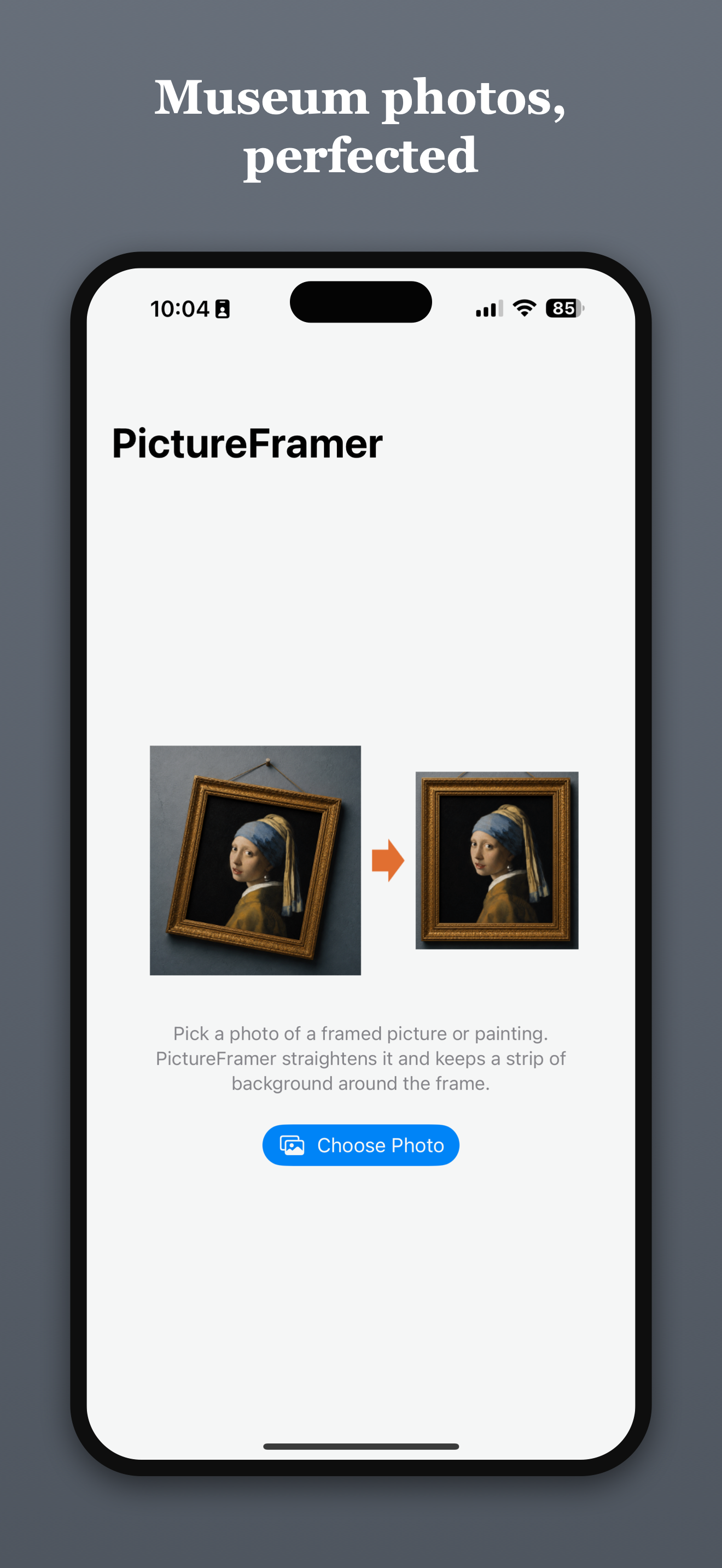
PictureFramer solves one narrow problem properly: you photograph a framed painting in a museum, you can never stand dead center, and every shot comes back rotated and keystoned with the frame converging toward one side. Cropping does not fix perspective, and document scanners crop to the detected edge — which throws away the frame and the wall, the two things that make a picture of a painting look like a catalog plate instead of a snapshot.
The app imports a photo, finds the outer edge of the artwork, corrects rotation and keystone in a single transform, keeps a configurable margin of real wall pixels around the frame, and writes the result back to the photo library at full resolution.
After a TestFlight preview, it is now generally available.
The architectural decision that carried the project
iOS image pipelines juggle at least three coordinate systems: Vision returns normalized coordinates with a lower-left origin, Core Image works in pixels with a lower-left origin, and UIKit/SwiftUI draw from the top-left. Most bugs in this class of app are silent flips and scale confusions between them.
PictureFramer declares one canonical space up front — full-resolution source-image pixels, lower-left origin — chosen to be identical to Core Image's space. Everything else is defined relative to it:
- Vision → canonical is a pure scale. No flip, because both spaces are lower-left. A single function,
VisionQuadConversion, is the only code permitted to interpret Vision's normalized output. - Canonical →
CIPerspectiveCorrectionis the identity. Detected corners pass straight into the filter asCIVectors. - Exactly one y-flip exists in the app, inside
DisplayMapper, at the SwiftUI boundary. It maps canonical pixels to the aspect-fitted display points and back, and every gesture — corner drags, preview panning — routes through it.
A Quad value type (four CGPoints in canonical space) is the single currency of the pipeline. Detection may run on a downscaled copy for speed, but the detector converts to full-resolution pixels before returning, so "which scale is this quad in?" is not a question the rest of the codebase can ask.
Detection
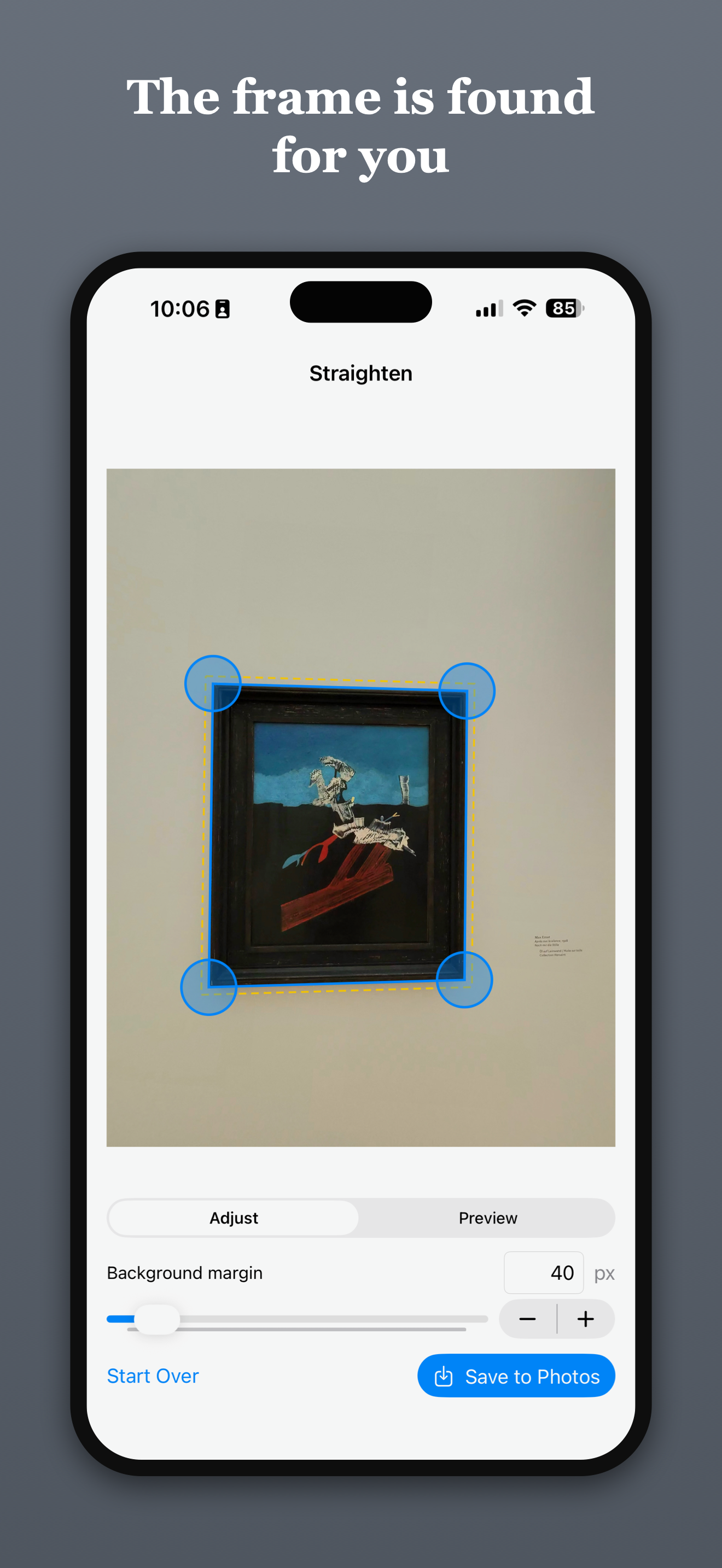
VNDetectRectanglesRequest does the primary work, tuned for the actual case — a large framed rectangle filling most of the photo — with a high minimum size and a wide aspect-ratio range. When that returns nothing (small artworks, extreme panoramas, low-contrast frames), a second pass runs with permissive thresholds. Observations are ranked by confidence with area as the tie-breaker, so the outer frame edge wins over an inner mat edge.
On a set of eight real handheld museum photos, the default configuration detected 8/8, including an unframed canvas where the stretcher edge was sufficient. When detection does fail, the editor falls back to a centered draggable quad, so the flow never dead-ends.
Margin is wall, not padding
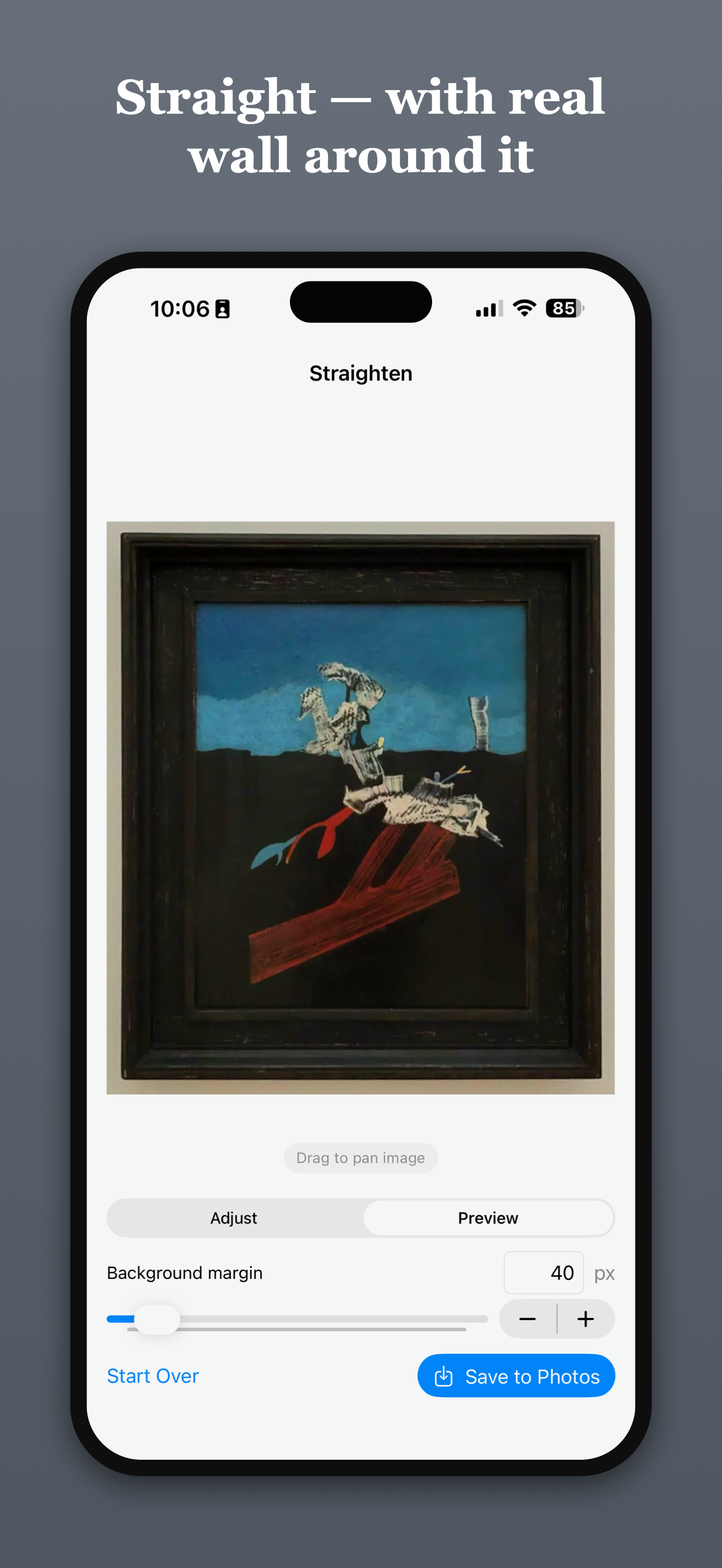
The margin has to be applied before perspective correction, in source space, or it is synthetic border fill rather than the actual wall.
Expanding a tilted quad is not a negative inset. Each edge is offset outward along its outward normal (computed against the centroid, so winding order is irrelevant), and adjacent offset edge lines are re-intersected to produce the new corners. The expanded quad then samples real background pixels through the same homography as the painting.
Two edge cases turned up in testing:
- Oversized margins — more margin requested than wall available — clamp per corner to the image bounds, degrading to "everything up to the photo's edge."
- Negative margins can collapse the quad through zero and flip its winding. A naive convexity test still passes in that state, because all the cross products change sign together. A shoelace signed-area check comparing winding before and after expansion catches it; a unit test caught it before any user did.
One calibration surprise worth knowing: CIPerspectiveCorrection does not size its output from the quad's edge lengths. It reconstructs the rectangle's true proportions via the homography, so a keystoned quad can produce an output ~25% taller than its average edge length.
Optional: reflection removal through museum glass
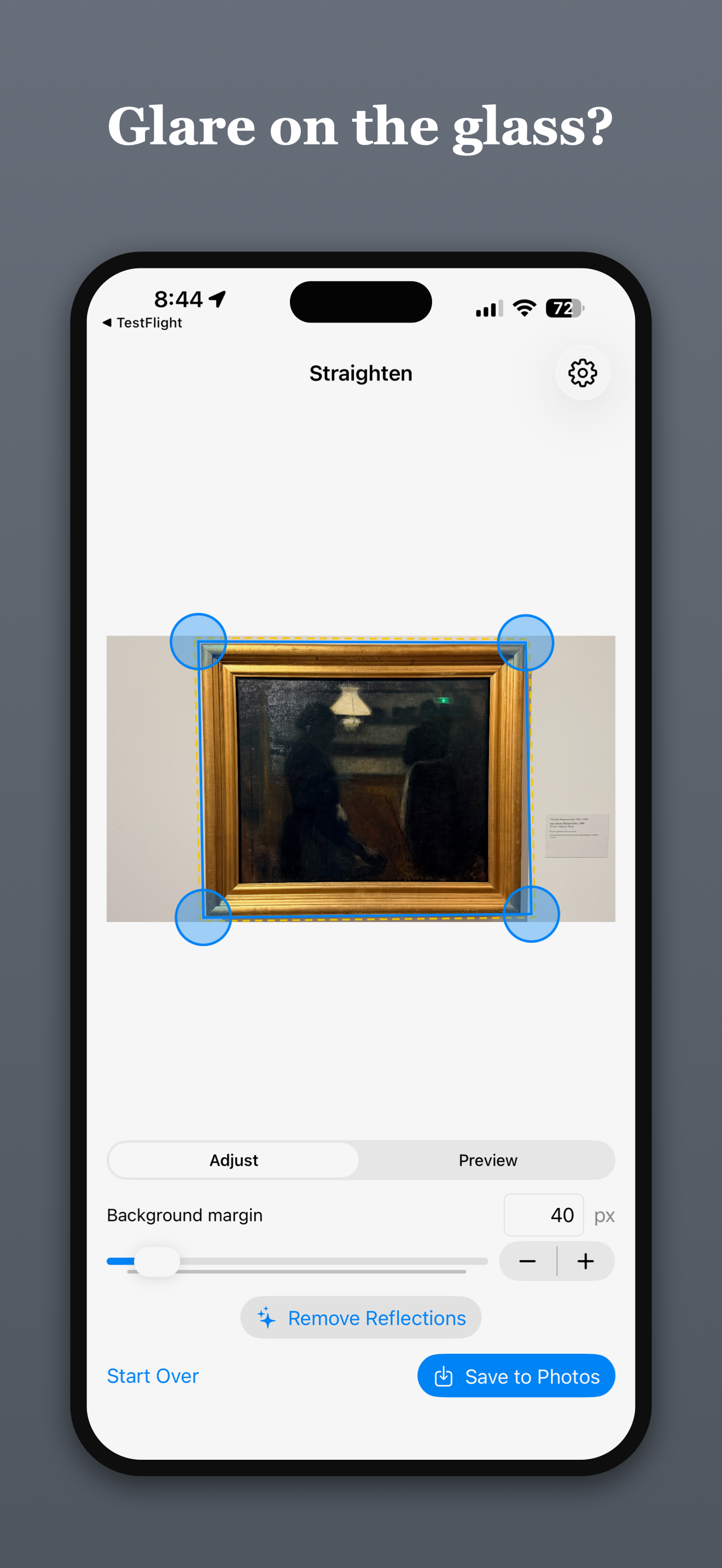
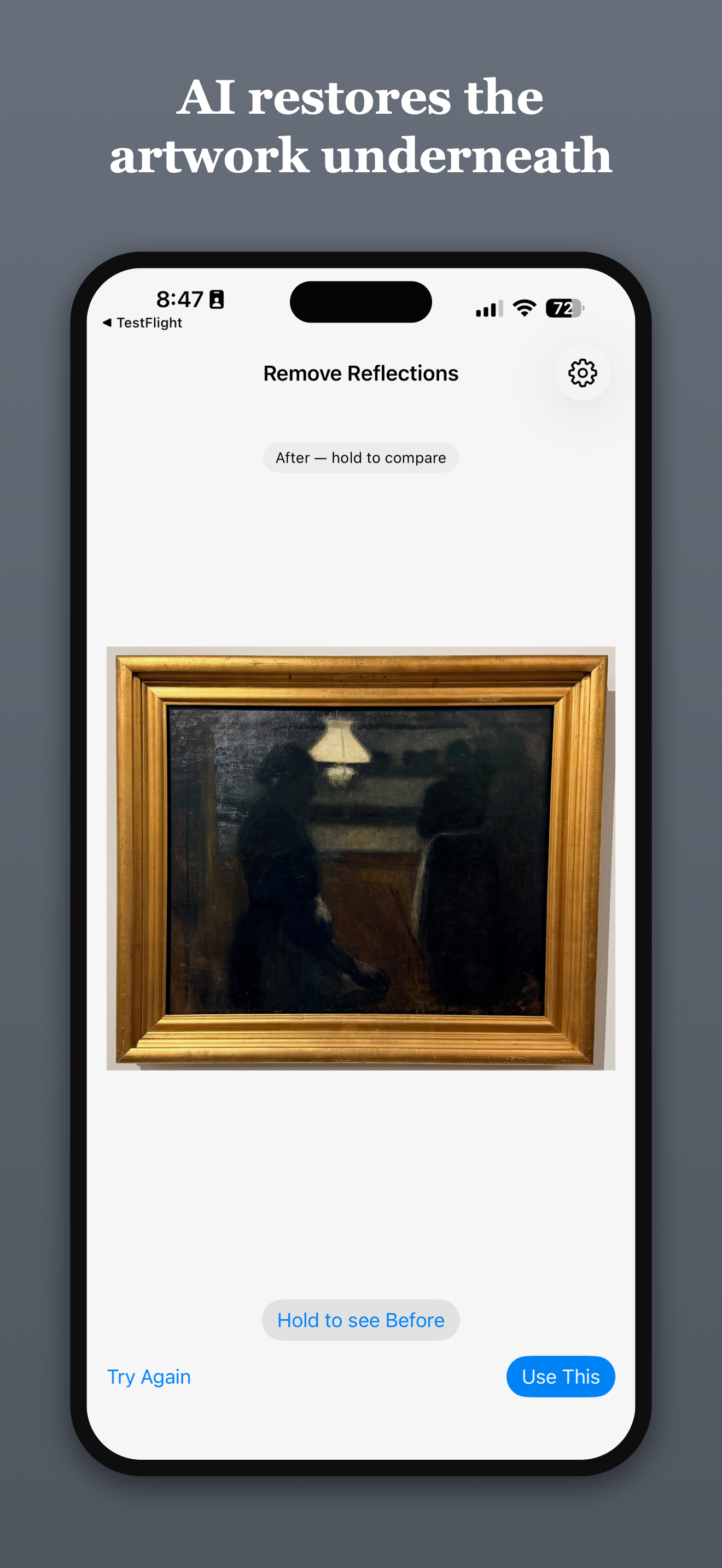
Straightening cannot help with skylight streaks, spotlight bloom, or a green exit sign glowing in the varnish. Reconstructing what is underneath means inventing pixels, which means a generative model — and generative models have a habit of improving things you did not ask them to touch. For 130-year-old brushwork, that is disqualifying.
So the feature is built around a client-enforced invariant: every pixel outside the user's mask is bit-identical to the original. Not visually identical.
The flow that guarantees it:
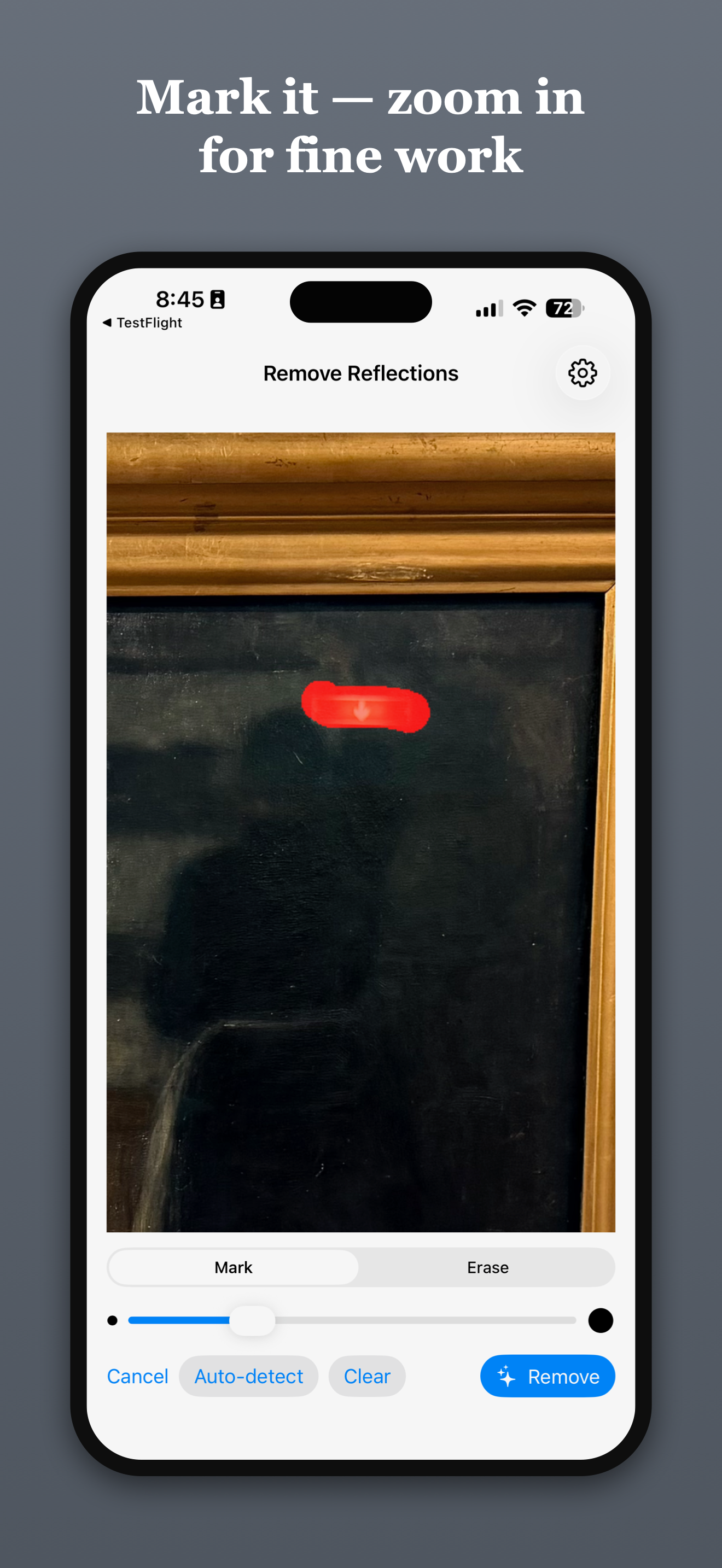
- The user paints the glare, producing a grayscale mask (white = repaint).
- The app crops a padded bounding box around the mask, resizes to the provider's upload size, and sends only that crop plus the mask.
- The returned patch is resized back and composited into the full-resolution image through a Core Graphics clip mask —
CGContext.clip(to:mask:)with the original drawn first. Where the mask is black, the framebuffer keeps the original bytes. No Core Image, no color-managed round trip, no drift. - The mask edge gets a Gaussian feather, multiplied by the binary mask first so softness only ever grows inward.
A unit test iterates every pixel of a fixture and asserts exact equality outside the mask.
Two providers sit behind a four-line protocol:
protocol InpaintingProvider: Sendable {
    func uploadSize(for cropSize: CGSize) -> CGSize
    func inpaint(image: CGImage, mask: CGImage, apiKey: String) async throws -> CGImage
}
OpenAI (gpt-image-1) exposes a real inpainting endpoint: images/edits takes an image plus a mask in which transparentpixels mark the repaint region, so white-means-repaint grayscale is converted with alpha = 255 − gray on a premultiplied black RGBA buffer — guarded by a pixel-level test, because a sign flip there would silently invert the whole feature. Gemini (2.5 Flash Image) has no mask parameter at all; the mask travels as a second inline image with strict prompt instructions. Whether the model obeys is a quality question, not a correctness one — the client-side compositor enforces the invariant either way.
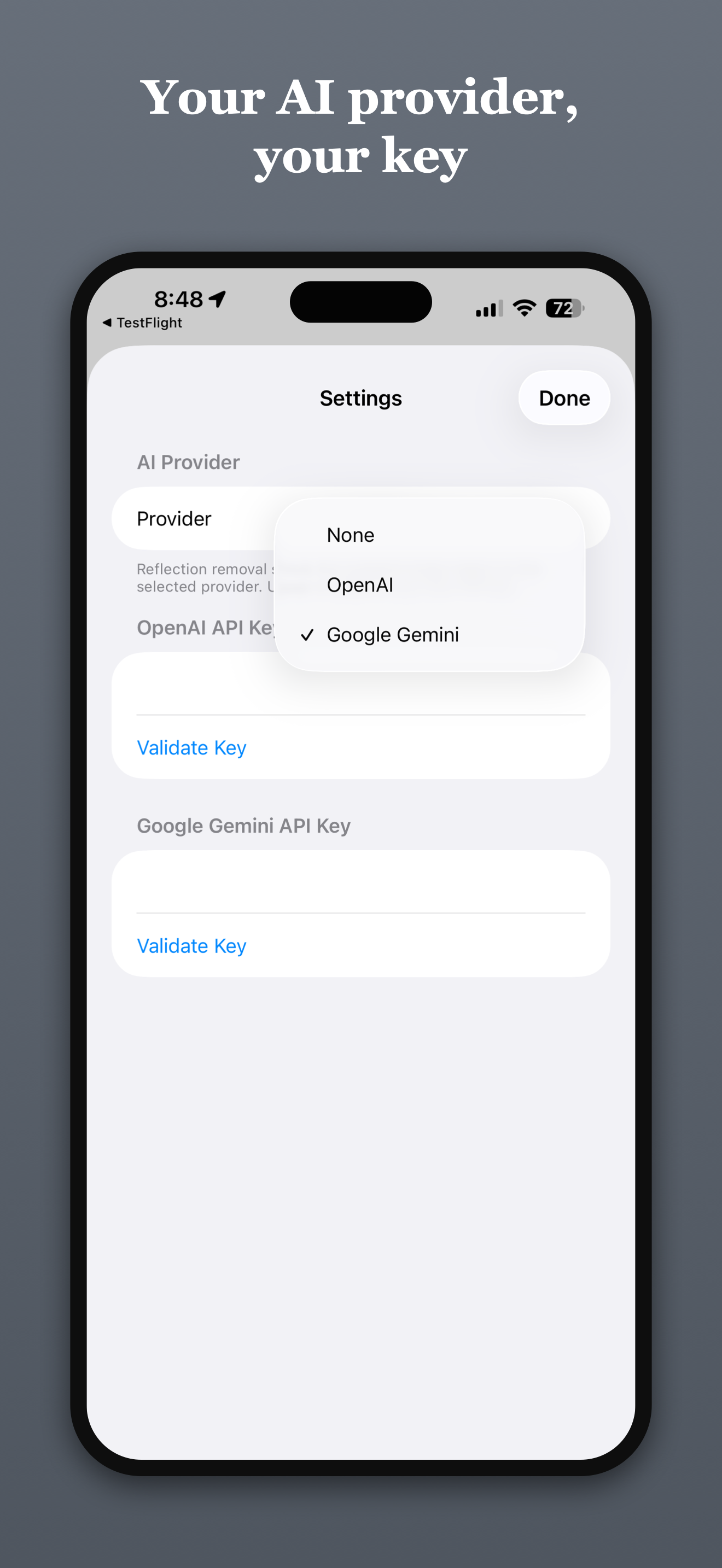
Keys live in the Keychain (kSecClassGenericPassword, device-only accessibility). A test dumps UserDefaults.dictionaryRepresentation() and asserts the key is not in there.
Because only the crop is uploaded, provider output-resolution caps stop mattering: the model sees a ~1024-pixel patch, and a 24-megapixel export keeps its 24 megapixels everywhere the model did not work.
The auto-detector, and why it is opt-in
Version one flagged pixels that were bright and unsaturated — textbook specular highlights. On real museum photos it marked 30–56% of the image (pale skies, a beige dress, the gallery wall) while missing the actual reflections, because a cyan skylight streak is saturated and a soft sheen is below any global brightness bar. Version two used pure local contrast (a morphological white top-hat); paintings are full of bright-next-to-dark, and the overlays looked like a crime scene.
The shipped detector is a precision-first hybrid: bright and unsaturated and locally elevated above its morphological opening, with a minimum-blob filter and the wall-margin band excluded outright. Coverage on the same photos dropped to 0.2–6%, sitting on the actual glare. The cost asymmetry drives it — a missed reflection costs one brush stroke, a false positive costs scrubbing a whole painting's worth of wrong mask. User feedback pushed it further: the mask screen now opens empty with a brush, and auto-detection is a button.
Brush mechanics
The canvas is wrapped in a UIScrollView via UIViewRepresentable with panGestureRecognizer.minimumNumberOfTouches = 2: one finger brushes, two fingers pan, pinch zooms with native physics. Brush radius divides by the zoom scale, so at 4× you paint 4× finer in image pixels. The coordinate math needed no changes — gesture locations inside a zoomed scroll view arrive in the content's unzoomed space, exactly what the display mapper already expects. In-flight strokes render as vector paths during the drag and hand off to the async raster on completion, so there is no finger-up latency.
Late async results are handled with a monotonic generation counter, bumped on teardown, captured before every await, checked before every write-back — verified by a test with a gated mock provider that releases its result after the user has exited the screen.
Testing and tooling
- Swift Testing for the UI-free geometry and pipeline code, with synthetic fixtures: a factory draws known quads (axis-aligned, rotated, keystoned) into a
CGBitmapContext, so ground truth is exact by construction and nothing is bundled. - Pixel-sampling assertions rather than golden files: after correction, the center must be painting-dark, all four corner regions must be dark, and with a margin the border band must be background-light. Behavior, not bytes.
- Nearest-neighbor corner matching with ~2.5% tolerances for Vision tests, since Vision is neither pixel-exact nor guaranteed in its corner ordering.
- XCUITest against the real
PhotosPickerand the real permission flow, end to end through save. URLProtocolstubs for every provider test — multipart field, header, and JSON body assertions with canned responses, no live API in the suite.
Coverage sits at 92% across the app target and 100% on the pipeline; the remainder is defensive error branches.
The Xcode project is generated by XcodeGen from a ~60-line project.yml, the .xcodeproj never enters git, and there are zero third-party dependencies.
Two gotchas worth repeating
Gemini free-tier keys fail misleadingly. The key validates fine (listing models is free), then every image-generation call returns HTTP 429 permanently. That is not rate limiting — the free tier's quota for the image model is effectively zero, and Google reports "no quota" as RESOURCE_EXHAUSTED. Enable billing on the key's project. The app now surfaces the provider's own error body instead of mapping 429 to an optimistic "try again shortly."
CGImage.cropping(to:) uses a top-left origin while the rest of the app lives in Core Image's lower-left space. That flip lives in exactly one wrapper function with a loud comment.
Availability
| App | PictureFramerApp, App Store ID 6790701502 |
| Price | Free |
| Category | Graphics & Design |
| Requirements | iOS 17.0 / iPadOS 17.0 or later |
| Size | 5.9 MB |
| Language | English |
| Age rating | 4+ |
| Privacy | Data Not Collected |
The straightening pipeline runs entirely on device and makes no network requests. Reflection removal is optional, bring-your-own-key (OpenAI or Google Gemini), and fires only when you tap Remove — a typical removal costs a few cents, billed by your provider. There is no backend, no account, and no subscription.
- App Store: https://apps.apple.com/ch/app/pictureframerapp/id6790701502
- Website: https://pictureframer.corti.com
- Build write-up (geometry pipeline): https://corti.com/pictureframer-straightening-museum-photos-with-vision-core-image-and-one-carefully-placed-y-flip/
- Build write-up (reflection removal): https://corti.com/teaching-my-iphone-app-to-see-through-museum-glass/