
PictureFramer: Straightening Museum Photos with Vision, Core Image, and One Carefully Placed Y-Flip

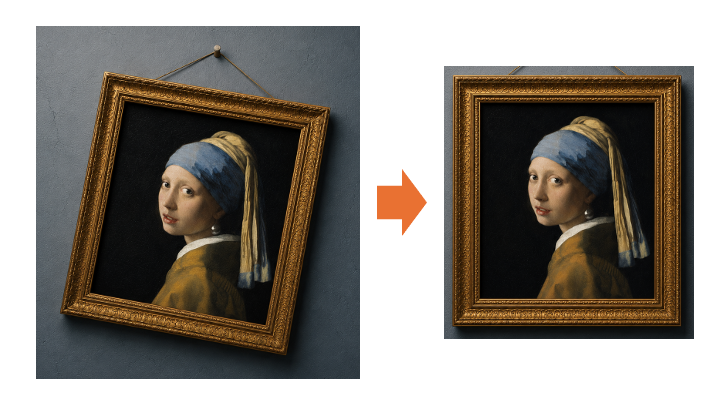
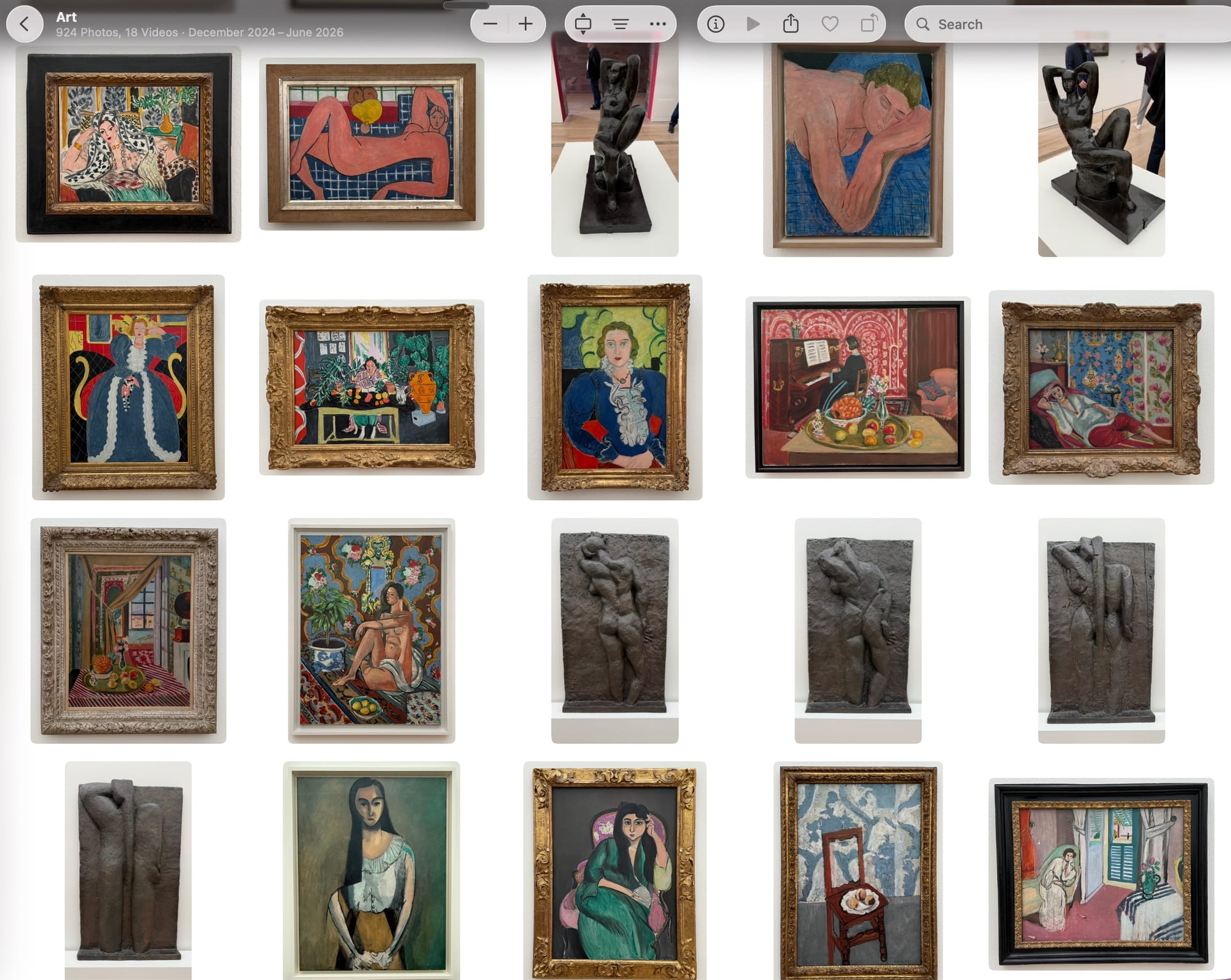
I take a lot of photos of paintings in museums. They all have the same problem: you can rarely stand dead center in front of the artwork, so every photo is a little rotated and keystoned, with the frame converging toward one side. Cropping doesn't fix perspective, and generic document scanners crop to the edge — I wanted the frame and a clean strip of the wall around it, like a catalog photograph.
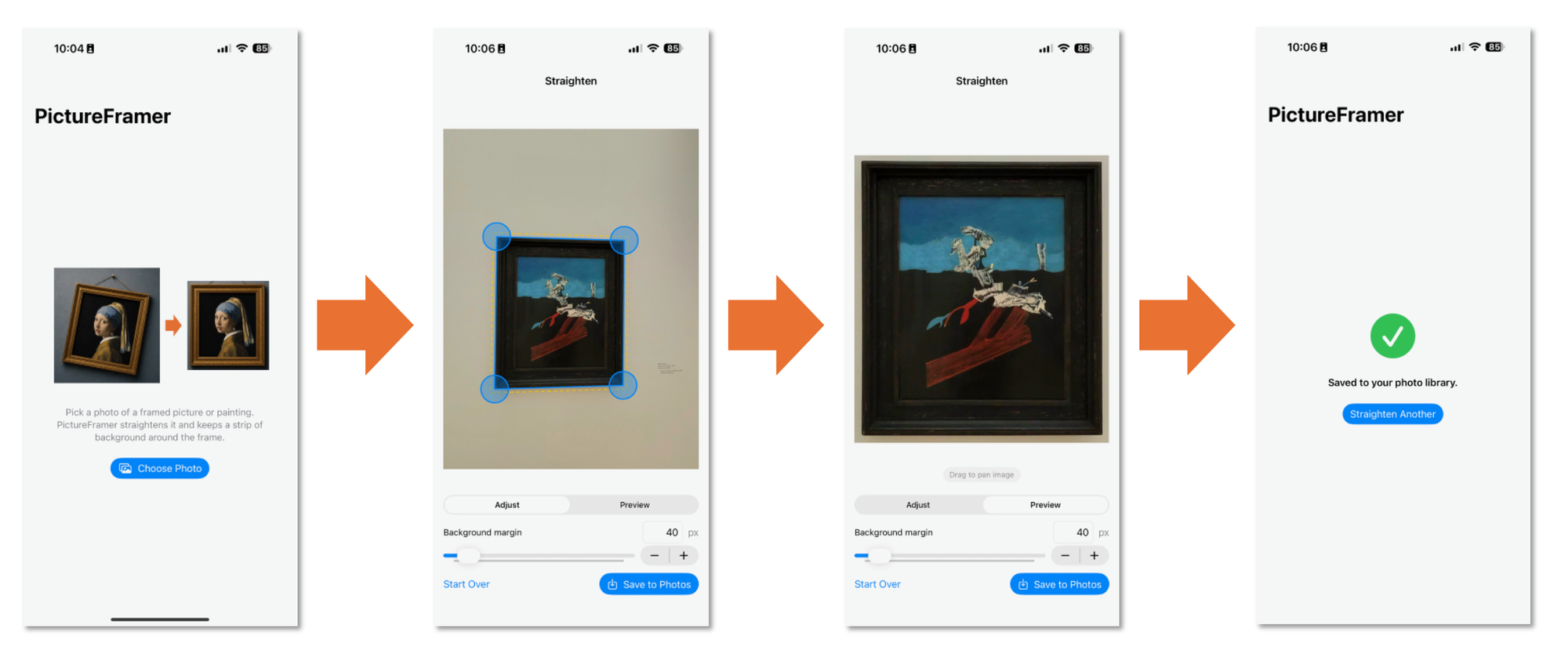
So I built PictureFramer, an iPhone app that imports a photo of a framed painting, finds the outer edge of the artwork automatically, corrects rotation and keystone in one transform, keeps a configurable margin of real wall pixels around the frame, and saves the result at full resolution.
This post covers the architecture decisions that made it pleasant to build — and the platform surprises that didn't.
App website: pictureframer.corti.com.
The app is currently in preview on TestFlight.
The one decision that mattered: a canonical coordinate space
Image pipelines on iOS juggle at least three coordinate systems: Vision returns normalized coordinates with a lower-left origin, Core Image works in pixels with a lower-left origin, and UIKit/SwiftUI draw with a top-left origin. Most of the classic bugs in this kind of app are silent flips and scale confusions between these spaces.
The fix was declaring one canonical space up front: full-resolution source-image pixels, lower-left origin — deliberately identical to Core Image's space. Everything speaks it:
- Vision → canonical is a pure scale. No flip, because both are lower-left. One tiny function,
VisionQuadConversion, is the only code in the app allowed to interpret Vision's normalized output. - Canonical →
CIPerspectiveCorrectionis the identity. The detected corners pass straight into the filter asCIVectors. - The only y-flip in the entire app lives in one type,
DisplayMapper, at the SwiftUI boundary. It maps canonical pixels to the aspect-fitted image's display points and back. Every gesture — corner drags, preview panning — converts through it.
A Quad struct (four CGPoints in canonical space) is the single currency of the pipeline. Detection may run on a downscaled copy for speed, but the detector converts to full-res pixels before returning, so a "which scale is this quad in?" bug can't exist by construction.
Margin means real wall, not padding
The feature I cared most about: after straightening, keep N pixels of background around the frame — the actual wall from the photo, not synthetic border fill.
That means the margin has to be applied before perspective correction, in source space. Expanding a tilted quad isn't just insetting a rectangle negatively: each edge gets offset outward along its outward normal (computed against the centroid, so winding order doesn't matter), and adjacent offset edge lines are re-intersected to find the new corners. The expanded quad then samples real background pixels through the same homography as the painting itself.
Two edge cases bit during testing:
- Oversized margins (more margin than available wall) clamp per-corner to the image bounds, gracefully degrading to "use everything up to the photo's edge."
- Negative margins (shrinking) can collapse the quad past zero and flip its winding — and a winding-flipped quad still passes a naive convexity test, because all the cross products just change sign together. A shoelace-formula signed-area check that compares winding before and after expansion catches it. A unit test found this one before any user could.
Detection: Vision with a permissive fallback
VNDetectRectanglesRequest does the heavy lifting, tuned for "a large framed rectangle filling much of the photo" (high minimum size, wide aspect-ratio range). When that finds nothing — small artworks, extreme panoramas, low-contrast frames — a second pass runs with permissive thresholds. The best observation wins by confidence, with area as the tie-breaker so the outer frame edge beats an inner mat edge.
Against my eight real museum test photos (Hammershøi, mostly, photographed handheld at whatever angle the crowd allowed), the default configuration detected 8/8 — including an unframed canvas, where the stretcher edge was enough. Detection failure in the app falls back to a centered draggable quad, so the user is never stuck.
Testing an image pipeline without golden files
All the geometry and pipeline code is UI-free and unit-tested with Swift Testing. The interesting part is testing image behavior headlessly:
- Synthetic fixtures: a test factory draws known quads (axis-aligned, rotated, keystoned) with a lighter "frame" stroke into a
CGBitmapContext. Deterministic, no bundled assets, and the ground truth is exact by construction. - Pixel-sampling assertions: after correction, sample the output — center must be painting-dark, all four corner regions must be dark (proof it straightened), and with a margin, the border band must be background-light (proof the margin is real wall, not padding). Behavior, not bytes.
- Nearest-neighbor corner matching with tolerances around 2.5% of the image dimension for Vision tests — Vision is not pixel-exact and its corner ordering isn't guaranteed.
One calibration surprise: CIPerspectiveCorrection doesn't produce an output sized like the quad's edge lengths. It reconstructs the rectangle's true proportions via the homography — a keystoned quad's output can be 25% taller than its average edge length. The size assertions had to test neighborhoods, not exact values; the behavioral pixel assertions stayed strict.
Coverage across the app target sits at 92%, with the pipeline itself at 100%. The remaining gap is defensive error branches.
An end-to-end test that fights the photo picker
The XCUITest drives the real PhotosPicker and the real permission flow: pick the newest photo, check the auto-detected quad, drag a corner, pan the preview, save, verify the success screen. Things I now know about automating the iOS 26 picker:
- Grid cells are exposed as images with identifier
PXGGridLayout-Info, newest first. - A first-run onboarding banner can cover the grid; close it.
- Cells report non-hittable while thumbnails stream in — coordinate-tap them.
- iOS 26 auto-grants add-only photo saves. With the permission not-determined,
PHPhotoLibrary.requestAuthorization(for: .addOnly)returns.authorizedwith no prompt at all. The denial prompt only exists after an explicitsimctl privacy revoke— it's a new card-style dialog that springboard accessibility queries can't see, and answering it mid-request can get your app killed for the TCC change. The denial-path test ended up two-phase: deny once, relaunch clean, verify the error UI.
Tooling notes
The Xcode project is generated by XcodeGen — project.yml is 60 readable lines, the .xcodeproj never touches git, and merge conflicts in project files are a solved problem.
Distribution had one more surprise. My iPhone is MDM-enrolled and the policy blocks Developer Mode, so cable deploys were out — TestFlight was the workaround (distribution builds don't need Developer Mode). But xcodebuild archive with automatic signing wants a development provisioning profile, which requires a registered device — which I couldn't register. The escape hatch: archive unsigned (CODE_SIGNING_ALLOWED=NO), then let -exportArchive -allowProvisioningUpdates sign with the App Store distribution profile, which needs no devices at all. Transporter took the IPA on the second try — the first bounced because even an iPhone-only app must declare all four iPad orientations (UISupportedInterfaceOrientations~ipad) for iPad-compatibility multitasking.
The stack, summarized
- SwiftUI +
@Observableview model; the UI is a thin shell over a tested pipeline - Vision (
VNDetectRectanglesRequest) for detection, two-pass - Core Image (
CIPerspectiveCorrection, one sharedCIContext) for correction - PhotosUI / Photos for import (no permission needed — the picker is out-of-process) and add-only export
- Swift Testing for units, XCUITest for the end-to-end flow, synthetic fixtures throughout
- XcodeGen for the project, zero third-party dependencies
Everything runs on-device; the app makes no network requests. If you photograph paintings and share my crooked-photo affliction: PictureFramer is on its way to the App Store.