
Serving TokenTelemetry, a localhost-only app on the internet, safely using just a script: a tour of tokentelemetry-caddy


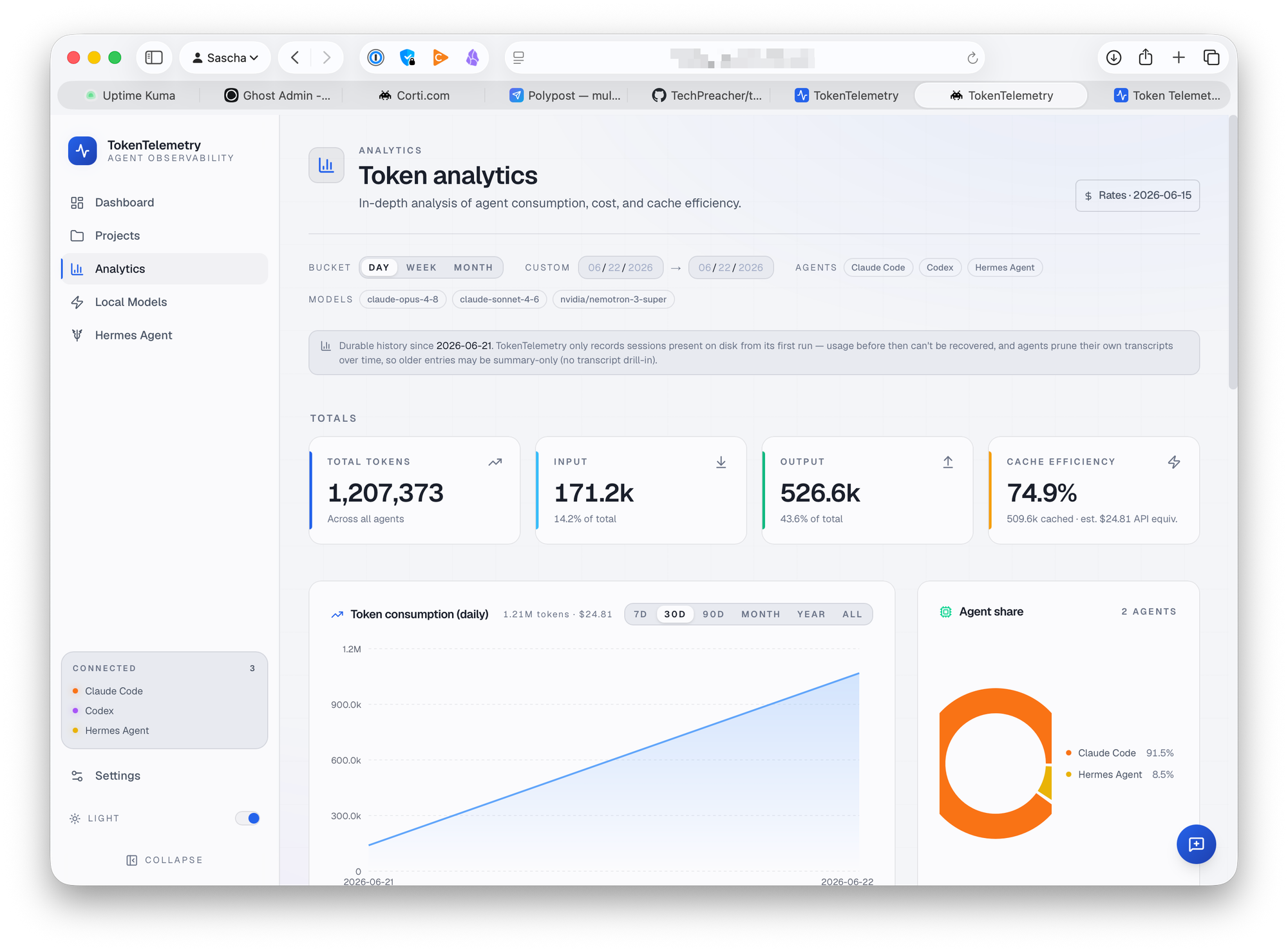
I host OpenClaw and Hermes on two different virtual machines in the cloud. I want to be able to view their token usage using TokenTelemetry, but the tool is built to run unauthenticated on localhost.
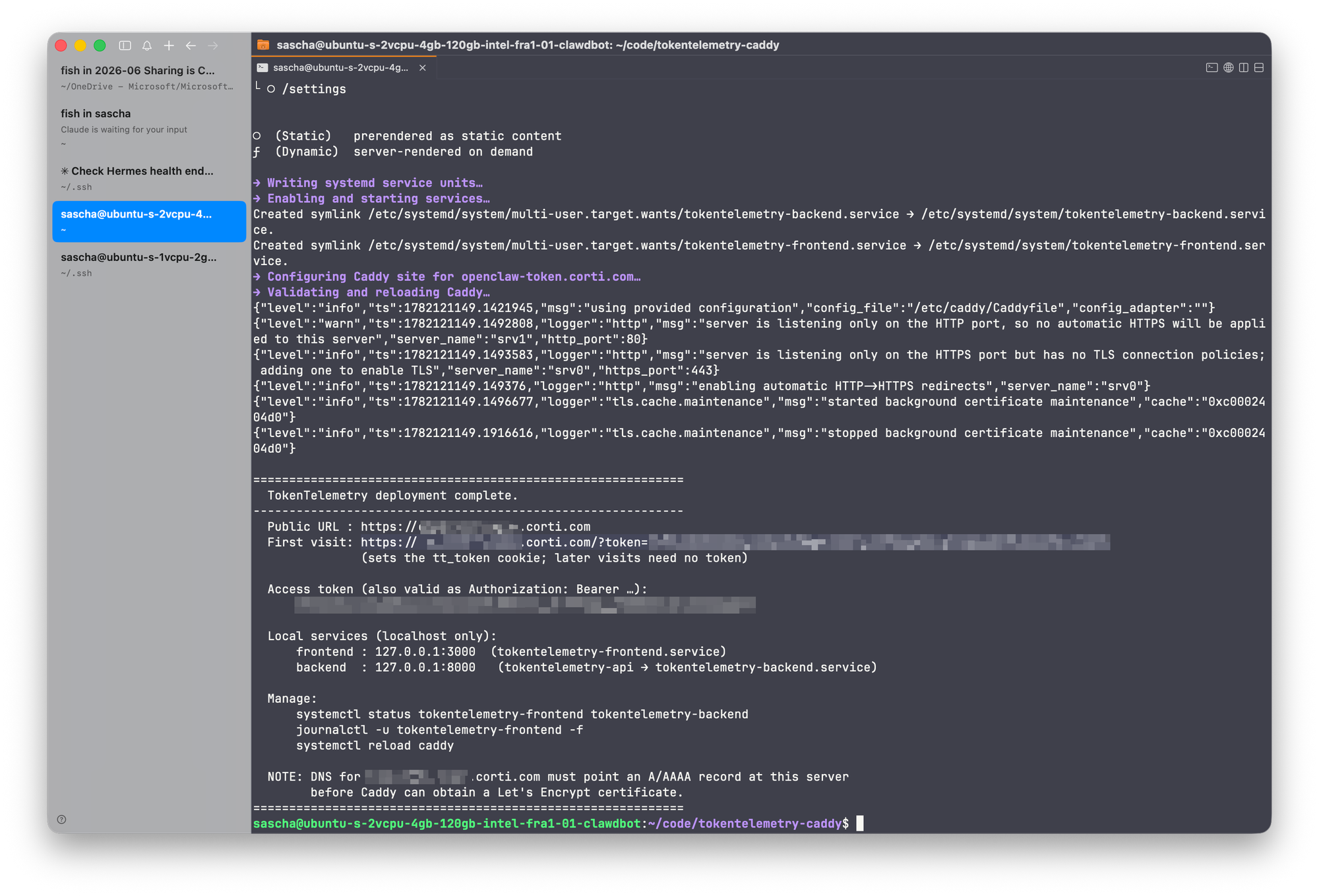
To get a way to securely publish the TokenTelemetry endpoint of http://localhost:3000 to the public internet using a custom domain name and automatic forwarding from HTTP to HTTPS, I wrote a Bash script that installs Caddy as a reverse proxy in front of the dashboard.
The repo can be found at https://github.com/techpreacher/tokentelemetry-caddy.
Most self-hosted dashboards are built for one of two worlds. Either they assume
they're sitting on a trusted LAN with no auth at all, or they ship a full
identity stack — user tables, OAuth, sessions — that's overkill when the only
person who ever logs in is you. TokenTelemetry, a
Next.js + FastAPI app for tracking LLM token usage, lands squarely in the first
camp: a frontend and an API that happily bind to a port and expect nobody hostile
to be on the network.
That's fine on your laptop. It's a problem the moment you want to reach it from
your phone, from a coworker's machine, or from anywhere that isn't localhost.
tokentelemetry-caddy is a pair of Bash scripts that close that gap without
dragging in an auth framework. It stands TokenTelemetry up as a localhost-only
service and puts Caddy in front of it as a
TLS-terminating reverse proxy that gates every request behind a single bearer
token. The result: one authenticated HTTPS URL, automatic Let's Encrypt
certificates, and nothing on the public internet except Caddy.
There is no application code in the repo — just an installer, an uninstaller, and
docs. You copy the scripts to a fresh Ubuntu/Debian box and run them with sudo.
The shape of the deployment
                 ┌────────────────────── your server ───────────────────────┐
 Internet        │                                                          │
   │  https +    │   Caddy (:443)                                           │
   │  token  ────────►  TLS + token auth ──┬─► 127.0.0.1:3000  Next.js UI   │
   ▼             │                         └─► 127.0.0.1:8000  FastAPI API  │
                 │                             (/tokentelemetry-api/*)      │
                 └──────────────────────────────────────────────────────────┘
Two systemd units do the work:
tokentelemetry-backend.service— FastAPI, bound to127.0.0.1:8000.tokentelemetry-frontend.service— Next.js production server (next start), bound to127.0.0.1:3000.
Neither is reachable from outside the machine. Caddy owns :443, terminates TLS,
checks the token, and proxies the survivors to the right local port. If a request
arrives without a valid token, it never touches the app.
The token gate (and the cookie trick)
The whole security model is one token, accepted three ways:
| Method | Example |
|---|---|
Authorization header |
Authorization: Bearer <token> |
| Query parameter | https://your.domain/?token=<token> |
| Cookie | tt_token=<token> |
The header form is for API clients and scripts. The query-param form is for the
first browser visit. The cookie form is what makes the browser experience
bearable — and it's the clever bit.
A naive query-param gate forces you to append ?token=… to every URL, which
breaks the instant you click an internal link. The Caddy block solves this: when
a request arrives with a valid ?token=, Caddy responds with a one-yeartt_token cookie:
@hasquerytoken expression `{http.request.uri.query.token} == "__TOKEN__"`
header @hasquerytoken +Set-Cookie "tt_token=__TOKEN__; Path=/; Secure; HttpOnly; SameSite=Lax; Max-Age=31536000"
So you visit https://your.domain/?token=<token> exactly once. After that the
cookie authenticates every subsequent navigation, and the token drops out of the
URL bar. The app's own hardcoded absolute paths (/settings, etc.) just work,
because the whole site is served from the domain root rather than a subfolder.
One deliberate hole: static Next.js bundles under /_next/* and /icon.svg* are
served without auth. They're just JS and CSS — no data — and gating them
would mean the browser couldn't load the login-less assets it needs to render the
page that does check the token.
@assets path /_next/* /icon.svg*
handle @assets {
    reverse_proxy localhost:__FRONTEND_PORT__
}
The block is written by a literal (single-quoted) heredoc so Caddy's own{…} and backticks survive Bash unscathed, then sed substitutes the real
domain, token, and ports into __DOMAIN__-style placeholders. It's a tidy way to
template a config full of characters the shell would otherwise mangle.
Why production build, not next dev
Step 3 of the install is the one that looks like a detail but is actually a
hard-won lesson:
NEXT_PUBLIC_API_BASE="https://$DOMAIN/tokentelemetry-api" \
  node node_modules/.bin/next build
# …then serve with `next start`
The script builds the frontend for production and serves it with next start,
rather than running next dev. Turbopack's dev mode is unreliable headless — on
some servers it panics processing globals.css and returns blank 500s. A
prebuilt .next/ served by next start sidesteps that entirely.
There's a consequence worth internalizing: NEXT_PUBLIC_API_BASE is baked into
the bundle at build time, not read at runtime. It points the frontend at the
token-gated /tokentelemetry-api path on your public domain. Because it's
compiled in, changing the domain means rebuilding — which is exactly what--update mode is for.
The installer dance
The trickiest part of the deploy isn't TLS or tokens — it's wrangling
TokenTelemetry's own installer. The official one-liner
(curl -fsSL https://tokentelemetry.com/install.sh | bash) does two things: it
installs dependencies, and then it launches its own dev servers and keeps
running. We want the first half and not the second.
The script's solution:
- Run the installer under
setsidin the background, as the target user, with output redirected to~/.tt-install.log. - Poll for the two completion stamp files the installer drops once deps are in:
backend/venv/.requirements.shaandfrontend/node_modules/.package-json.sha,
with a 15-minute deadline for cold npm/pip installs. - Once both stamps exist,
pkillthe installer's process tree —setsidput it
in its own process group precisely so the whole thing can be signaled cleanly.
deadline=$(( $(date +%s) + 900 ))
until [ -f "$BACKEND_STAMP" ] && [ -f "$FRONTEND_STAMP" ]; do
  sleep 5
  [ "$(date +%s)" -ge "$deadline" ] && die "installer did not finish…"
done
pkill -INT -u "$TT_USER" -f "$INSTALL_DIR"  # then -KILL after a grace period
We harvest the dependency install and discard the dev servers, then bring up our
own production systemd units instead.
The dry-run invariant
The single most important design rule in this repo: every system-mutating
command goes through a wrapper, so --dry-run is always honest. You can preview
an entire install — every apt-get, every file write, every systemctl — on a
machine you'd never want to actually touch:
./deploy-tokentelemetry-caddy.sh --dry-run
Three helpers carry this:
run <cmd…>— execute, or print[dry-run] would: ….as_user "<string>"— run as the target user via a login shell (sonode/npmare onPATH), or print it.emit <path>— write a file from a heredoc, or report the write while still consuming stdin so the surrounding heredoc still parses.
A bare apt-get or a raw > redirect to a system path would silently corrupt the
dry-run preview, so the discipline is: when you add a step, wrap it. The one
deliberate exception is .env loading, which only sets shell variables and
changes nothing — so it runs even under --dry-run, because the preview needs the
real domain and ports to be meaningful.
Configuration without a config format
Settings come from TT_* environment variables — TT_DOMAIN, TT_TOKEN,TT_FRONTEND_PORT, TT_BACKEND_PORT, TT_USER, TT_HERMES — or from a .env
file sitting next to the script. Setting TT_DOMAIN (and optionally TT_TOKEN)
makes the whole deploy non-interactive.
The .env loader is intentionally not source or set -a. It parses only
validated KEY=VALUE pairs, never executes the file, and — crucially —
environment wins over the file: any key already set in the environment is
skipped. That precedence lets you override a single value per run without editing
the file:
sudo TT_TOKEN="$(openssl rand -hex 32)" ./deploy-tokentelemetry-caddy.sh
# this TT_TOKEN beats whatever .env says
The loader is duplicated verbatim in both scripts on purpose — each is meant to be
copied to a server and run standalone, with no shared library to carry along. The
real .env is gitignored (it holds the token); .env.example is the committed
template.
Update and uninstall
--update is the safe-rebuild path. It reuses the existing domain, token, and
Caddy config untouched, derives the baked-in API base from the existing frontend
unit (or TT_DOMAIN), upgrades only already-installed apt packages, runsgit pull --ff-only, refreshes pip and npm deps, rebuilds the production
frontend, and restarts the services.
The uninstaller reverses the install: it stops and removes the two systemd units
and deletes the $DOMAIN { … } block from the Caddyfile with an awk range that
relies on the deploy script writing a top-level block whose closing } sits in
column 0. It never touches shared prerequisites — Node, Caddy, python3 may be
used by other things on the box — and leaves the install directory in place unless
you pass --purge. Both scripts back up the Caddyfile (.bak.<epoch>) before any
edit.
When to reach for this
This pattern is a good fit when:
- You have a single-tenant internal tool — a dashboard, an admin panel, a
metrics UI — that has no auth of its own and you don't want to build any. - You want it reachable over real HTTPS from anywhere, with certificates that
renew themselves, not a self-signed cert and a VPN. - A shared bearer token is an acceptable security boundary. One secret, no
user accounts, no session store. - You're on a Debian-family box with systemd and can point a DNS A/AAAA record
at it (required before Caddy can get a certificate).
It's the wrong tool if you need per-user accounts, role-based access, audit logs
of who did what, or anything where a single shared token is too coarse. The
token is the only thing protecting the dashboard — and because it can ride in a
query string, it can land in browser history and server logs, so treat the?token=… URL as a secret and rotate it (edit /etc/caddy/Caddyfile,systemctl reload caddy) if it leaks.
The takeaway
tokentelemetry-caddy is a small, opinionated answer to a common question: how
do I get a localhost-only app onto the internet without rewriting it? The answer
it encodes — bind the app to loopback, let a reverse proxy own TLS and a single
token, and make every destructive step previewable — generalizes well beyond
TokenTelemetry. Swap the install steps and the two upstream ports, keep the Caddy
token gate and the dry-run discipline, and you have a reusable recipe for exposing
any trusted-network app as one authenticated HTTPS endpoint.