
Fixing tiny Compose Desktop apps on Hyprland and Omarchy


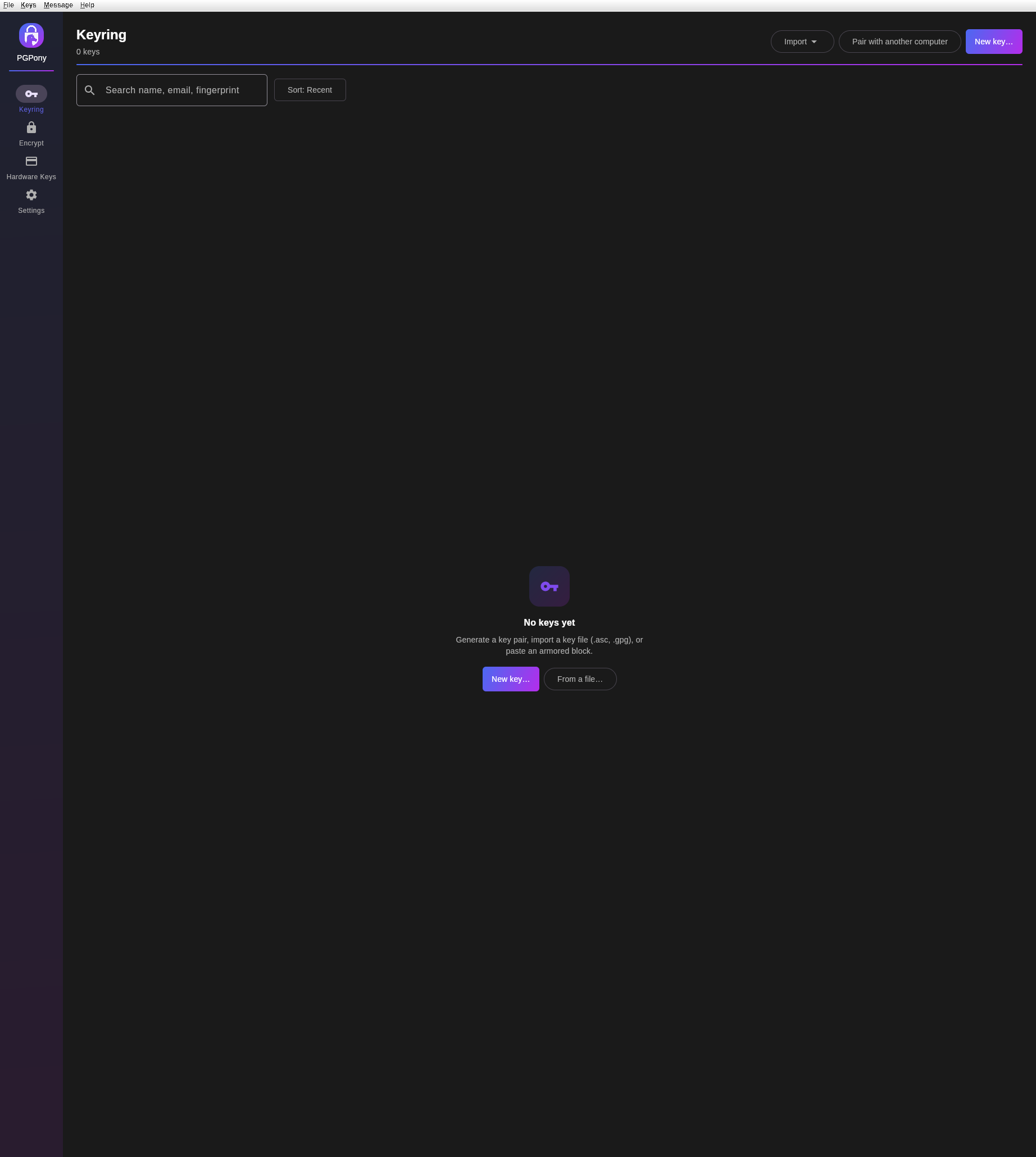
I installed a Java desktop app on my Omarchy laptop and its UI came up at half size: tiny menu bar, tiny text, almost unreadable on a HiDPI screen. Every other app scaled fine.
The usual advice (set GDK_SCALE, or pass -Dsun.java2d.uiScale=2) did nothing. The fix turned out to need one extra flag that I couldn't find documented anywhere obvious:
JAVA_TOOL_OPTIONS="-Dskiko.linux.autodpi=false -Dsun.java2d.uiScale=2" some-app
This post explains why that flag is needed and how to apply it permanently without touching files your package manager owns.
Who this affects
You are likely to hit this if all of these are true:
- The app is built with Compose Multiplatform for Desktop (JetBrains' UI toolkit, which renders through a library called Skiko).
- It runs under XWayland, which is the case for most Java apps today.
- Your compositor leaves X11 windows unscaled. On Hyprland that is
xwayland { force_zero_scaling = true }, which is Omarchy's default so that X11 apps stay crisp instead of being stretched. - Your monitor scale is 2 or more.
My setup, for reference: Omarchy 4.5.0, Hyprland 0.56.2, two monitors at scale 2, and the app was PGPony 3.1.0 (Compose 1.11.1, Skiko 0.144.6, bundled Java 17).
A quick way to check whether an app is Compose Desktop: look in its install directory for jars named skiko-awt-*.jar or a libskiko-linux-x64.so.
The dead end: uiScale alone
With force_zero_scaling, an X11 app gets a window at the full physical resolution and is expected to scale itself. Omarchy exports GDK_SCALE=2 for exactly this purpose, and a plain Java/Swing app is supposed to pick that up.
The app had GDK_SCALE=2 in its environment and still drew at 1x. So I tried forcing Java's own scale setting:
JAVA_TOOL_OPTIONS="-Dsun.java2d.uiScale=2" pgpony
The JVM confirmed it had read the option (Picked up JAVA_TOOL_OPTIONS: -Dsun.java2d.uiScale=2), and the UI was still at 1x.
What is actually happening
Skiko has its own Linux scale detection, and it runs at startup before any window exists. Compose turns it on by default:
// androidx.compose.ui.configureSwingGlobalsForCompose
useAutoDpiOnLinux: Boolean =
    System.getProperty("skiko.linux.autodpi", "true") == "true",
When it is on, Skiko's Setup.init does three things:
- It calls a native function,
linuxGetSystemDpiScale, which reads theXft.dpivalue from the X resource database. - It sets
sun.java2d.uiScale.enabledtotrue. - It overwrites
sun.java2d.uiScalewith the value it detected.
Step 3 is the problem. Omarchy doesn't set Xft.dpi (running xrdb -query shows nothing for it), so the detection comes back with 1, and that 1 replaces whatever you passed on the command line. Because the property is now set explicitly, Java no longer falls back to GDK_SCALE either.
I confirmed the pieces by looking inside the app's bundled jars: Setup.class references skiko.linux.autodpi, sun.java2d.uiScale and linuxGetSystemDpiScale, and libskiko-linux-x64.so contains the strings Xft.dpi and XResourceManagerString.
The fix
Turn the auto-detection off, then give Java the scale yourself:
JAVA_TOOL_OPTIONS="-Dskiko.linux.autodpi=false -Dsun.java2d.uiScale=2" pgpony
That rendered at 2x immediately.
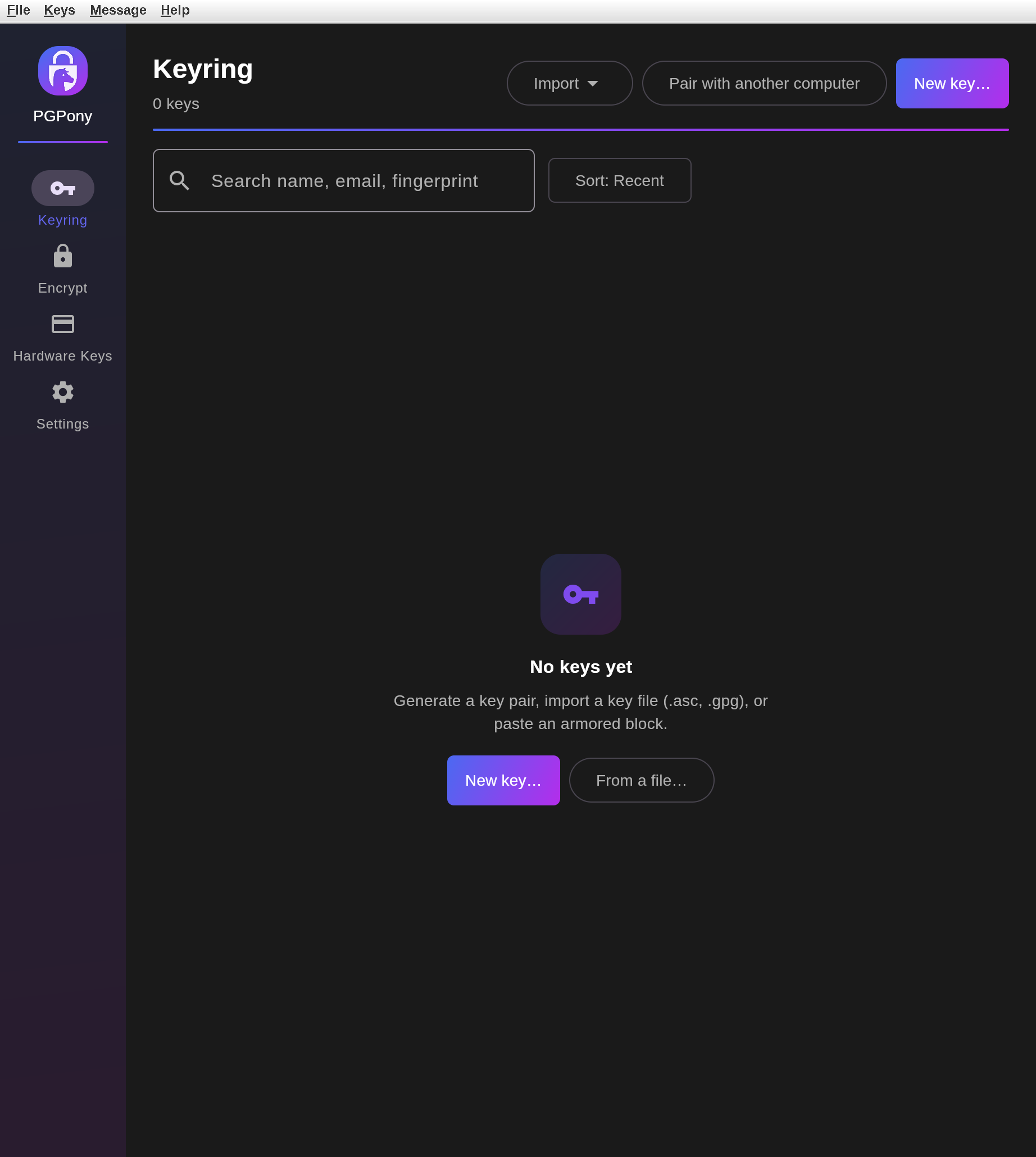
JAVA_TOOL_OPTIONS is read by the JVM itself, so it works even for apps shipped as a native launcher with a bundled runtime (jpackage), where you can't add flags to a java command line.
Making it permanent
Editing the app's files under /opt or /usr works until the next package update overwrites them. Two small files in your home directory survive updates.
1. A wrapper script
~/.local/bin/pgpony-scaled:
#!/bin/sh
# Compose/Skiko auto-detects its UI scale from X resources, which aren't set
# here, so under XWayland it renders at 1x. Turn the detection off and pass
# the desktop's scale (GDK_SCALE) to Java explicitly.
export JAVA_TOOL_OPTIONS="-Dskiko.linux.autodpi=false -Dsun.java2d.uiScale=${GDK_SCALE:-1}${JAVA_TOOL_OPTIONS:+ $JAVA_TOOL_OPTIONS}"
exec /usr/bin/pgpony "$@"
chmod +x ~/.local/bin/pgpony-scaled
Reading the scale from GDK_SCALE instead of hardcoding 2 means the app follows the desktop setting. If you change your monitor scale, restart the app and it picks up the new value.
2. A launcher override
Copy the app's launcher entry into your home directory and point it at the wrapper:
cp /usr/share/applications/pgpony.desktop ~/.local/share/applications/
Then change the Exec line in the copy (it needs an absolute path):
Exec=/home/YOUR_USER/.local/bin/pgpony-scaled %f
update-desktop-database ~/.local/share/applications
A .desktop file in ~/.local/share/applications takes priority over one with the same name in /usr/share/applications, so the app launcher and file associations now go through the wrapper.
I first tried to put the whole thing inline in the Exec line with sh -c '...'. The quoting rules for Exec make that painful (desktop-file-validate rejected it), and a separate script is easier to read and change anyway.
To undo everything, delete the two files.
Caveats
- Whole numbers only, probably. I have only tested scale 2. As far as I know, Java on X11 only supports integer scales, so a fractional monitor scale needs the nearest whole number, which is what
GDK_SCALEholds anyway. - Running the app from a terminal by its normal name bypasses the wrapper. Use the wrapper's name there.
- Tested on one app. The mechanism lives in Compose and Skiko, not in the app, so it should apply to any Compose Desktop app, but I have only verified it with PGPony.
- An alternative I have not tested: since Skiko reads
Xft.dpi, setting it globally (for scale 2,Xft.dpi: 192loaded withxrdb) should make the auto-detection return the right answer for every Compose app at once. It also changes how other X11 apps size themselves, which is why I went with the per-app fix.
Summary
| Symptom | Compose Desktop app renders at 1x on a HiDPI Hyprland/Omarchy setup |
|---|---|
| Cause | Skiko reads the scale from Xft.dpi, finds nothing, and overwrites sun.java2d.uiScale with 1 |
| Fix | -Dskiko.linux.autodpi=false -Dsun.java2d.uiScale=<scale> via JAVA_TOOL_OPTIONS |
| Make it stick | Wrapper script in ~/.local/bin plus a .desktop override in ~/.local/share/applications |