
SSH as a Cyborg: Logging In With the Key in My Hand

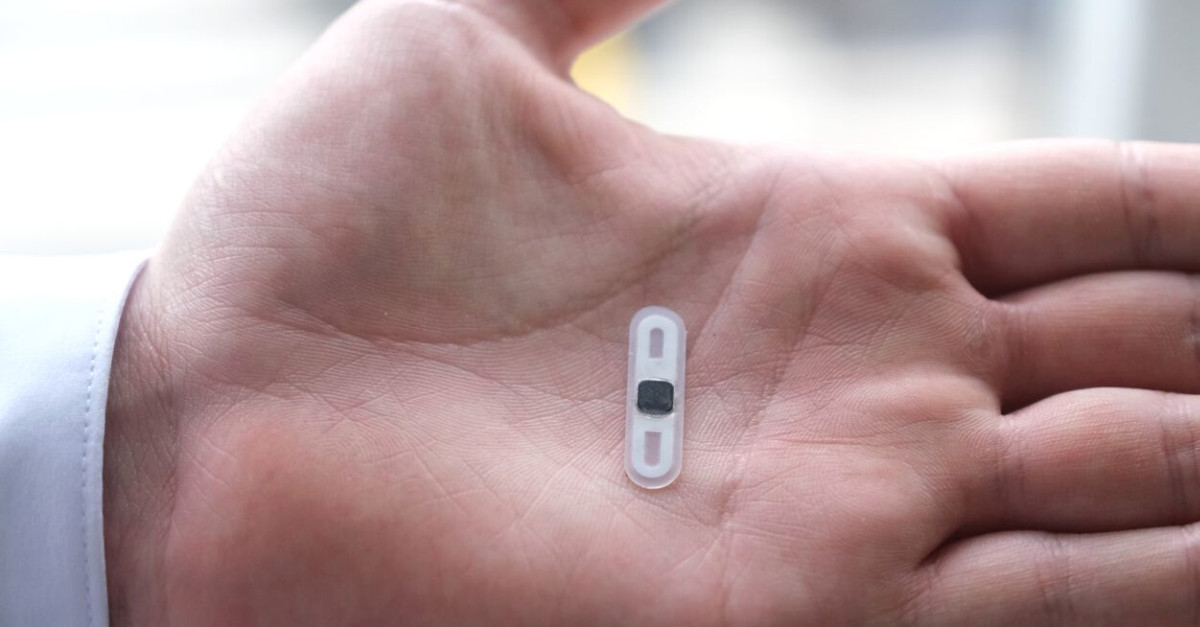
Hand on the reader, and I'm in
Now that I have the programmable VivoKey Apex Flex implant, I want to put it tu use.
So now log in to my servers over SSH with a private key that lives on my implant. With my hand on the NFC reader,sshasks for my PIN and opens a shell. Without it, the login is refused.
This is a follow-up to my post on putting my OpenPGP keys on a VivoKey Apex Flex implant. There, I moved three RSA 2048 subkeys onto the implant's SmartPGP applet. One of them is an authentication subkey, and this post turns it into an SSH key.
No new hardware or keys are needed. GnuPG's agent can act as an SSH agent and route the login signature to the implant.
How it works
SSH public-key login is a signature. The server sends a challenge, the client signs it with the private key, and the server checks the signature against authorized_keys.
Here, the signing happens on the implant:
sshasks the agent behindSSH_AUTH_SOCKfor a signature. That socket belongs togpg-agent, not to Apple'sssh-agent.gpg-agentlaunches pinentry for the User PIN, then passes the request toscdaemon.scdaemontalks to the implant through macOS PC/SC and the ACR1252 reader's contactless PICC interface.- The
[A]authentication subkey on the implant signs the challenge. The private key never leaves the chip.
The server only ever sees a normal ssh-rsa public key. It cannot tell that the private half is implanted.
Before you start
Everything from the first post must already work on the Mac. Check these four things with your hand on the reader:
gpg --card-statusshows the card and anAuthentication keyfingerprint.~/.gnupg/scdaemon.confcontainsdisable-ccidandreader-port "ACS ACR1252 Dual Reader PICC", so scdaemon uses PC/SC and the contactless reader.~/.gnupg/gpg-agent.confsetspinentry-programto pinentry-mac. SSH has no terminal to hand to a text pinentry, so a GUI prompt avoids a whole class of errors.gpg -Klists the subkeys asssb>, meaning their secret parts are on the card. On a new Mac, onegpg --card-statuswith the implant on the reader creates these stubs.
My authentication subkey is rsa2048/95C8E4DA45D4F42D.
Export the SSH public key and install it on the server
GnuPG converts the authentication subkey into OpenSSH's public key format:
mkdir -p ~/.ssh && chmod 700 ~/.ssh
gpg --export-ssh-key 13D6298D59F23B7120870CC46F80068AFE6B4035 > ~/.ssh/id_vivokey.pub
chmod 644 ~/.ssh/id_vivokey.pub
The argument is my primary key fingerprint; --export-ssh-key picks the subkey with the [A] capability. The file holds a single ssh-rsa AAAA… line. There is no private key file to go with it, and there never will be.
authorized_keys lives on the server, not on the Mac. Install the line there through any login that already works:
ssh-copy-id -f -i ~/.ssh/id_vivokey.pub user@server.example.comOr without ssh-copy-id:
cat ~/.ssh/id_vivokey.pub | ssh user@server.example.com 'mkdir -p ~/.ssh && chmod 700 ~/.ssh && cat >> ~/.ssh/authorized_keys && chmod 600 ~/.ssh/authorized_keys'-f skips ssh-copy-id's check for an already installed key, which would otherwise try to log in with the new key first.
Point SSH at gpg-agent
Three pieces of configuration make ssh talk to gpg-agent instead of Apple's agent.
1. Turn on the agent's SSH support
grep -q '^enable-ssh-support' ~/.gnupg/gpg-agent.conf || echo enable-ssh-support >> ~/.gnupg/gpg-agent.conf
gpgconf --kill gpg-agent
On macOS and Linux the agent always speaks the SSH agent protocol, per the GnuPG manual. enable-ssh-support is the documented switch for it, and it does no harm to keep.
2. Set the socket and start the agent in every shell
zsh (~/.zshrc):
export SSH_AUTH_SOCK=$(gpgconf --list-dirs agent-ssh-socket)
gpgconf --launch gpg-agent
gpg-connect-agent updatestartuptty /bye >/dev/null
fish (~/.config/fish/config.fish):
set -gx SSH_AUTH_SOCK (gpgconf --list-dirs agent-ssh-socket)
gpgconf --launch gpg-agent
gpg-connect-agent updatestartuptty /bye > /dev/null
Each line prevents a specific failure:
SSH_AUTH_SOCKoverrides the macOS default, which points at Apple's agent.gpgconf --launchmatters becausessh-addandsshnever startgpg-agent; onlygpgcommands do. After agpgconf --kill, the socket simply does not exist until something launches the agent again.updatestartupttytells the agent which terminal to use for a text pinentry, whichsshdoes not pass along.
3. Pin the key per host
In ~/.ssh/config, IdentityFile can point at the public key. OpenSSH then asks the agent for the matching private key:
Host myserver
    HostName server.example.com
    User user
    IdentityFile ~/.ssh/id_vivokey.pub
    IdentitiesOnly yes
IdentitiesOnly yes stops SSH from offering every other key the agent holds.
Open a new shell and check with your hand on the reader:
ssh-add -LThe output should match ~/.ssh/id_vivokey.pub, with a comment naming the card (cardno:…).
Logging in: hand on, hand off
With my hand resting on the reader, ssh myserver pops up the pinentry-mac dialog. I type my User PIN, the implant signs, and the shell opens.
Without my hand on the reader, the same command fails:
$ ssh myserver
Load key "/Users/sascha/.ssh/id_vivokey.pub": invalid format
user@server.example.com: Permission denied (publickey).
Hand on the reader | Hand off the reader | |
|---|---|---|
gpg-agent offers the card key | Yes | No: there is no card to read |
What SSH does | Asks the agent to sign | Tries to load |
Result | PIN prompt, then a shell |
|
The "invalid format" line looks alarming but is expected. IdentityFile points at a public key, so when the agent has no matching key, OpenSSH has nothing it can sign with. The server then refuses the login, which is exactly what should happen without the implant.
Troubleshooting
Three errors came up while I set this up on two MacBooks.
Error | What it means | Fix |
|---|---|---|
|
|
|
| SSH found the key, but | Hand on the reader; confirm |
| The agent offers no card key, so SSH falls back to the public key file | Put your hand on the reader and retry |
"agent refused operation" is the vague one. It covers anything between the agent and the chip: scdaemon not set up on that Mac, no stubs yet, pinentry unable to show a prompt, or no card in range. Work outwards from the card: if gpg itself cannot sign, SSH cannot either.
For deeper digging, gpg-agent.conf accepts log-file /tmp/gpg-agent.log and debug-level guru, and ssh -vshows which keys SSH offers.
Security notes
A login now needs two factors: the implant in range of the reader, and the User PIN.
- Nothing to steal on the laptop. The Mac holds only the public key and stubs that point to the card. A copied
~/.sshor~/.gnupgcannot log in anywhere. - The PIN is rate-limited by the chip. The card allows three wrong User PIN attempts before it blocks the PIN.
- Reading the chip is not using it. Anyone close enough with a reader can read the card's public data without a PIN. A signature, and so a login, still requires the PIN.
- Revocation is per server. If the implant or the PIN were ever compromised, I would remove the
id_vivokey.publine fromauthorized_keyson every server. The OpenPGP subkey itself can be revoked with the primary key from my offline backup. - The public key is public. The
authorized_keysline can be shared freely; it is derived from the same OpenPGP key I published on keys.openpgp.org.
Sources
- GnuPG manual: Agent Options:
enable-ssh-support,updatestartuptty, starting the agent for SSH, and the order in which keys are offered (active cards first) - OpenBSD ssh_config(5):
IdentityFilepointing at a public key for an agent-held private key, andIdentitiesOnly - SmartPGP README: the OpenPGP card applet on the implant