
Why I Switched from Oh My Posh to Starship (And What My Config Looks Like)


I switched my shell prompt from Oh My Posh to Starship after years of using Oh My Posh, and after a day of using it, I don't see myself going back. The two projects solve the same problem — a fast, informative, cross-shell prompt, but they approach it differently, and Starship's approach fits how I actually work. This post covers why I made the switch and then walks through my starship.toml section by section.
Starship vs. Oh My Posh
Let's be fair to Oh My Posh first: it's a mature, actively developed project, it's cross-shell, it ships as a single binary, and its theming engine is arguably more powerful if you want elaborate powerline-style segment chains. So why switch?
Performance
Starship is written in Rust and is aggressively optimized around one design principle: modules are lazy. A module only runs its detection logic (and only renders) when the current directory actually matches — a package.json for Node, a go.mod for Go, a .venv for Python. There's no theme engine interpreting a segment tree on every prompt draw; each module is compiled Rust code with cheap file-based detection.
In practice, the difference shows up in two places: cold prompt startup in a new shell, and prompt redraw latency in large git repositories. Oh My Posh (written in Go) is not slow by any means, but on my machine Starship's prompt renders perceptibly faster, especially inside big repos where git_status dominates. Starship also gives you an explicit escape hatch — command_timeout — so a single misbehaving module can never hang your prompt.
Configuration model
This is the bigger reason for me. Oh My Posh configures the prompt as a theme: a JSON/YAML/TOML document describing blocks containing segments, each with its own styling, powerline separators, and template syntax. It's flexible, but editing it means reasoning about a nested structure and a templating language.
Starship's config is a flat TOML file of modules. Every module has a name, a format string, a style, and a handful of module-specific keys. Want to change how git branches render? Edit the [git_branch] table. Want to disable Kubernetes context? disabled = true. There's no theme indirection — the config file is the prompt. Sensible defaults mean an empty config already produces a good prompt, and you only override what you care about.
Other things I appreciate
- First-class right prompt support (
right_format) in shells that support it, like fish and zsh — more on this below, because it's the backbone of my setup. - Named palettes built into the config format, which makes theming with something like Catppuccin a one-liner instead of scattering hex codes everywhere.
- Vi-mode awareness via
vicmd_symbol, so the prompt itself tells you which mode your line editor is in. - A single
starship.tomlthat follows me to every machine via my dotfiles — one file, every shell, every OS.
My configuration, explained
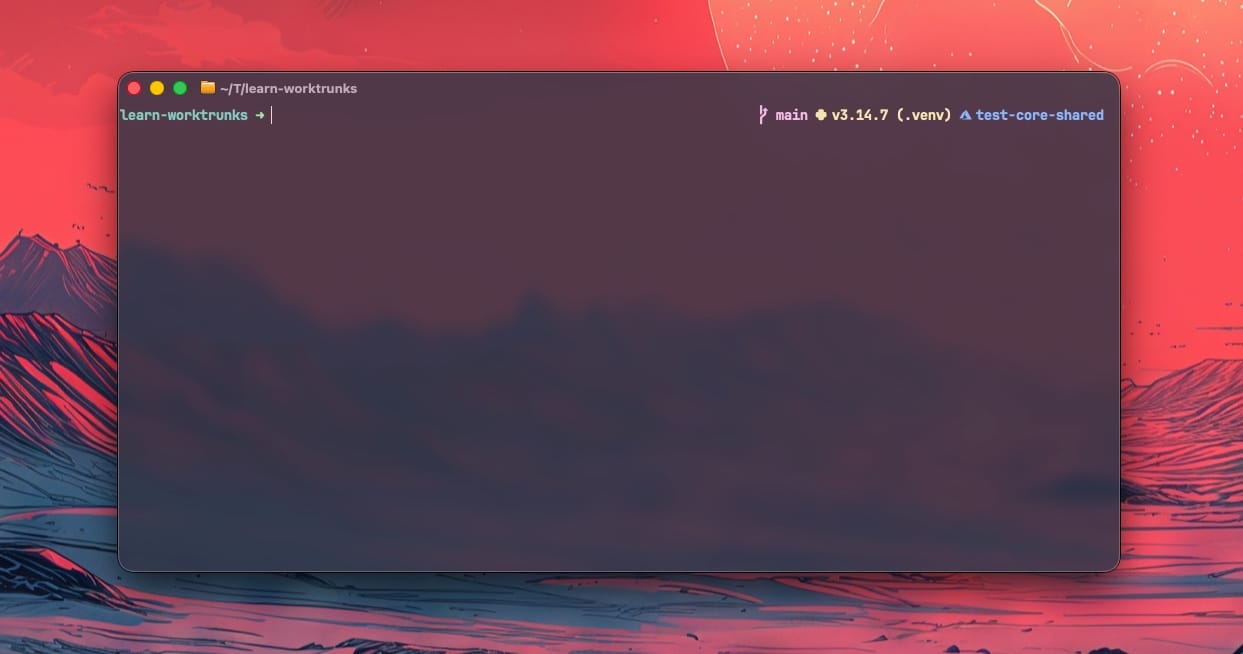
Here's the full picture of what my prompt does: a minimal left side (just the directory and the prompt character), with everything else pushed to the right margin. My eyes stay anchored on the left where I type; the contextual noise — git state, language versions, Azure subscription, command duration — lives on the right where I can glance at it when I need it.
The core layout
add_newline = false

format = """$directory$character"""
palette = "catppuccin_mocha"

right_format = """$all"""
command_timeout = 1000
add_newline = falseremoves the blank line Starship inserts between prompts by default — I prefer a dense scrollback.formatdefines the left prompt as exactly two modules:$directoryand$character. Nothing else.right_format = "$all"is the trick that makes this work:$allexpands to every module not already used informat, in Starship's default order. So git info, language runtimes, cmd duration, exit status, etc. all automatically flow to the right prompt — including any module I enable later, with zero layout changes.command_timeout = 1000caps any single module's command execution at 1000 ms. If a module can't finish in a second, it's dropped from that render rather than blocking the prompt.palette = "catppuccin_mocha"activates the named color palette defined at the bottom of the file, so styles throughout the config can reference colors likeyellowandredand get the Catppuccin Mocha values. This matches the Catppuccin theming I already run across Ghostty, Neovim, and the rest of my stack.
Prompt character and vi mode
[character]
vicmd_symbol = '[\[N\] >>>](bold yellow)'
success_symbol = '[➜](bold green)'
error_symbol = '[➜](bold red)'
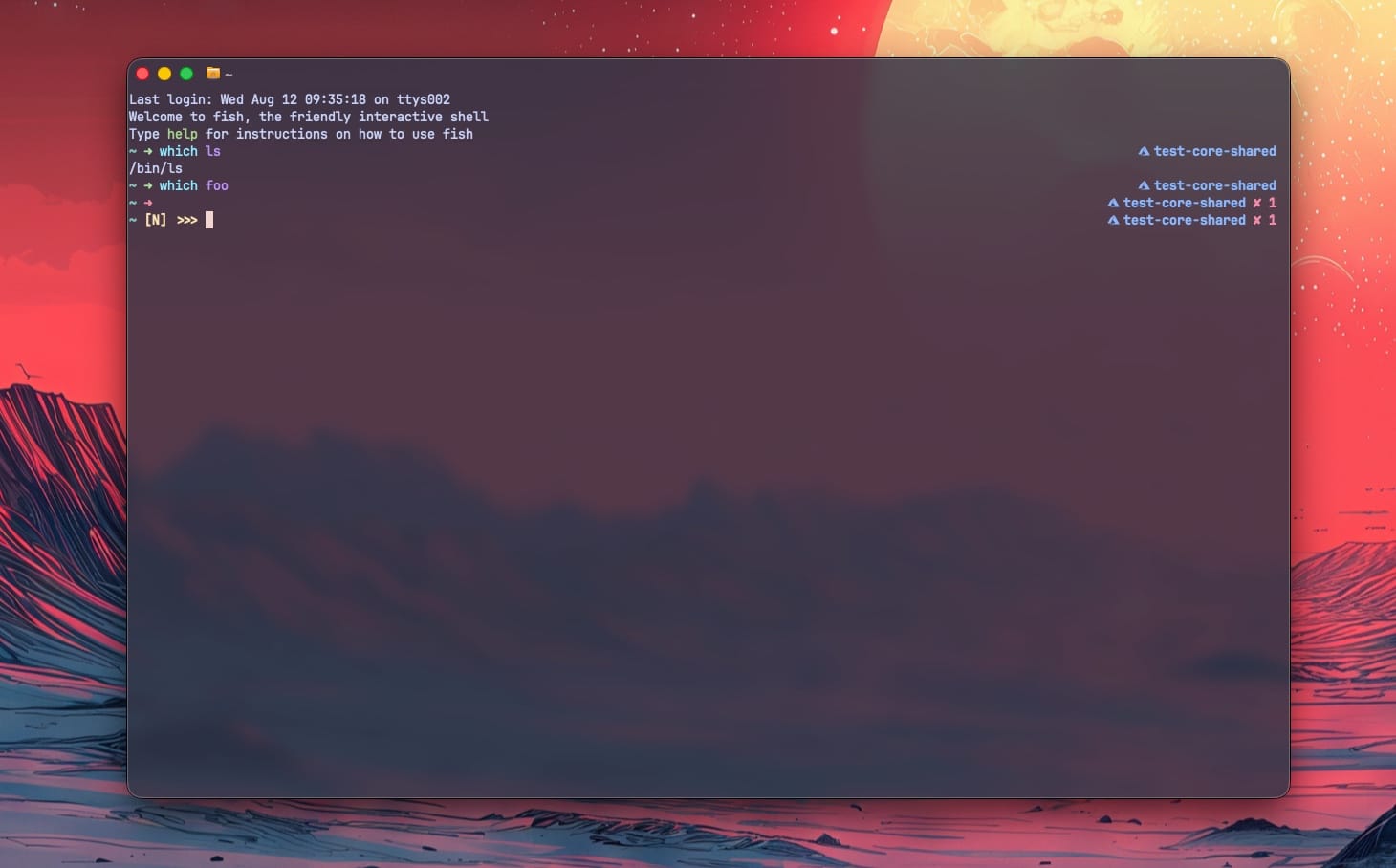
The prompt character doubles as a status indicator: a green ➜ after a successful command, a red one after a failure. The interesting key is vicmd_symbol — when the shell's line editor is in vi normal mode, the prompt switches to a bold yellow [N] >>>. If you use vi keybindings, this is the single most useful piece of prompt real estate: no more typing ddinto a command line because you forgot which mode you're in.
Exit status and timing
[status]
disabled = false
format = '[✘ $status]($style) '

[cmd_duration]
min_time = 2000
format = '[$duration](yellow) '
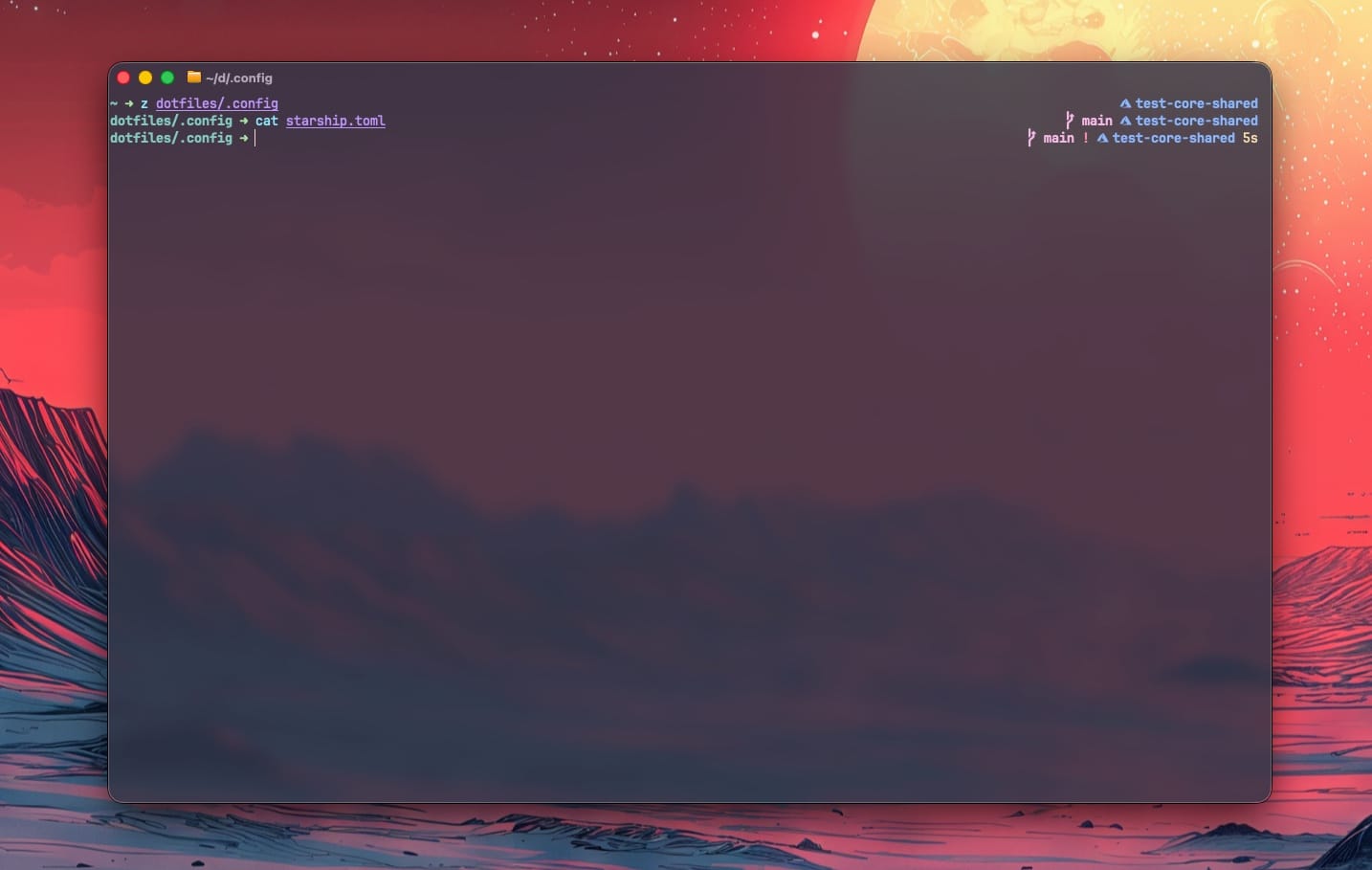
The status module is disabled by default in Starship; I enable it so a failing command shows ✘ <exit code> on the right — the red arrow tells me that something failed, the status module tells me what the exit code was. cmd_duration prints the runtime of the previous command in yellow, but only when it exceeded min_time = 2000 ms, so quick commands don't add noise.
Shell-state modules
[sudo]
disabled = false

[jobs]
symbol = '✦ '

[shlvl]
disabled = false
threshold = 2
Three small quality-of-life modules:
sudo(off by default) shows an indicator while sudo credentials are cached — useful awareness signal when you're security aware and care about how long an elevated window stays open.jobsshows a✦when background jobs exist, so a suspendednvimdoesn't get orphaned.shlvlwiththreshold = 2displays the shell nesting depth once you're two shells deep — the classic "am I inside a nested shell inside tmux inside ssh?" indicator.
Directory
[directory]
truncation_length = 4
truncate_to_repo = true
The left prompt shows at most four path components, and truncate_to_repo anchors truncation at the repository root — so inside a repo I see the path relative to the project rather than an absolute path. The empty [directory.substitutions] table is a placeholder for path aliasing (e.g., mapping a long mount path to a short label) that I haven't needed yet.
Git
[git_branch]
format = '[$symbol$branch(:$remote_branch)]($style) '

[git_status]
format = '([$all_status$ahead_behind]($style) )'
git_branch shows the branch, plus :remote_branch when the local and remote branch names differ — the parentheses in Starship's format syntax mean "only render this group if its variables are non-empty." Same pattern in git_status: the whole status block (staged/modified/untracked counters plus ahead/behind arrows) only renders when there's actually something to show. Clean repo, clean prompt.
Cloud and container context
[azure]
format = '[$symbol($subscription )]($style)'
disabled = false
style = 'bold blue'
symbol = " "
[docker_context]
disabled = false
[kubernetes]
symbol = '☸ '
disabled = true
detect_files = ['Dockerfile']
format = '[$symbol$context( \($namespace\))]($style) '
The azure module (disabled by default) shows the currently active Azure subscription in bold blue — given how much of my day involves Azure, seeing which subscription a command will hit before I run it is genuinely a safety feature, not decoration. docker_context shows the active Docker context when it's not the default.
Kubernetes is configured but currently disabled = true. When I flip it on, detect_files = ['Dockerfile'] restricts it to directories containing a Dockerfile instead of showing cluster context everywhere. One honest note: the contexts entry with the AWS EKS ARN and the omerxx alias is a leftover from the example config I started from — it demonstrates Starship's context-aliasing feature (map an unwieldy ARN to a short label with its own color and symbol), but I'll be replacing it with my own cluster contexts.
Language runtimes
[golang]
format = '[ ](bold cyan)'

[python]
format = '[ ($version )(\($virtualenv\) )](bold yellow)'

[dotnet]
format = '[ ](bold blue)'

[nodejs]
format = '[ ](bold green)'
For Go, .NET, and Node.js I've stripped the modules down to just their Nerd Font icon — I want to know that I'm in a Go project, not which patch version of the toolchain is installed. Python is the exception: the version and the active virtualenv name both matter there, so those stay (again wrapped in ( ) groups so they only render when present).
The palette
[palettes.catppuccin_mocha]
rosewater = "#f5e0dc"
flamingo = "#f2cdcd"
# ... full Catppuccin Mocha definition
base = "#1e1e2e"
The bottom of the file defines the full Catppuccin Mocha palette as a named palette. Because palette = "catppuccin_mocha"is set at the top, every style string in the config resolves color names against these hex values. Swapping the entire prompt to Latte or Frappé would be a two-line change: paste a different palette table, update the palette key.
Full config
# Starship configuration
add_newline = false
# A minimal left prompt
format = """$directory$character"""
palette = "catppuccin_mocha"
# move the rest of the prompt to the right
right_format = """$all"""
command_timeout = 1000
[character]
vicmd_symbol = '[\[N\] >>>](bold yellow)'
success_symbol = '[➜](bold green)'
error_symbol = '[➜](bold red)'
[status]
disabled = false
format = '[✘ $status]($style) '
[cmd_duration]
min_time = 2000
format = '[$duration](yellow) '
[sudo]
disabled = false
[jobs]
symbol = '✦ '
[shlvl]
disabled = false
threshold = 2
[directory]
truncation_length = 4
truncate_to_repo = true
[directory.substitutions]
[git_branch]
format = '[$symbol$branch(:$remote_branch)]($style) '
[git_status]
format = '([$all_status$ahead_behind]($style) )'
[azure]
format = '[$symbol($subscription )]($style)'
disabled = false
style = 'bold blue'
symbol = " "
[golang]
format = '[ ](bold cyan)'
[python]
format = '[ ($version )(\($virtualenv\) )](bold yellow)'
[dotnet]
format = '[ ](bold blue)'
[nodejs]
format = '[ ](bold green)'
[kubernetes]
symbol = '☸ '
disabled = true
detect_files = ['Dockerfile']
format = '[$symbol$context( \($namespace\))]($style) '
contexts = [
{ context_pattern = "arn:aws:eks:us-west-2:577926974532:cluster/zd-pvc-omer", style = "green", context_alias = "omerxx", symbol = " " },
]
[docker_context]
disabled = false
[palettes.catppuccin_mocha]
rosewater = "#f5e0dc"
flamingo = "#f2cdcd"
pink = "#f5c2e7"
mauve = "#cba6f7"
red = "#f38ba8"
maroon = "#eba0ac"
peach = "#fab387"
yellow = "#f9e2af"
green = "#a6e3a1"
teal = "#94e2d5"
sky = "#89dceb"
sapphire = "#74c7ec"
blue = "#89b4fa"
lavender = "#b4befe"
text = "#cdd6f4"
subtext1 = "#bac2de"
subtext0 = "#a6adc8"
overlay2 = "#9399b2"
overlay1 = "#7f849c"
overlay0 = "#6c7086"
surface2 = "#585b70"
surface1 = "#45475a"
surface0 = "#313244"
base = "#1e1e2e"
mantle = "#181825"
crust = "#11111b"Closing thoughts
One day in, the things I like most about Starship are exactly the things I hoped for: the prompt is instant even in large repos, and the configuration is a single flat TOML file I can actually reason about. The format / right_format split deserves special mention — a minimal left prompt with $all on the right gives you a clean typing line and full context, and it automatically absorbs any module you enable later.
If you're on Oh My Posh and happy, there's no urgent reason to move. But if you've ever opened your theme JSON, stared at the nested segment tree, and closed it again — give Starship's flat module model a try. It took me one evening to get from install to the config above.