
Borrowing Memory, Not Speed: Clustering a Mac Studio and a DGX Spark with exo

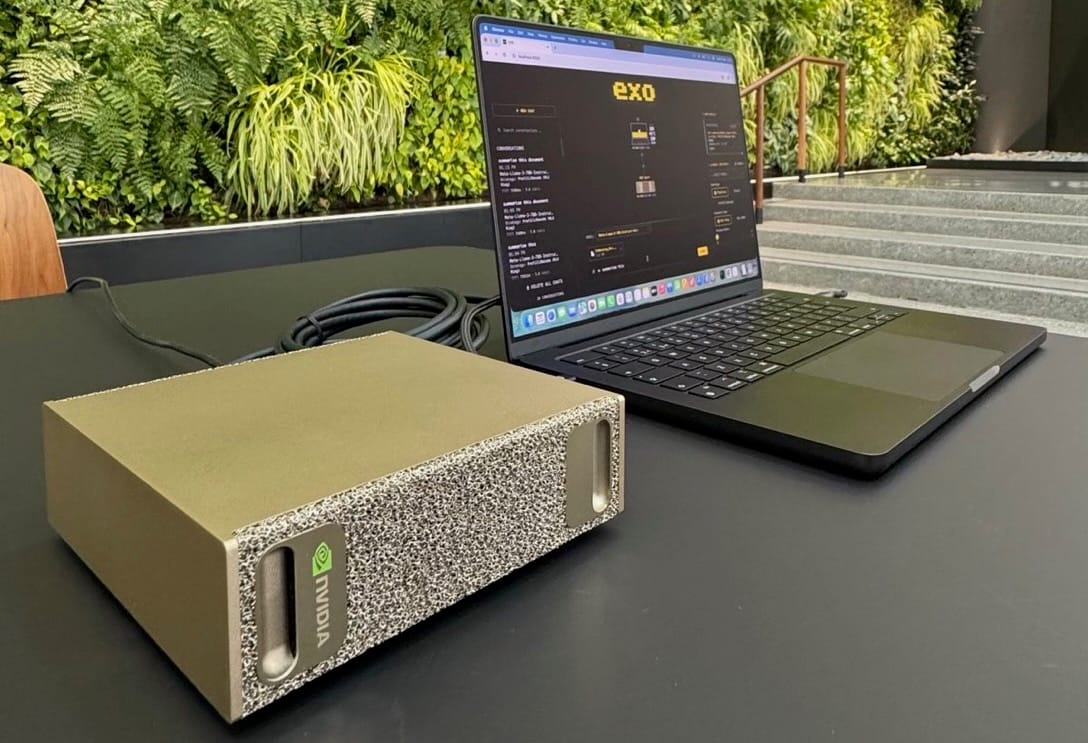
Every local-inference setup eventually hits the same wall: a model you want to run is a few gigabytes too big for the one machine you'd run it on. You have a 128 GB Mac Studio. The model wants 160 GB. You also happen to have a 128 GB DGX Spark sitting on the same network. The obvious question is whether you can staple the two together and run the thing.
You can. This post is about exactly that configuration - and about being honest, up front, about what you get and what you give up. The short version: exo lets you pool the memory of both boxes into a single inference cluster, which makes the otherwise-unrunnable model runnable. It does not make it fast, and on this particular hardware pairing the reasons why are worth understanding before you spend an evening on it.
This is "Option B": use exo to borrow the Spark's memory capacity so a model that overflows the Mac can run at all. It is not the configuration you reach for when you want throughput. That distinction is the whole point.
What exo is, and the one caveat that shapes everything
exo (from EXO Labs, Apache 2.0) is an open-source distributed inference framework. You run it on each device on your network; the devices discover each other automatically, exo profiles each one's compute, memory, and link bandwidth, and it shards a model across them so you can run models larger than any single device could hold. It exposes OpenAI Chat Completions, Claude Messages, OpenAI Responses, and Ollama-compatible APIs at http://localhost:52415, so existing clients work unchanged.
Here is the caveat that governs this entire build:
exo uses the GPU on macOS via MLX. On Linux, exo currently runs on CPU. GPU support for Linux is under development.
The DGX Spark runs DGX OS (Ubuntu 24.04). That means under the current public release, the Spark's GB10 Blackwell GPU is not used by exo at all. The Spark joins the cluster as a Grace-CPU node that contributes its 128 GB of memory and its CPU cores — nothing more. The widely-shared EXO Labs demo that paired a DGX Spark with a Mac Studio for a ~2.8× speedup relied on the Spark doing GPU prefill; that path is not reproducible on the stock Linux build. If you go in expecting Blackwell acceleration from the Spark, you will be disappointed. Go in expecting a memory donor and you'll be calibrated correctly.
The topology
        ┌────────────────────────────┐
        │        Mac Studio          │
        │   MLX GPU  ·  128 GB       │    ← only GPU-accelerated node
        └────────────┬───────────────┘
                     │ 1 GbE              ← the bottleneck
                     │
        ┌────────────┴───────────────┐
        │        DGX Spark           │
        │  CPU-only in exo · 128 GB  │   ← memory donor; GB10 GPU idle
        └────────────────────────────┘
Two facts about this picture do most of the work:
- Only the Mac uses a GPU. The Spark contributes CPU + RAM.
- The link between them is 1 GbE — roughly 125 MB/s, about two orders of magnitude slower than the RDMA-over-Thunderbolt-5 interconnect exo's headline benchmarks used. exo's planner is topology-aware and will treat this link as the slow, high-latency edge it is.
If your two Sparks are joined to each other by a 200 GbE fabric, note that it does not help here: that link only connects Spark-to-Spark, and under exo both ends are CPU. A 200 GbE cable between two CPU inference nodes solves a problem you don't have. It's the right fabric for vLLM + Ray (which does drive the GB10 GPUs), not for an exo memory-borrow.
When Option B is the right call
A simple decision rule:
- Model fits in 128 GB → run on the Mac alone (exo single-node, or LM Studio). Adding the Spark over 1 GbE will only slow you down. Don't cluster.
- Model needs 128–256 GB → this is the only case where adding the Spark via exo earns its keep. You're trading a large speed penalty for the ability to run the model at all.
- You want fast inference across GPUs → wrong tool. Use vLLM + Ray on the Spark(s) over the fast fabric, and keep the Mac separate.
Option B is a capacity play, full stop.
Setting it up
Both nodes must be on the same network; discovery is automatic. Install exo on the Mac (the GPU node) and on the Spark (the memory donor).
On the Mac Studio
The simplest route is the prebuilt app: download EXO-latest.dmg from https://assets.exolabs.net/EXO-latest.dmg (requires macOS Tahoe 26.2 or later). It runs in the background and will ask to install a network profile.
From source instead, if you prefer to control the build:
# Prerequisites: Xcode (Metal toolchain for MLX), Homebrew
brew install uv node
curl --proto '=https' --tlsv1.2 -sSf https://sh.rustup.rs | sh
rustup toolchain install nightly

# macmon: install the pinned fork — Homebrew's macmon 0.6.1 crashes on M5-class chips
cargo install --git https://github.com/vladkens/macmon \
  --rev a1cd06b6cc0d5e61db24fd8832e74cd992097a7d macmon --force

git clone https://github.com/exo-explore/exo
cd exo/dashboard && npm install && npm run build && cd ..
uv run exo
On the DGX Spark (DGX OS / Ubuntu 24.04)
sudo apt update && sudo apt install -y nodejs npm
curl -LsSf https://astral.sh/uv/install.sh | sh
curl --proto '=https' --tlsv1.2 -sSf https://sh.rustup.rs | sh
rustup toolchain install nightly

git clone https://github.com/exo-explore/exo
cd exo/dashboard && npm install && npm run build && cd ..
uv run exo
macmon is macOS-only; skip it on the Spark.
Isolate the cluster
If the box lives on a shared network, give the cluster its own namespace so it can't accidentally merge with another exo instance:
EXO_LIBP2P_NAMESPACE=pulsar-exo uv run exo
Set the same namespace on both nodes.
Point model storage somewhere with room
Large models need a writable cache with space. On Linux, exo defaults to ~/.local/share/exo/models; you can redirect or add read-only shared stores:
# Additional writable dir (first one with enough free space wins)
EXO_MODELS_DIRS=/mnt/fast-nvme/exo-models uv run exo

# Read-only pre-downloaded models (e.g. an NFS mount you've already populated)
EXO_MODELS_READ_ONLY_DIRS=/mnt/nfs/models uv run exo
The critical step: override auto-placement
This is where Option B is won or lost. exo's default partitioning strategy is ring memory-weighted: it assigns layers to each device in proportion to that device's memory. With 128 GB on the Mac and 128 GB on the Spark, that default lands roughly 50/50 — which means about half your model's layers run on the slow CPU Spark. That is the worst possible split for throughput. You want the minimum number of layers on the Spark that still lets the model fit.
So don't accept the default. Preview the valid placements, inspect how much memory each lands on each node, and force a pipeline split that keeps as much as possible on the Mac:
# 1. Preview placements; filter out errors and look at the per-node memory deltas
curl "http://localhost:52415/instance/previews?model_id=YOUR_MODEL" \
  | jq '.previews[] | select(.error==null)
        | {sharding, instance_meta, memory_delta_by_node}'
Choose a placement where:
shardingisPipeline, notTensor(more on why below), andmemory_delta_by_nodeputs the largest share on the Mac (local) and only the overflow on the Spark.
Then create that exact instance:
# 2. POST the chosen placement object to /instance
curl -X POST http://localhost:52415/instance \
  -H 'Content-Type: application/json' \
  -d '{ "instance": { ...the placement you picked... } }'

# 3. Run a completion
curl -N -X POST http://localhost:52415/v1/chat/completions \
  -H 'Content-Type: application/json' \
  -d '{ "model": "YOUR_MODEL",
        "messages": [{"role":"user","content":"Hello"}],
        "stream": true }'
How it will perform
Set expectations with the pipeline-parallel execution model rather than with hope.
Pipeline (ring) vs. tensor parallelism. Tensor parallelism splits every layer's tensors across devices and does an all-reduce every layer — it is extremely sensitive to inter-node bandwidth and latency. Over a 200 GbE or Thunderbolt link it's fine; over 1 GbE it is pathological. Pipeline parallelism instead gives each device a contiguous block of layers, so data crosses the link only at the cut point(s). On a 1 GbE fabric, pipeline is the only sane choice. This is why the setup above forces Pipeline.
Where the time actually goes. In a two-stage Mac→Spark pipeline:
- Decode (token generation) sends a single token's hidden state across the cut — on the order of tens of KB at the cut point. The 1 GbE link transfers that almost instantly; bandwidth is not the decode bottleneck. The bottleneck is the Spark's CPU computing its share of the layers for every token. Large-model CPU inference is memory-bandwidth-bound and slow, and a pipeline runs only as fast as its slowest stage. Your tokens-per-second will be gated by that CPU stage, plus a small per-token network round-trip.
- Prefill (prompt processing) is worse for the link. The activation crossing the cut for a prompt of length L is an
[L, hidden]tensor. ForL = 4096and a hidden size around 8192 in fp16, that's roughly 4096 × 8192 × 2 ≈ 64 MB per cut crossing — about half a second on 1 GbE just to move it once, on top of the Spark CPU grinding through its layers over the whole prompt. Long prompts amplify both costs.
The net result is predictable: substantially slower than the Mac running alone, justified only because the alternative is the model not running at all. There is no free lunch where the Spark's memory comes without the Spark's CPU speed attached.
Measure, don't guess. exo ships exo-bench, which reports prompt tokens/sec, generation tokens/sec, and peak memory per placement. Run it for both the Mac-only and Mac+Spark placements so you have real numbers for your model:
uv run bench/exo_bench.py \
  --model YOUR_MODEL \
  --pp 128,512,2048 \
  --tg 128 \
  --max-nodes 2 \
  --sharding pipeline \
  --repeat 3 \
  --json-out exo-results.json
If the model fits in 128 GB and you ran this comparison anyway, the data will almost always tell you to drop the Spark and stay single-node. That's the expected and correct outcome — it confirms Option B is for overflow only.
Advantages
- It runs models that don't fit on any single box you own. This is the entire reason to do it, and it delivers.
- Fully local and private. No data leaves your network — relevant if you're running this inside a corporate environment with data-handling constraints.
- Cheap capacity. You're using hardware you already have rather than buying a single machine with more unified memory.
- Drop-in APIs. OpenAI / Claude / Ollama compatibility means OpenWebUI, existing scripts, and agent frameworks point at
localhost:52415and just work. - Zero-config discovery. No manual IP wiring; nodes find each other on the LAN.
Disadvantages
- The Spark's GPU is wasted. Under exo on Linux you're paying for a Blackwell GPU and using a Grace CPU. This is the single biggest inefficiency of the configuration.
- 1 GbE is a hard ceiling on prefill. Long-context prompts pay a real transfer tax at every cut crossing.
- Throughput is gated by the slowest stage. Pipeline parallelism means the CPU Spark sets the pace; the fast Mac spends time idle waiting.
- It's alpha-grade software. exo is moving fast and is explicitly experimental in places; expect rough edges and breaking changes between releases.
Pitfalls
A concrete checklist of things that will bite you:
- Accepting the default memory-weighted placement. With 128/128 it splits ~50/50 and buries half your layers on the CPU node. Always override toward Mac-heavy. This is the number-one mistake.
- Letting it pick tensor parallelism. Over 1 GbE, tensor parallel's per-layer all-reduce will collapse throughput. Force
Pipeline. - Expecting CUDA acceleration from the Spark. It won't happen on the stock Linux build. The GB10 sits idle.
- Trying to use the 200 GbE Spark↔Spark fabric for this. It connects two CPU nodes under exo and buys you nothing here. Save it for vLLM + Ray.
- Running out of model-cache disk. Big models need a big, fast writable cache. Set
EXO_MODELS_DIRSto NVMe with headroom before you start a 150 GB download. - Cluster cross-talk on a shared network. Without
EXO_LIBP2P_NAMESPACE, your cluster can merge with someone else's exo instance. Namespace it. - Benchmarking once and trusting it. Use
--repeatand a--warmup; cold-cache and first-run numbers are not representative. - Forgetting this is overflow-only. If you find yourself clustering a model that fits in 128 GB "because the Spark is there," stop — you've made it slower for no reason.
Verdict
Option B does precisely one thing well: it lets a model that's too big for your Mac Studio run by borrowing the Spark's memory. Treat it as a capacity extension, force a Mac-heavy pipeline split, keep your prompts short where you can, and measure before you commit it to anything you depend on.
The moment your actual goal becomes throughput rather than fit, the answer changes entirely: put the Spark(s) on vLLM + Ray over the fast fabric so the Blackwell GPUs do real work, and run the Mac as its own MLX node for low-latency interactive use. exo and vLLM/Ray are answering different questions. Option B is the right answer to "how do I run this oversized model locally at all" — and the wrong answer to almost everything else.