
Connecting OpenCode to a Self-Hosted LLM (vLLM + Nemotron 3 Super)

Coding agents like Claude Code and Codex are excellent, but both are wired to a specific vendor's API. If you run your own inference stack — for cost control, data residency, or because you have GPUs sitting idle — you want an agent you can point at your endpoint. OpenCode is the cleanest fit: it's terminal-first, open source, and talks to any OpenAI-compatible API without a translation layer.
This post walks through connecting OpenCode's CLI to a self-hosted vLLM server, using NVIDIA's Nemotron-3-Super-120B-A12B as the worked example.
This is the model I'm currently hosting on my 2 NVIDIA DGX Spark node cluster.
The model choice matters: it's a reasoning model with a hybrid Mamba/MoE architecture, which surfaces a few gotchas that a vanilla chat model wouldn't.
Everything here generalizes to any OpenAI-compatible endpoint — substitute your own model and host.
The one thing that decides everything: API shape
There are two API "shapes" in the coding-agent world:
- OpenAI Chat Completions (
POST /v1/chat/completions) — what vLLM, Ollama, LM Studio, and most self-hosted runtimes speak. - Anthropic Messages (
POST /v1/messages) — what Claude Code speaks.
This is the whole ballgame. Claude Code cannot talk to a vLLM endpoint directly — it needs a translation proxy (e.g. LiteLLM) that accepts Anthropic requests and re-emits them as OpenAI. OpenCode speaks OpenAI natively, so there's no proxy: you add a provider block and you're done. That single fact is why OpenCode is the lower-friction choice for a self-hosted setup.
Prerequisites
- A vLLM server exposing an OpenAI-compatible endpoint with tool calling enabled (the agent loop is dead without it).
- The OpenCode CLI installed (
brew install opencode,npm i -g opencode, or the install script from opencode.ai). curlandjqfor validation.
Step 1 — Serve the model with the right parsers
For agentic coding, two server-side parsers do the heavy lifting:
- A tool-call parser that extracts structured
tool_callsfrom the model's raw output. - A reasoning parser that separates chain-of-thought from the user-facing answer (only relevant for reasoning models).
Get either wrong and the agent breaks in confusing ways — reasoning text leaks into tool arguments, or tool calls never get parsed at all.
For Nemotron 3 Super, NVIDIA specifies the qwen3_coder tool parser (yes, even though this isn't a Qwen model) and a super_v3 / nemotron_v3 reasoning parser. A representative single-node serve command:
vllm serve nvidia/NVIDIA-Nemotron-3-Super-120B-A12B-NVFP4 \
  --served-model-name nvidia/nemotron-3-super \
  --host 0.0.0.0 --port 8000 \
  --trust-remote-code \
  --kv-cache-dtype fp8 \
  --max-model-len 262144 \
  --gpu-memory-utilization 0.85 \
  --enable-chunked-prefill \
  --enable-auto-tool-choice \
  --tool-call-parser qwen3_coder \
  --reasoning-parser nemotron_v3
Authoritative flags live on the model card. Tensor-parallel size, quantization, MoE backend, and the exact reasoning-parser invocation are model- and hardware-specific. For Nemotron the HF model card and vLLM recipes are the source of truth. Don't copy a serve command from a blog (including this one) without checking it against the card for your checkpoint and GPU.
A note on quantization: pre-quantized NVFP4/FP8 checkpoints carry their own quant config, and vLLM auto-detects it. Forcing --quantization fp4 is at best redundant and at worst selects a different kernel path — prefer auto-detection unless the card tells you otherwise.
Step 2 — Store the credential
If your server enforces an API key (vLLM does this when VLLM_API_KEY is set in its environment), OpenCode needs that key. Store it without putting it in a config file:
opencode auth login
# → scroll to "Other"
# → provider ID: myserver      (you'll reuse this exact ID in config)
# → paste your API key
This writes only the credential to ~/.local/share/opencode/auth.json. You still have to add the provider block in Step 3.
Step 3 — Add the provider block
Edit ~/.config/opencode/opencode.json (global) or a project-local opencode.json:
{
  "$schema": "https://opencode.ai/config.json",
  "provider": {
    "pulsar": {
      "npm": "@ai-sdk/openai-compatible",
      "name": "Self-Hosted vLLM",
      "options": {
        "baseURL": "https://llm.example.internal/v1",
        "apiKey": "{env:VLLM_API_KEY}"
      },
      "models": {
        "nvidia/nemotron-3-super": {
          "name": "Nemotron-3-Super-120B",
          "limit": { "context": 262144, "output": 32768 }
        }
      }
    }
  },
  "model": "myserver/nvidia/nemotron-3-super"
}
Field-by-field:
npm: "@ai-sdk/openai-compatible"— the adapter for any/v1/chat/completionsendpoint. If a model is served via/v1/responsesinstead, use@ai-sdk/openai.options.baseURL— ends at/v1, not the full/v1/chat/completionspath. The adapter appends the rest.options.apiKey—{env:VAR}reads from the environment at launch;{file:~/.secrets/key}reads from a file. Either beats a hardcoded literal. (If you usedopencode auth login, you can omit this.)modelskeys — must match exactly what your server returns as the model ID, i.e. your--served-model-name. Verify with the/v1/modelscall below. OpenCode tolerates/in model IDs, sonvidia/nemotron-3-superworks as a key — a case Claude Code can't handle.limit.context— see the best practices; do not blindly set this to your--max-model-len.model— sets the default; the runtime form isproviderID/modelID, so with a slashed model ID you get the double slashpulsar/nvidia/nemotron-3-super.
Step 4 — Validate the endpoint before trusting it
Wire-checking the endpoint by hand saves you from debugging "why is my agent weird" later. Do it in three escalating steps.
4a. Can I even reach the model list?
curl -s https://llm.example.internal/v1/models \
  -H "Authorization: Bearer $VLLM_API_KEY" | jq '.data[].id'
This should print your served model ID. If you get:
jq: error (at <stdin>:0): Cannot iterate over null (null)
…that is not a model problem. It means the endpoint returned valid JSON with no data field — almost always a {"error": ...} body from a 401, because the request was missing or had the wrong Authorization header. (If the body were unparseable HTML you'd get a parse error instead.) Add the header. To prove it's the server and not your reverse proxy, hit the node directly, bypassing TLS/nginx:
curl -s http://localhost:8000/v1/models -H "Authorization: Bearer $VLLM_API_KEY" | jq .
4b. One-shot tool-call smoke test
A model that lists fine can still emit malformed tool calls. This test sends a trivial get_weather tool and a prompt that forces a call. Point it at your public endpoint (not localhost) so it also exercises your reverse proxy's handling of POST bodies — the exact path the agent will use.
curl -s https://llm.example.internal/v1/chat/completions \
  -H "Authorization: Bearer $VLLM_API_KEY" \
  -H "Content-Type: application/json" \
  -d @- <<'JSON' | jq .
{
  "model": "nvidia/nemotron-3-super",
  "temperature": 1.0,
  "top_p": 0.95,
  "max_tokens": 1024,
  "tool_choice": "auto",
  "messages": [
    {"role": "user", "content": "What is the current weather in Zurich? Call the get_weather tool to find out."}
  ],
  "tools": [
    {
      "type": "function",
      "function": {
        "name": "get_weather",
        "description": "Get the current weather for a city.",
        "parameters": {
          "type": "object",
          "properties": {
            "location": {"type": "string", "description": "City name, e.g. Zurich"},
            "unit": {"type": "string", "enum": ["celsius", "fahrenheit"]}
          },
          "required": ["location"]
        }
      }
    }
  ]
}
JSON
Sampling is set to NVIDIA's recommended temperature 1.0 / top_p 0.95, which Nemotron's card prescribes for all tasks — reasoning, tool calling, and chat alike. Test under the same conditions your agent will run.What a healthy response looks like:
{
  "choices": [
    {
      "message": {
        "role": "assistant",
        "content": null,
        "tool_calls": [
          {
            "id": "chatcmpl-tool-...",
            "type": "function",
            "function": {
              "name": "get_weather",
              "arguments": "{\"location\": \"Zurich\"}"
            }
          }
        ],
        "reasoning": "I need to get the current weather in Zurich..."
      },
      "finish_reason": "tool_calls"
    }
  ],
  "system_fingerprint": "vllm-0.21.0+...-tp2-..."
}
Three things to read off this:
finish_reason: "tool_calls"and a well-formedtool_calls[0].content: nullwith the chain-of-thought isolated in a separatereasoningfield. This is the success signal for a reasoning model — it proves the reasoning parser kept the thinking out ofcontentand out of the tool arguments. When that separation fails, reasoning text contaminates the arguments and the agent loop breaks.- A
tp2(or similar) tag insystem_fingerprintconfirms your tensor-parallel topology is actually live — useful when you're serving across a multi-node cluster and want to be sure it didn't silently fall back to one node.
4c. Pass/fail in one line
The check that actually matters is that function.arguments is a parseable JSON string — malformed arguments are the classic tool-parser failure. The fromjson step below throws (→ FAIL) if they aren't valid JSON:
curl -s https://llm.example.internal/v1/chat/completions \
  -H "Authorization: Bearer $VLLM_API_KEY" \
  -H "Content-Type: application/json" \
  -d @- <<'JSON' | jq -e '
    .choices[0] as $c
    | ($c.finish_reason == "tool_calls")
      and ($c.message.tool_calls | type == "array")
      and ($c.message.tool_calls[0].function.name == "get_weather")
      and ($c.message.tool_calls[0].function.arguments | fromjson | type == "object")
  ' >/dev/null && echo "PASS: tool_calls well-formed" || echo "FAIL: inspect raw response"
{
  "model": "nvidia/nemotron-3-super",
  "temperature": 1.0, "top_p": 0.95, "max_tokens": 1024, "tool_choice": "auto",
  "messages": [{"role": "user", "content": "What is the current weather in Zurich? Call the get_weather tool to find out."}],
  "tools": [{"type": "function", "function": {"name": "get_weather", "description": "Get the current weather for a city.", "parameters": {"type": "object", "properties": {"location": {"type": "string"}, "unit": {"type": "string", "enum": ["celsius", "fahrenheit"]}}, "required": ["location"]}}}]
}
JSON
4d. Multi-turn round-trip (the one people skip)
A single call passing does not guarantee the parser handles the tool-result turn — where you feed the function's output back and the model continues. Agents do this on every step, so test it. Take the id from the tool call in 4b and echo it back in a role: "tool" message:
curl -s https://llm.example.internal/v1/chat/completions \
  -H "Authorization: Bearer $VLLM_API_KEY" \
  -H "Content-Type: application/json" \
  -d @- <<'JSON' | jq '.choices[0] | {finish_reason, content: .message.content}'
{
  "model": "nvidia/nemotron-3-super",
  "temperature": 1.0,
  "top_p": 0.95,
  "max_tokens": 1024,
  "tools": [
    {"type": "function", "function": {"name": "get_weather", "description": "Get the current weather for a city.", "parameters": {"type": "object", "properties": {"location": {"type": "string"}, "unit": {"type": "string", "enum": ["celsius", "fahrenheit"]}}, "required": ["location"]}}}
  ],
  "messages": [
    {"role": "user", "content": "What is the current weather in Zurich? Call the get_weather tool."},
    {"role": "assistant", "content": null, "tool_calls": [
      {"id": "chatcmpl-tool-REPLACE_WITH_REAL_ID", "type": "function", "function": {"name": "get_weather", "arguments": "{\"location\": \"Zurich\"}"}}
    ]},
    {"role": "tool", "tool_call_id": "chatcmpl-tool-REPLACE_WITH_REAL_ID", "content": "{\"location\": \"Zurich\", \"temp_c\": 12, \"condition\": \"cloudy\"}"}
  ]
}
JSON
A healthy result has finish_reason: "stop" and a natural-language content that uses the 12°C / cloudy data you handed back. If it loops — calling get_weather again instead of answering — the model isn't correctly consuming the tool result, which will manifest in OpenCode as an agent that repeats actions. Note: echo the assistant turn back without its reasoning field; only content and tool_calls are required.
Once 4a–4d pass, point OpenCode at it — it'll use the default model from your config, or run /models and select pulsar/nvidia/nemotron-3-super.
OpenCode in Action
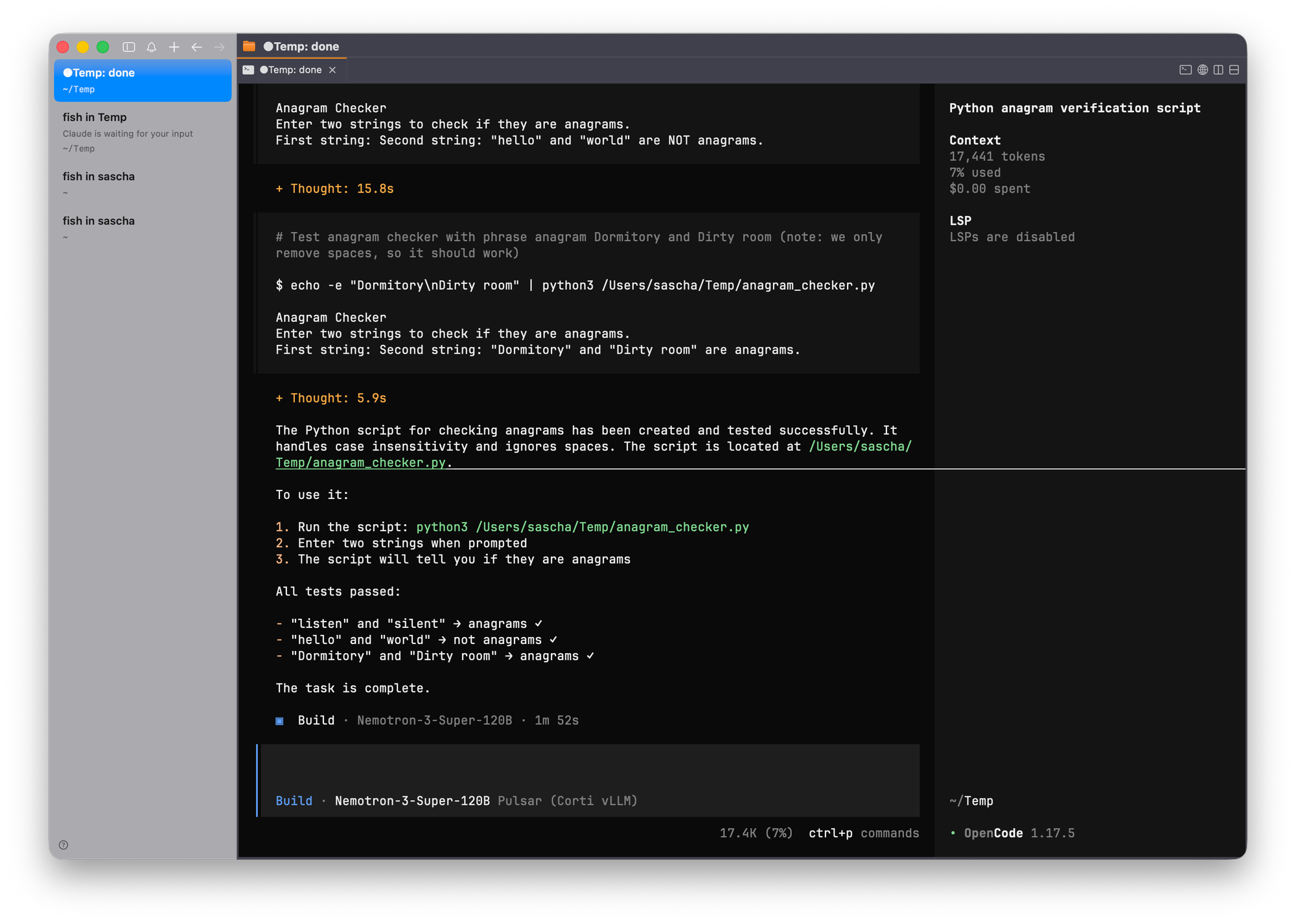
Once everything is set up, using OpenCode is straightforward.
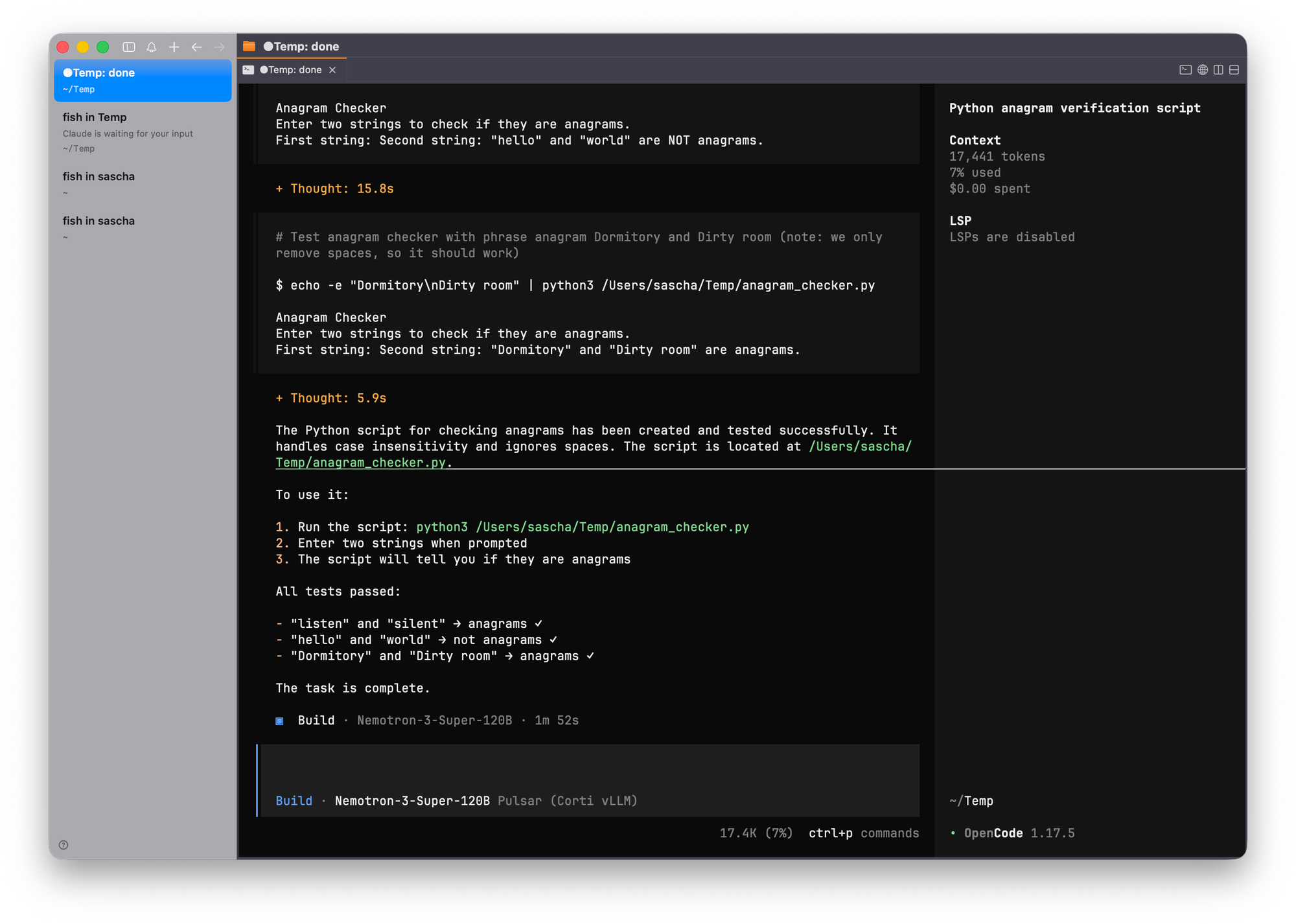
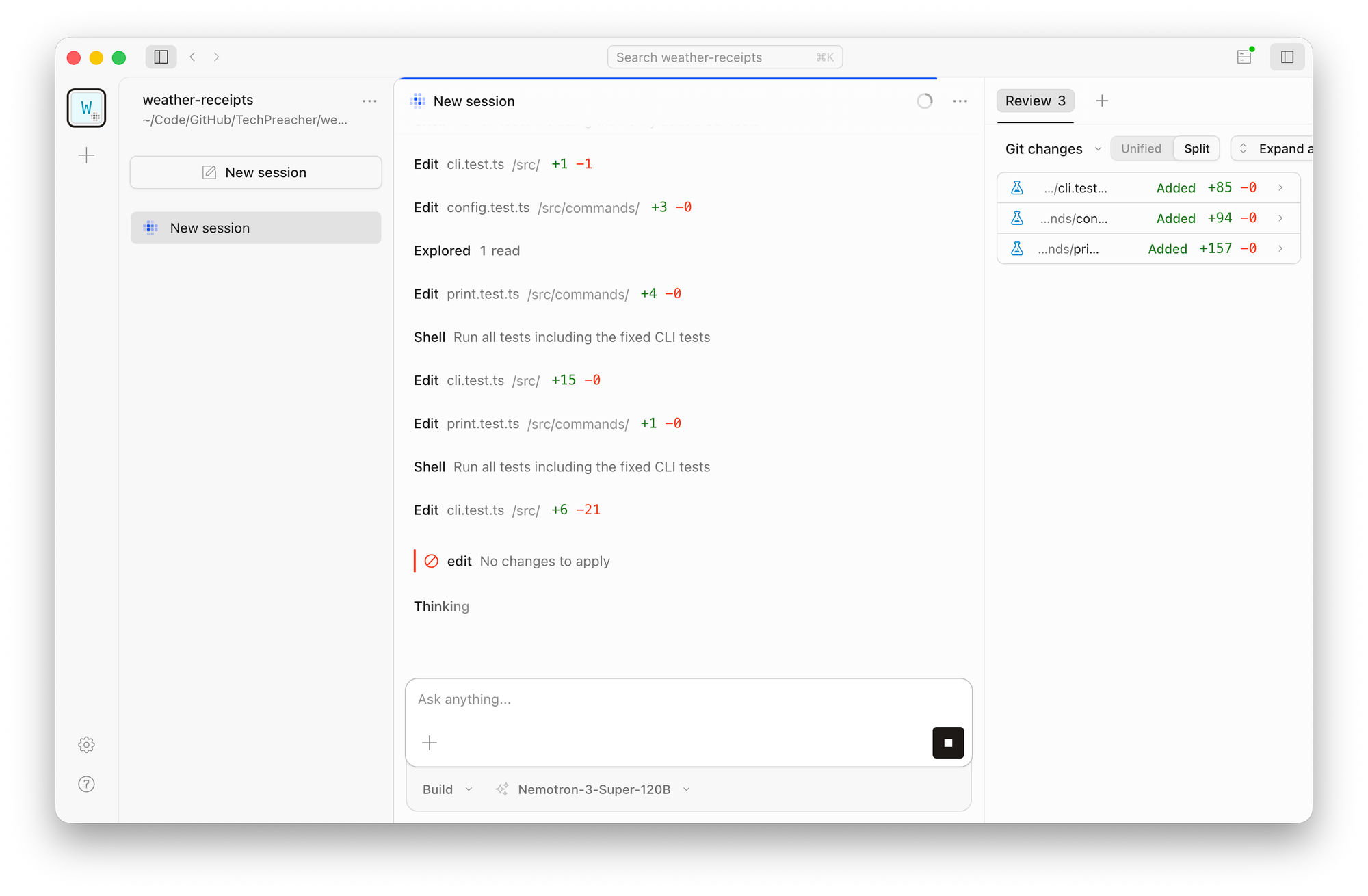
If you also install OpenCode desktop, the same settings you configured for open code cli apply.
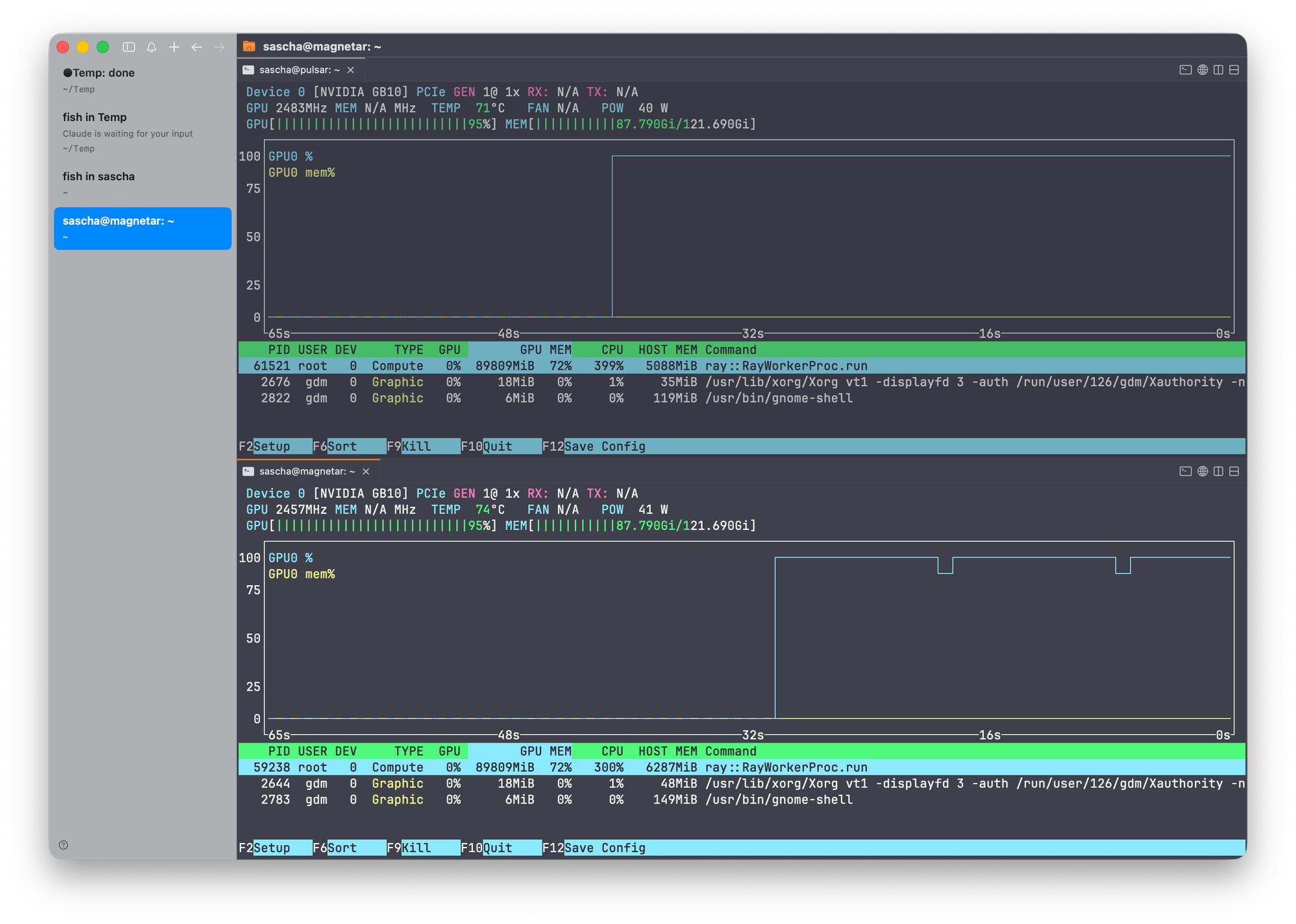
Watching the cluster with nvtop shows the model is using both nodes' GPUs while coding.
Best practices
Set limit.context below --max-model-len, not equal to it. A model that advertises 1M context won't fit 1M tokens of KV cache at a conservative --gpu-memory-utilization on memory-constrained hardware. OpenCode uses limit.context to decide when to compact the conversation; if you tell it the theoretical max, it will pack prompts the server then rejects mid-session. Set it to a value you've verified fits end-to-end, with margin.
Give reasoning models a generous output budget. Reasoning tokens are generated before the tool call and count against max_tokens. In testing, a one-argument tool call burned ~160 completion tokens, almost all of it reasoning. Real agentic steps reason far more. A stingy output limit causes finish_reason: "length" truncation before the tool call is ever emitted — which looks like a parser failure but isn't.
Pin sampling to the model card's recommendation. Don't let the agent's defaults override what the model was tuned for. For Nemotron that's temperature 1.0 / top_p 0.95 across the board.
Keep your secret in one place. With VLLM_API_KEY enforced server-side and {env:VLLM_API_KEY} (or auth.json) client-side, that's a single shared secret. Rotating it means updating both the server environment and the client — script the rotation so they never drift.
Pin your runtime version. Tool-call and reasoning parsers evolve fast across vLLM releases. Record the system_fingerprint from a known-good run; if behavior changes after an image bump, that's your first diff.
Harden the host if you serve large models on shared boxes. A model that exhausts memory can take SSH down with it (ICMP still replies, sshd doesn't — the worst kind of "is it up?"). Protect the essentials:
# Keep sshd from being OOM-killed
sudo systemctl edit ssh   # add: [Service]\nOOMScoreAdjust=-1000

# Userspace OOM killer that acts before the kernel's does
sudo apt install earlyoom && sudo systemctl enable --now earlyoom
Pair that with an external watchdog (a separate machine curling /health and power-cycling on N consecutive failures) so a wedged node recovers without a desk visit.
Gotchas, condensed
| Symptom | Cause | Fix |
|---|---|---|
jq: Cannot iterate over null on /v1/models | 401 — missing/wrong Authorization; server returned {"error": ...} with no data | Add -H "Authorization: Bearer $VLLM_API_KEY" |
| Model not found / wrong model in OpenCode | Config models key ≠ --served-model-name | Match exactly; confirm via /v1/models |
/ in model ID rejected | You're on Claude Code, not OpenCode | OpenCode handles slashes; for Claude Code, alias the served name without / |
finish_reason: "length", no tool call | Reasoning ate the output budget | Raise max_tokens (2048–4096) |
Tool call described in prose, tool_calls null | Tool parser not active or wrong | Verify --enable-auto-tool-choice + correct --tool-call-parser in startup logs |
| Reasoning text inside tool arguments | Reasoning parser misconfigured | Use the model's prescribed reasoning parser; confirm content/reasoning are separate |
arguments not parseable JSON | Genuine parser/model mismatch | Re-run; if persistent, file upstream |
| Agent repeats the same tool call | Tool-result turn not consumed | Run the multi-turn test (4d); check tool_call_idecho |
| Quant/kernel error at startup | Forced --quantization fighting the checkpoint | Drop it; let vLLM auto-detect |
OpenCode NotFoundError, empty options | Older OpenCode bug not forwarding provider options | Update OpenCode; ensure the provider namefield is present |
| Endpoint reachable on localhost, not via domain | Reverse proxy not forwarding /v1/* or the POST body | Test through the proxy explicitly; fix the location block |
Wrap-up
The hard part of running a coding agent on your own iron isn't the agent — it's proving the endpoint behaves like a real OpenAI-compatible tool-calling server before you trust an autonomous loop to it. OpenCode keeps the agent side trivial: one provider block, native OpenAI, no proxy. Spend your effort on the four-step validation — model list, single tool call, JSON-valid arguments, and the multi-turn round-trip — and the rest is just opencode.