
Install the “Caveman” Skill for GitHub Copilot CLI System-Wide

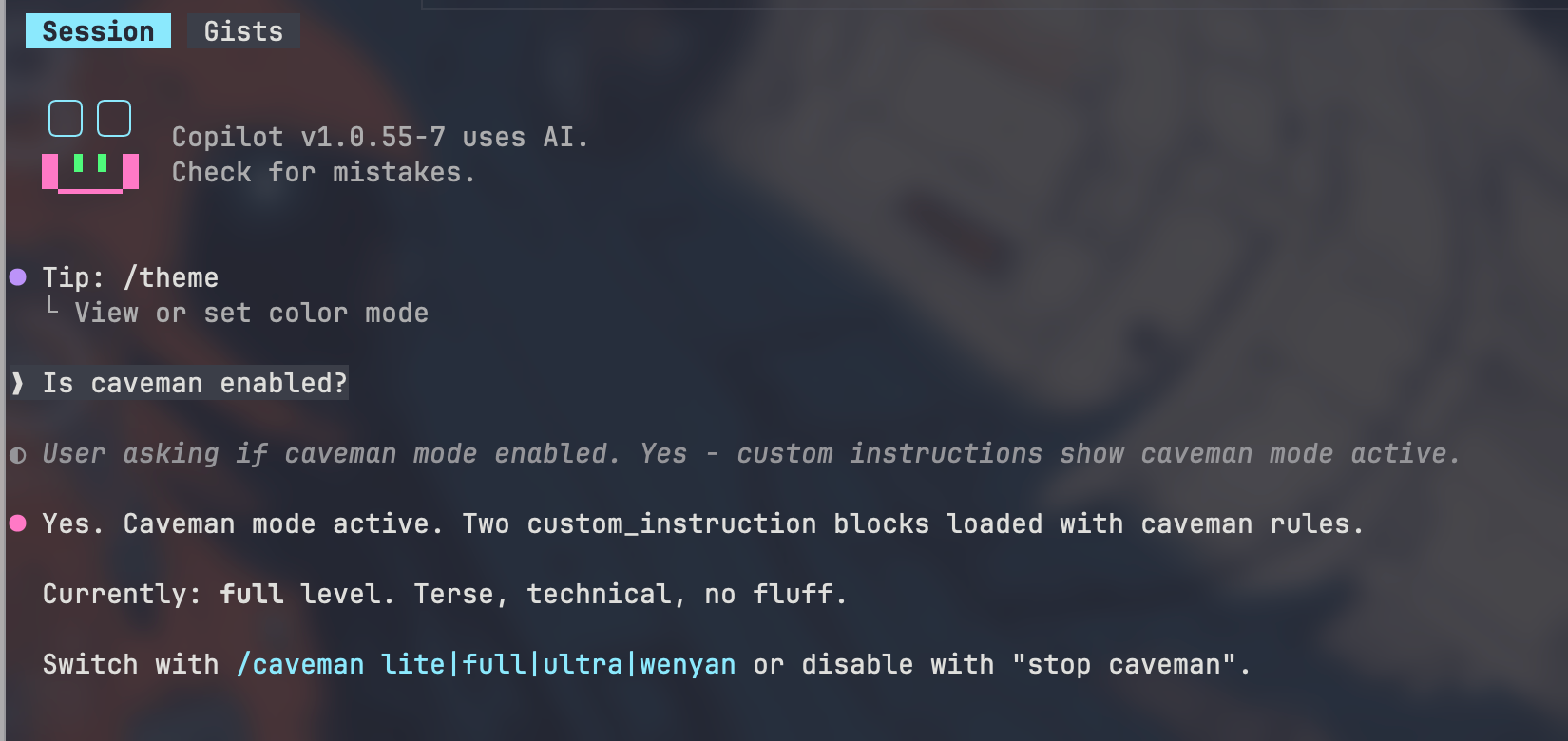
Large Language Models are incredibly powerful for software engineering, but they also have a habit of being verbose. Long explanations, conversational filler, and repeated context all consume tokens, increase latency, and dilute the signal-to-noise ratio during AI-assisted engineering.
The “caveman” skill for GitHub Copilot CLI takes the opposite approach: aggressively concise communication while preserving the technical substance.
Instead of:
“Sure! I’d be happy to help you debug that issue. It looks like there may be a problem in your authentication middleware…”
You get:
“Bug in auth middleware. Token null after refresh. Fix session propagation.”
Minimal words. Maximum information density.
This post explains how to install the caveman skill system-wide for GitHub Copilot CLI and why this style can materially improve AI-assisted development workflows.
What Is the Caveman Skill?
The caveman skill modifies the communication style of GitHub Copilot CLI responses to make them:
- Extremely terse
- Technically dense
- Low-noise
- Token efficient
The style intentionally removes:
- Pleasantries
- Hedging
- Filler words
- Excess explanation
- Conversational overhead
While preserving:
- Technical accuracy
- Code
- Commands
- Important warnings
- Critical reasoning
The result feels closer to reading optimized engineering notes than chatting with a traditional assistant.
Why Developers Like This Style
1. Reduced Token Usage
LLM context windows are finite resources.
Verbose responses waste:
- Prompt tokens
- Completion tokens
- Context budget
- Attention
A concise interaction style means:
- More room for actual code
- Larger repositories fit into context
- Longer agentic sessions before truncation
- Lower API costs in some scenarios
This becomes especially important during:
- Repo-scale engineering
- Agentic coding workflows
- Multi-step debugging sessions
- Long Copilot CLI conversations
2. Better Signal-to-Noise Ratio
Traditional assistant responses often contain conversational padding:
- “I’d be happy to help”
- “It seems like”
- “You may want to consider”
- “One possible solution is”
Experienced developers usually do not need this.
Caveman mode compresses output into:
Root cause: race condition in cache invalidation.
Fix lock ordering. Add retry.
The important information becomes immediately visible.
3. Faster Cognitive Parsing
Engineering work already overloads working memory:
- Terminal output
- Stack traces
- Logs
- Diff reviews
- Infrastructure configs
Shorter AI responses reduce cognitive switching costs.
Instead of reading paragraphs, developers scan concise technical fragments.
This works particularly well in:
- Terminal-based workflows
- SSH sessions
- Remote debugging
- Pair-programming with AI
- Fast iteration loops
4. Better Fit for Agentic Engineering
Modern AI-assisted engineering increasingly relies on:
- Autonomous agents
- Iterative execution
- Small-step task loops
- Continuous verification
In these workflows, verbose natural language becomes friction.
Concise responses improve:
- State tracking
- Action chaining
- Context preservation
- Tool orchestration
- Agent memory efficiency
This aligns well with modern approaches such as:
- Spec-driven development
- AI-assisted repo maintenance
- Continuous validation loops
- Multi-agent engineering systems
Install GitHub Copilot CLI
Before installing the caveman skill, install GitHub Copilot CLI.
See the official documentation at:
GitHub Copilot CLI Documentation and the Copilot CLI page
Authenticate and verify functionality first.
Example:
gh copilot suggest "find largest files"
It also works in the Copilot Chat interface
copilot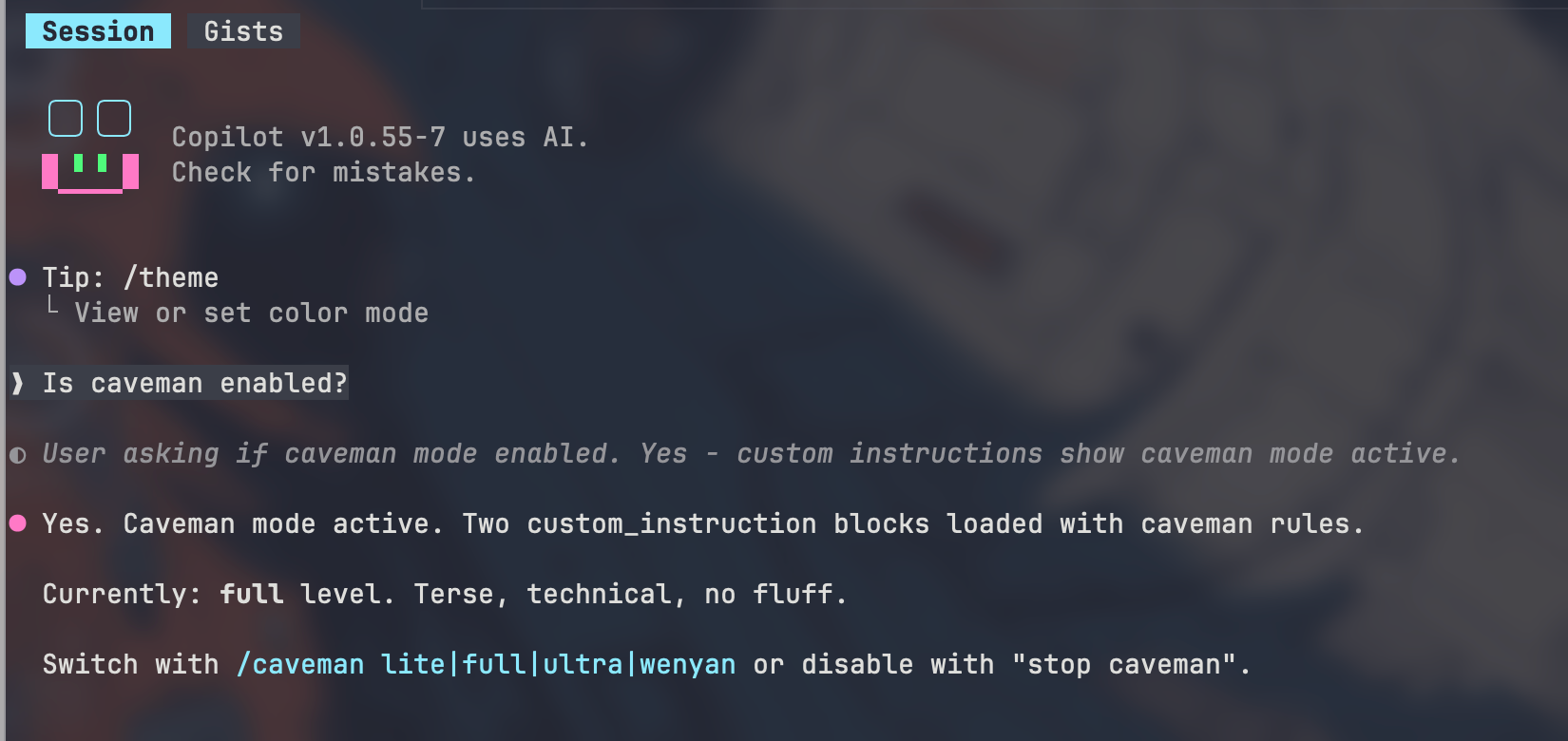
Install the Caveman Skill System-Wide
Run the following command:
cd ~ && npx -y github:JuliusBrussee/caveman -- --only copilot
This installs the caveman integration for GitHub Copilot CLI into your home directory configuration.
The repository is available here:
Create Global Copilot Instructions
Create the file:
~/.copilot/copilot-instructions.md
Add the following content:
Respond terse like smart caveman. All technical substance stay. Only fluff die.

Rules:
- Drop: articles (a/an/the), filler (just/really/basically), pleasantries, hedging
- Fragments OK. Short synonyms. Technical terms exact. Code unchanged.
- Pattern: [thing] [action] [reason]. [next step].
- Not: "Sure! I'd be happy to help you with that."
- Yes: "Bug in auth middleware. Fix:"

Switch level: /caveman lite|full|ultra|wenyan
Stop: "stop caveman" or "normal mode"

Auto-Clarity: drop caveman for security warnings, irreversible actions, user confused. Resume after.

Boundaries: code/commits/PRs written normal.
This enables the behavior globally for GitHub Copilot CLI.
Verify Configuration
Test with:
gh copilot suggest "why docker container exits immediately"
Typical normal output:
Container likely exiting because main process terminates immediately.
Check ENTRYPOINT and CMD configuration.
Typical caveman output:
Main process die. Container exit.
Check ENTRYPOINT/CMD.
Same meaning. Fewer tokens.
Caveman Modes
The configuration supports multiple intensity levels:
Lite
Slightly compressed responses.
Good balance between readability and efficiency.
Cache invalidation bug. Refresh stale.
Full
Aggressive compression.
Cache stale. Invalidate after write.
Ultra
Maximum terseness.
Cache stale. Flush.
Wenyan
Extremely condensed style inspired by classical Chinese brevity.
Mostly novelty/fun mode.
When Caveman Mode Automatically Disables
The configuration intentionally drops the caveman style during situations where clarity matters more than brevity:
- Security warnings
- Destructive operations
- Irreversible actions
- Potential user confusion
This is important because excessive terseness can become dangerous during:
- Production infrastructure changes
- Database deletions
- Credential management
- Security incident handling
The configuration resumes terse mode afterward.
Why This Matters for AI-Assisted Engineering
The industry trend is moving toward:
- AI agents
- Continuous tool orchestration
- Large-context workflows
- Autonomous repo reasoning
- Long-running coding sessions
In these environments, verbosity becomes operational overhead.
Concise prompting and concise responses improve:
| Area | Benefit |
|---|---|
| Context Window | More usable space |
| Token Cost | Lower consumption |
| Latency | Faster responses |
| Readability | Faster scanning |
| Agentic Workflows | Better chaining |
| Cognitive Load | Reduced fatigue |
This mirrors traditional engineering optimization principles:
- Reduce unnecessary state
- Compress signal
- Remove redundancy
- Preserve essential information
Caveman mode applies those principles to human-AI interaction itself.
Example Workflow
Normal style:
I think the issue may be related to your Kubernetes readiness probe configuration. The container appears to be starting correctly, but the readiness check may be failing before the application fully initializes.
Caveman style:
Readiness probe fail before app ready.
Increase initialDelaySeconds.
For experienced engineers, the second version is often enough.
Caveats
Caveman mode is not ideal for every scenario.
Less suitable for:
- Junior developers
- Teaching
- Architecture discussions
- Documentation writing
- Complex design rationale
- Cross-team communication
Best use cases:
- Fast debugging
- CLI workflows
- DevOps tasks
- Iterative coding
- AI pair programming
- Terminal-heavy environments
The ideal workflow is often hybrid:
- Caveman for rapid iteration
- Normal mode for final explanations and documentation
Final Thoughts
Most AI UX optimization focuses on improving the model.
Caveman mode optimizes something different:
Communication entropy.
For experienced developers, removing conversational overhead can make AI tooling feel dramatically faster, sharper, and more aligned with terminal-centric engineering workflows.
As AI-assisted engineering evolves toward persistent agents and large-context automation, concise interaction styles may become increasingly valuable—not just stylistically, but operationally.