
Two Sparks, One Cluster: Why Stacking NVIDIA DGX Spark Units Unlocks Local Frontier-Scale Inference

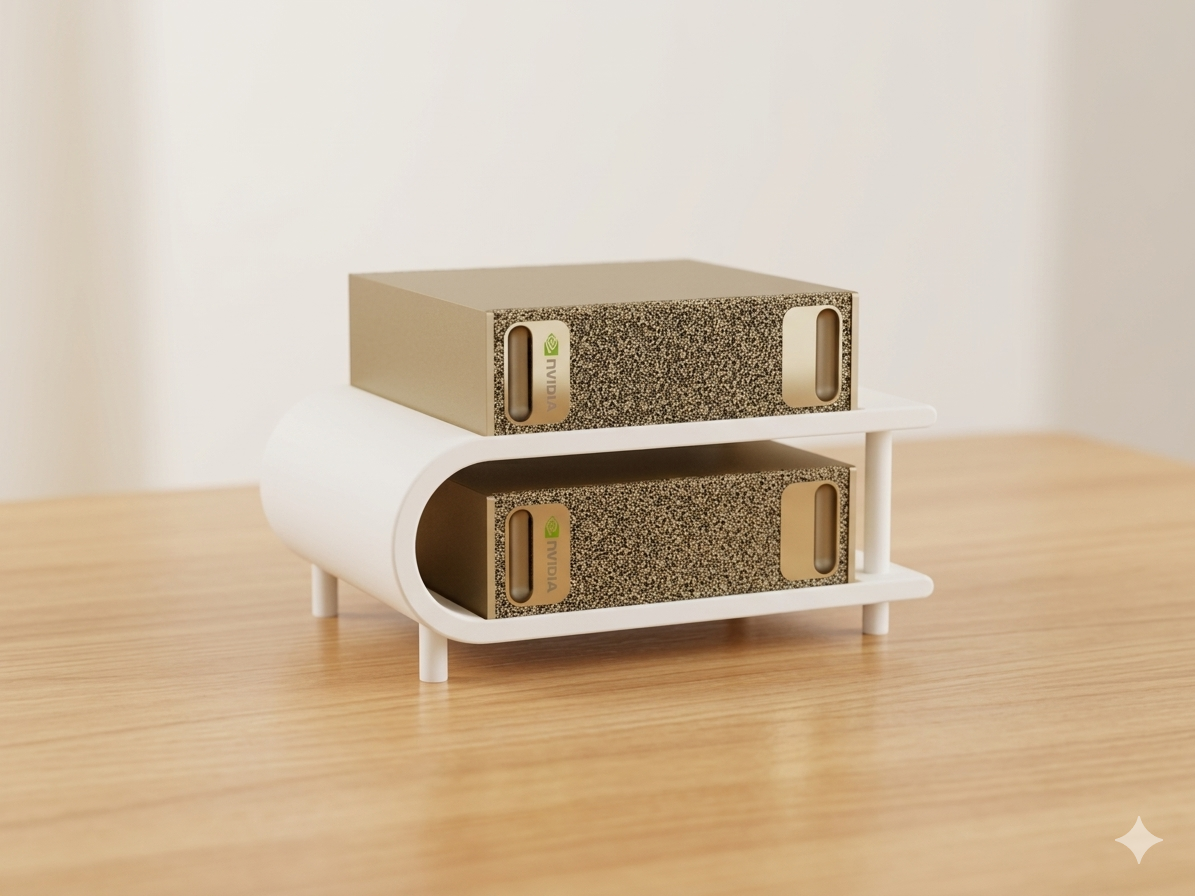
The NVIDIA DGX Spark put a Grace Blackwell superchip on the desk for the price of a high-end workstation. A single unit is already a capable local-inference box — 128 GB of unified memory, FP4 tensor cores, a full NVIDIA software stack. But the feature that quietly changes the platform's ceiling is the one most people skip past at unboxing: the pair of ConnectX-7 200 GbE QSFP ports on the back. Connect two Sparks through them and you stop owning two workstations and start owning a two-node AI cluster.
This post walks through what "Spark Stacking" actually does at the hardware and software level, and where it earns its keep.
The one cable that makes a cluster
There is no proprietary backplane and no switch involved in a two-node setup. Each DGX Spark carries an onboard NVIDIA ConnectX-7 SmartNIC running at 200 GbE, and you link two units with a single 200G QSFP56 passive Direct Attach Copper (DAC) cable, 0.5 m long, plugged port-to-port. No transceivers, no SFP adapters — just direct copper between two boxes sitting side by side.
That simplicity is itself an advantage. The interconnect is a point-to-point RoCE (RDMA over Converged Ethernet)link, which gives the two GPUs a high-throughput, low-latency path for the collective operations that distributed inference depends on. NCCL — NVIDIA's collective communication library — runs its all-reduce and all-gather traffic straight over that 200 Gb/s link while MPI handles inter-process coordination on the CPU side.
One nuance worth understanding, because it shapes expectations: on the GB10 board the ConnectX-7 is wired as two PCIe Gen5 x4 links rather than a single x8. A single x4 link is roughly 100 Gb/s, so the NIC reaches the full 200 Gb/s by aggregating both x4 paths in multi-host mode. The practical takeaway is that a single cable on a single port can carry full bandwidth, and the OS will surface four logical interface names for the two physical ports (each port has two names). It's a quirk, not a limitation — but it's the kind of detail that separates a clean bring-up from an afternoon of debugging.
Advantage 1: You can run models that simply don't fit on one node
This is the headline reason to stack. A single Spark's 128 GB of unified memory already lets it hold models that would never fit in a standard GPU's VRAM — a 70B-parameter model in FP16, or a ~120B model in FP4, runs on one box. But the moment you want to go bigger, you hit a wall that no amount of quantization on a single node can climb.
Linking two units aggregates the memory to 256 GB, and that is enough to host frontier-scale models locally. NVIDIA's marquee claim for the two-node configuration is Llama 3.1 405B in FP4 — a 405-billion-parameter model served across the pair using tensor parallelism. Large mixture-of-experts models in the ~200B–235B class (Qwen3-235B-style architectures, MiniMax-M2.5 at 229B) land in the same category: too large for one node, comfortable across two.
The important mental model: the two nodes do not fuse into a single 256 GB GPU. The model's weights are partitionedacross both Sparks — tensor parallelism splits each layer's matrices, pipeline parallelism splits the layer stack — and the nodes exchange activations over the QSFP link every forward pass. What you gain is capacity: the ability to load a model whose weights plus KV cache exceed any single node's memory.
Advantage 2: Tensor-parallel compute and KV-cache headroom for mid-size models
Stacking isn't only for 405B monsters. Even a model that fits on one node benefits from being served across two, for reasons that have nothing to do with fitting the weights:
- More KV-cache space. Long-context workloads and high concurrency are bottlenecked by KV-cache memory, not weights. Spreading a 120B model across two nodes frees memory on each for a larger cache, which means longer context windows and more simultaneous sequences before you hit an out-of-memory wall.
- Tensor-parallel throughput. With
--tensor-parallel-size 2in vLLM, both Blackwell GPUs share the matrix multiplications for every token. For concurrent, batched serving this raises aggregate tokens/sec meaningfully. - Continuous batching across the cluster. vLLM's PagedAttention and continuous batching operate over the distributed setup, so the second node contributes to serving many requests in parallel rather than sitting idle.
Reported figures bear this out: a ~120B-class model (GPT-OSS-120B, MXFP4) that runs around 35–50 tok/s single-stream on one node lands roughly in the 55–75 tok/s range on a stacked pair depending on the engine (vLLM, SGLang, or TensorRT-LLM), with the larger gains showing up under concurrency rather than in a single isolated request.
Advantage 3: A documented, repeatable software path
A clustered setup is only an advantage if it's reliable to stand up. NVIDIA publishes the full procedure — physical connection, netplan-based network configuration, passwordless SSH discovery, and a vLLM + Ray cluster launched with tensor parallelism across both nodes. The serving layer exposes an OpenAI-compatible API, so anything that already talks to OpenAI's endpoint — Open WebUI, a local chat frontend, an agent framework — points at the head node's :8000/v1 and works unchanged.
The orchestration is conventional, not exotic: Ray coordinates the cluster and places the vLLM workers, a Ray dashboard gives live GPU and actor visibility, and a set of environment variables pins every collective library (NCCL_SOCKET_IFNAME, UCX_NET_DEVICES, GLOO_SOCKET_IFNAME, TP_SOCKET_IFNAME) to the high-speed QSFP interface so traffic never falls back to the slow management NIC. The same Ray-based pattern also underpins TensorRT-LLM and SGLang multi-node deployments, so the skills transfer.
Advantage 4: Frontier-scale capability without the cloud
For teams whose interest in large local models is driven by data residency, privacy, or simply not metering every token through a cloud API, the two-node Spark is a compelling proposition. A pair of compact desktop units — each roughly 150 mm square — gives you a private endpoint capable of 405B-class inference, sitting under a desk, in a lab, or in a location where sending data to a third-party API is off the table. No egress, no per-token billing, no waiting on shared cloud capacity.
It's also a genuine develop-to-deploy path. The DGX Spark runs the same CUDA / NVIDIA AI stack as datacenter Grace Blackwell systems, so a model validated and tuned across two Sparks behaves consistently when promoted to a larger DGX deployment or the cloud. You prototype at frontier scale locally, then scale out without rewriting the stack.
The honest caveat: capacity scales, single-stream speed doesn't
A technical post owes you the limitation alongside the upside. The GB10's unified memory is LPDDR5x with a bandwidth around 273 GB/s per node, and linking two units does not pool that bandwidth — each node still reads weights at its own rate. Token generation on memory-bound autoregressive decoding is governed largely by memory bandwidth, so stacking raises the ceiling on model size far more than it raises single-token decode speed. The very largest models (405B) will run, and that's remarkable for a desk-side pair, but they run at modest tokens/sec, and you'll need to constrain context length and KV-cache settings to load them at all.
In other words: stack two Sparks to run bigger models, to serve more concurrent requests, and to get more KV-cache headroom — not to make a single chat response stream dramatically faster. Frame the purchase around capacity and concurrency, and the two-node Spark is one of the most cost-effective ways to put frontier-scale inference on local hardware.
How to set up: stacking two Sparks step by step
Theory aside, here's the full bring-up. The whole process takes well under an hour, and the commands below follow NVIDIA's official Connect Two Sparks procedure and the dgx-spark-playbooks vLLM multi-node guide. Conventions used throughout: Node 1 = head = 192.168.100.10, Node 2 = worker = 192.168.100.11, multi-node interface enP2p1s0f1np1. Adapt IPs and the interface name to your own ibdev2netdev output.
Step 0 — What you need
- 2 × DGX Spark (or an OEM GB10 variant), both on the same, up-to-date DGX OS image. Update the ConnectX-7 /
mlx5firmware and thedgx-spark-mlnx-hotplugpackage before you start. - 1 × 200G QSFP56 passive DAC cable, 0.5 m (part number
Q56-200G-CU0-5, or a vendor's DGX-Spark-validated equivalent). No switch, no transceivers.
Step 1 — Connect the cable
Plug the DAC into port 1 on Node 1 and the matching port 1 on Node 2 — always connect the same port number on both units, or the link won't come up. Then confirm on both nodes:
ibdev2netdev
You want one interface showing (Up):
roceP2p1s0f1 port 1 ==> enP2p1s0f1np1 (Up)
rocep1s0f1   port 1 ==> enp1s0f1np1   (Up)
Each physical port has two names; use the enp1... names for configuration and ignore the enP2p... duplicates. If nothing shows (Up), reseat the cable, verify matching ports, and reboot both nodes.
Step 2 — Match the username on both nodes
The cluster scripts assume an identical login user. Check with whoami on each; if they differ, create a common user (e.g. nvidia) on both boxes.
Step 3 — Configure the network (static IPs)
With a single cable, static netplan addresses give you a stable cluster.
Node 1:
sudo tee /etc/netplan/40-cx7.yaml > /dev/null <<EOF
network:
  version: 2
  ethernets:
    enp1s0f1np1:
      addresses: [192.168.100.10/24]
      dhcp4: no
EOF
sudo chmod 600 /etc/netplan/40-cx7.yaml
sudo netplan apply
Node 2: identical, but with 192.168.100.11/24. Then verify connectivity:
ping -c3 192.168.100.11 # from Node 1
If you prefer zero-config, netplanlink-local: [ ipv4 ]on both nodes auto-assigns169.254.x.xaddresses — convenient, but the IPs can change on reboot, which complicates a static cluster config.
Step 4 — Passwordless SSH
ssh-keygen -t ed25519        # if you don't already have a key
ssh-copy-id -i ~/.ssh/id_ed25519.pub nvidia@192.168.100.10
ssh-copy-id -i ~/.ssh/id_ed25519.pub nvidia@192.168.100.11
Confirm with ssh 192.168.100.11 hostname. (On some images NVIDIA's discover-sparks script automates this discovery and key exchange.)
Step 5 — Prepare the vLLM containers
On both nodes: install Docker, add your user to the docker group, pull a Blackwell/sm100-capable NGC vLLM container (CUDA 13.0+, e.g. the 26.02-py3 image or newer), and authenticate to Hugging Face (huggingface-cli login) for model downloads.
Step 6 — Pin every collective library to the QSFP link
This is the step that most often makes the difference between a cluster that works and one that hangs. On both nodes, export:
export MN_IF_NAME=enP2p1s0f1np1
export NCCL_SOCKET_IFNAME=$MN_IF_NAME
export GLOO_SOCKET_IFNAME=$MN_IF_NAME
export TP_SOCKET_IFNAME=$MN_IF_NAME
export UCX_NET_DEVICES=$MN_IF_NAME
export OMPI_MCA_btl_tcp_if_include=$MN_IF_NAME
export RAY_memory_monitor_refresh_ms=0
export MASTER_ADDR=192.168.100.10
Also set VLLM_HOST_IP=192.168.100.10 on the head and VLLM_HOST_IP=192.168.100.11 on the worker.
Step 7 — Start the Ray cluster
Head (Node 1):
ray start --head --node-ip-address=192.168.100.10 --port=6379 --dashboard-host=0.0.0.0
Worker (Node 2):
ray start --address=192.168.100.10:6379 --node-ip-address=192.168.100.11
Verify from the head node — you should see two nodes and two Blackwell GPUs:
ray status
Step 8 — Serve the model with tensor parallelism
Start with GPT-OSS-120B to validate the cluster end to end:
vllm serve openai/gpt-oss-120b \
  --tensor-parallel-size 2 \
  --host 0.0.0.0 --port 8000
For the maximum-capability case — Llama 3.1 405B in FP4 — keep memory in check; even 256 GB is tight, so constrain context length and KV cache:
vllm serve <hf-org>/Llama-3.1-405B-Instruct-FP4 \
  --tensor-parallel-size 2 \
  --max-model-len 4096 \
  --gpu-memory-utilization 0.92 \
  --kv-cache-dtype fp8 \
  --host 0.0.0.0 --port 8000
Step 9 — Test the endpoint
vLLM serves an OpenAI-compatible API on the head node:
curl http://192.168.100.10:8000/v1/chat/completions \
  -H "Content-Type: application/json" \
  -d '{"model":"openai/gpt-oss-120b","messages":[{"role":"user","content":"Say hello from a two-node Spark cluster."}]}'
Point any OpenAI-compatible client at http://192.168.100.10:8000/v1, and watch the Ray dashboard at http://192.168.100.10:8265for live GPU utilization and worker placement across both Sparks.
Quick troubleshooting
- No
(Up)interface / QSFP cage won't power (insufficient power on PCIe slot (27W)): the known hotplug issue — toggledgx-spark-mlnx-hotplug, update firmware, and reboot both nodes. - NCCL timeout or hang at model load:
NCCL_SOCKET_IFNAMEisn't set to the QSFP interface on both nodes. Connection refusedon Ray join: the worker can't reach192.168.100.10:6379over the QSFP link — recheck IPs and routing.- Out-of-memory at load: flush the cache with
sudo sh -c 'sync; echo 3 > /proc/sys/vm/drop_caches', then lower--max-model-lenand--gpu-memory-utilization.
When stacking is the right call
Link two DGX Spark units if any of these describe you:
- You need to run a model that exceeds 128 GB — 405B in FP4, or a large MoE in the 200B+ class — entirely on local hardware.
- You're serving a 70B–120B model to multiple users and want more concurrency and longer contexts than one node's KV cache allows.
- You want a private, frontier-capable inference endpoint with no cloud egress and predictable cost.
- You're building a develop-to-deploy pipeline and want local behavior to match datacenter Grace Blackwell systems.
If your workload comfortably fits one node and you only care about fastest single-stream latency, a single Spark — or a higher-bandwidth GPU — may serve you better. But for anyone whose constraint is model size or concurrency rather than raw per-token speed, the second Spark and a 0.5 m copper cable are the cheapest path to a meaningfully larger local AI ceiling.